EasyManua.ls Logo

PoolCop Evolution - Configuration; Maintenance

PoolCop Evolution
114 pages
Print Icon
To Next Page IconTo Next Page
To Previous Page IconTo Previous Page
Loading...
P a g e | 60 P o o l C o p M a n u a l : V 4 2 EN
www.poolcop.com PCFR
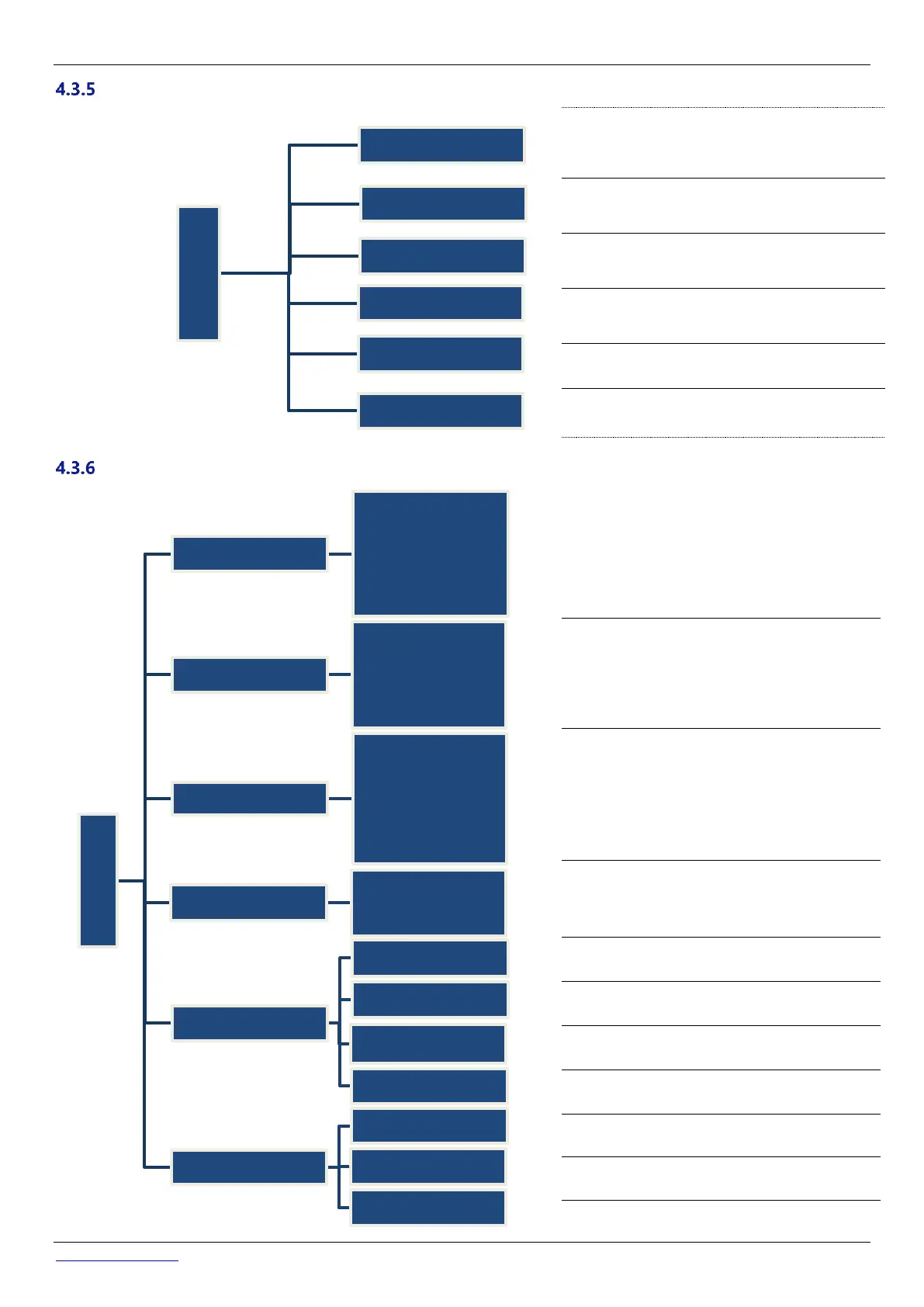
Maintenance
Adjust Water temperature
Air temperature to start antifreeze protection
Activate/deactivate service mode.
Low water temperature to stop water treatment.
Measure pH
Calibrate pH
Configuration
Set pool data parameters used to calculate filtration duration.
Set pump data parameters used for alerts and pump
protections.
Set filter data parameters used to configure functions.
Set function and action and alarm for each input.
View Network settings
Set date and time.
Select the language.
Reset to the default settings.
Set the Pool Cover control
Set the Jetstream control
Reserved
Maintenance
Temp Adjustment
Air Antifrz
Service Mode
Stop Water Treatmt
Measure pH
Calibrate pH
Configuration
PoolData
Volume
Flow rate
Turnovers
Antifreeze prot.
Cover Reduction
Cover Speed
Pool Type
Pump Data
Pump Type
Alarm Pressure
Protection Presure
Pump Protection
Cyc1/Cyc2 speeds
Backw speed
Filter Data
Backwash Pressure
Frequency
Waste valve
Cleaning Mode
Backwash Duration
Rinse Duration
Inputs
Function
Detection Sense
Alert
Factory Settings
Network
Date/Time
Language
Reset
Equipment
PoolCover
JestStream
Attractions

Table of Contents