P a g e | 70 P o o l C o p M a n u a l : V 4 2 EN
www.poolcop.com PCFR
Water Level Control
Automatic Water Level Control
The optional Water Level Kit is required for automatic water level control. The water level controller measures the level when the
filtration stops. The water level will be replenished automatically when LOW level is detected provided that REFILL MODE is set to
REFILL or AUTO. The water level controller will only replenish whilst the pump is OFF. When the pump starts the valve closes
automatically unless continuous filling has been selected. To allow water level measurement, pump should be stop at least 30
minutes between each filtration cycle.
The water level will be reduced automatically when V.HIGH (very high) level is detected provided that REFILL MODE is set to
REDUCE or AUTO. With filter CLEANING: AUTO, cleaning cycles will be commanded to reduce the level; with cleaning INHIBITED
or MANUAL, the water is sent to waste.
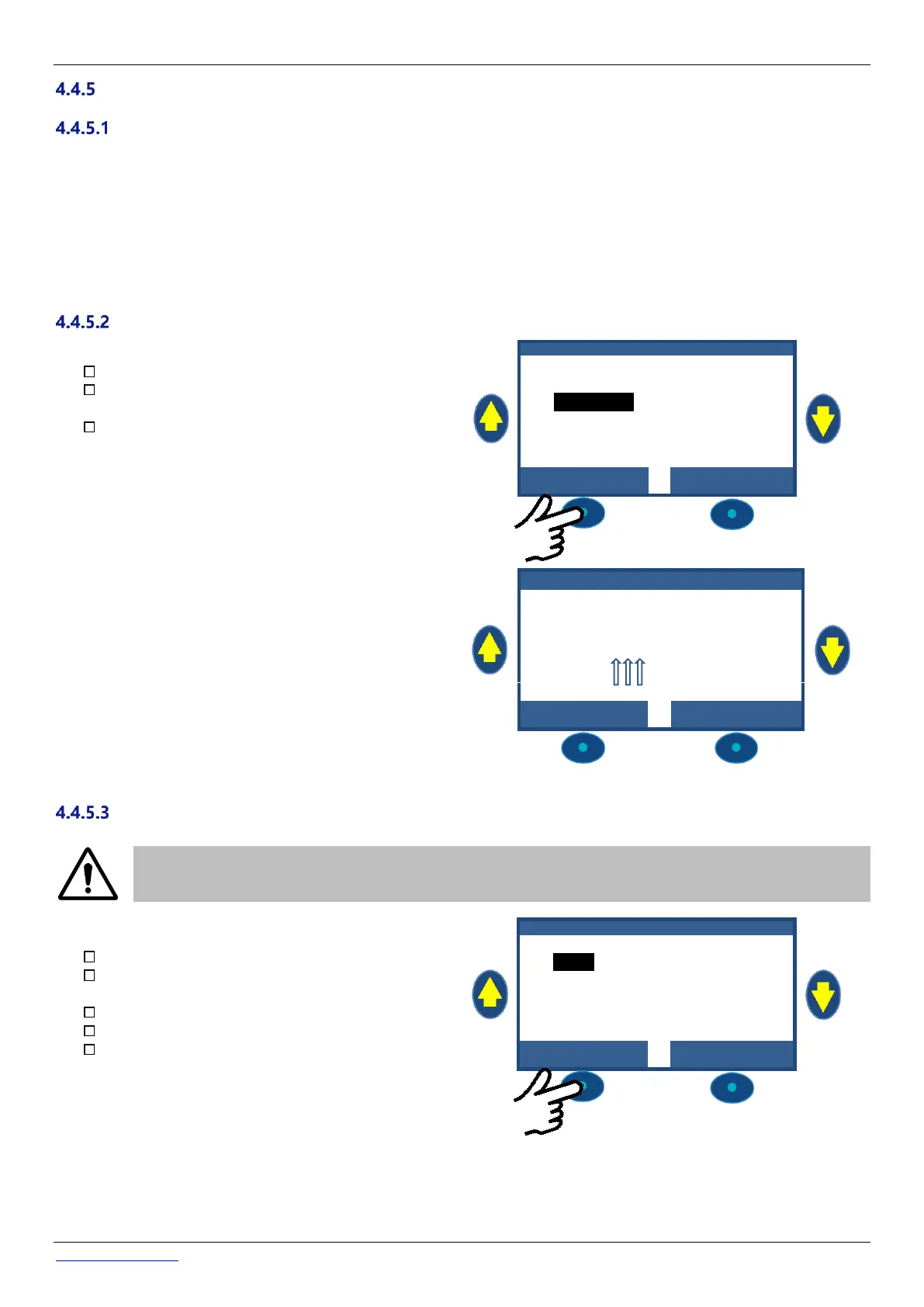
Refill Pool Manually
If running, stop the pump in MANUAL CONTROL.
In the MANUAL CONTROL menu, select ADJUST
LEVEL.
Press SELECT, then after level reading:
o If level is NORMAL or LOW, the pool refills.
o If level is HIGH nothing will happen
o If level is V.HIGH a water level reduction
may occur within 15 minutes
M A N U A L C O N T R O L
When water refill is ongoing, blinking vertical arrows are
shown on the main screen, close to "Level" text.
Should the refill have been stopped manually (using Manual
control/Pool refill), arrows will be change to dots.
1 2 : 4 6 : 0 1 0 1 / 0 6 / 2 0 1 4
Reduce Water Level Manually
CAUTION:
If draining the pool, remember to switch off automatic refill, and close the water supply at the shut off tap
prior to draining the pool even partially. Deactivate filtration timers; deactivate periodic filter cleaning mode.
Navigate to MANUAL CONTROL
Scroll UP or DOWN to place cursor at VALVE
ROTATION.
Press SELECT; VALVE ROTATION will display
Scroll UP or DOWN to place cursor at WASTE.
Press SELECT; the pump will stop (if ON) and the
valve will rotate to the WASTE position.
V A L V E R O T A T I O N



 To Next Page