4.5 Keypad Operation
144 SIEPYEUOQ2A01G AC Drive Q2A Technical Manual
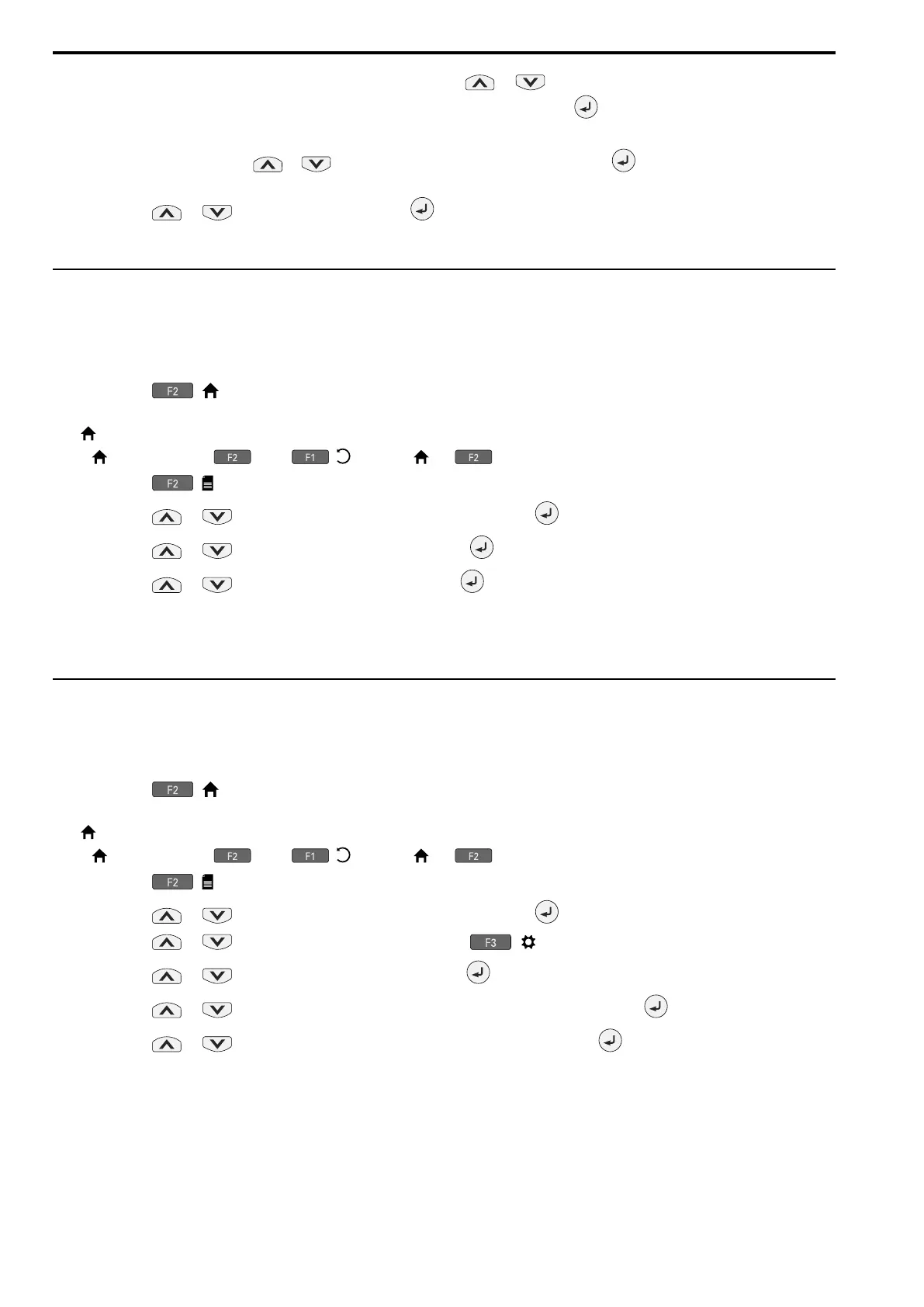
8. In the parameter change confirmation screen, push or to examine the changed parameter, then
select [Apply each parameter] at the bottom of the screen and push .
Note:
To change a parameter, push or to select the parameter to change, then push to show the parameter setting
screen.
9. Push or to select [Yes], then push to apply the parameter settings.
The Q2 Wizard procedure is complete.
◆ Start Data Logging
The data log function keeps a record of a maximum of 10 drive monitors. This procedure shows how to start
logging data.
1. Make sure that a microSD card is inserted in the keypad.
2. Push ( ) to show the HOME screen.
Note:
• [ ] appears in the upper right hand corner of the screen when in HOME mode.
• If [ ] is not shown on , push ( ) to show [ ] on .
3. Push ( ).
4. Push or to select [Monitor & Diagnostics], then push .
5. Push or to select [Data Logger], then push .
6. Push or to select [Yes] or [No], then push .
• [Yes]: Data logging starts.
• [No]: Data logging will not start.
If the drive was logging data when you entered the command, the drive will ask to stop data logging.
◆ Set Data to Log
■ Set Monitor to Log
This procedure shows how to set the monitor for which to log data.
1. Push ( ) to show the HOME screen.
Note:
• [ ] appears in the upper right hand corner of the screen when in HOME mode.
• If [ ] is not shown on , push ( ) to show [ ] on .
2. Push ( ).
3. Push or to select [Monitor & Diagnostics], then push .
4. Push or to select [Data Logger], then push ( ).
5. Push or to select [Log Monitor], then push .
6. Push or to select the save-destination monitor parameter, then push .
7. Push or to select the monitor number to be logged, then push .
The setting procedure is complete.
■ Set the Sampling Time
This procedure shows how to set the sampling time for data logging.


 To Next Page