ECO-DATA CONTROLS
The Eco-data system is designed to help
the driver maximise fuel economy by
providing vehicle data and driving tips.
The Eco-data system can be accessed
through the Extra features menu in the
Touch screen. See 82, EXTRA FEATURES.
Eco-data can also be displayed in the
Instrument panel. See 51, USING THE
TRIP COMPUTER.
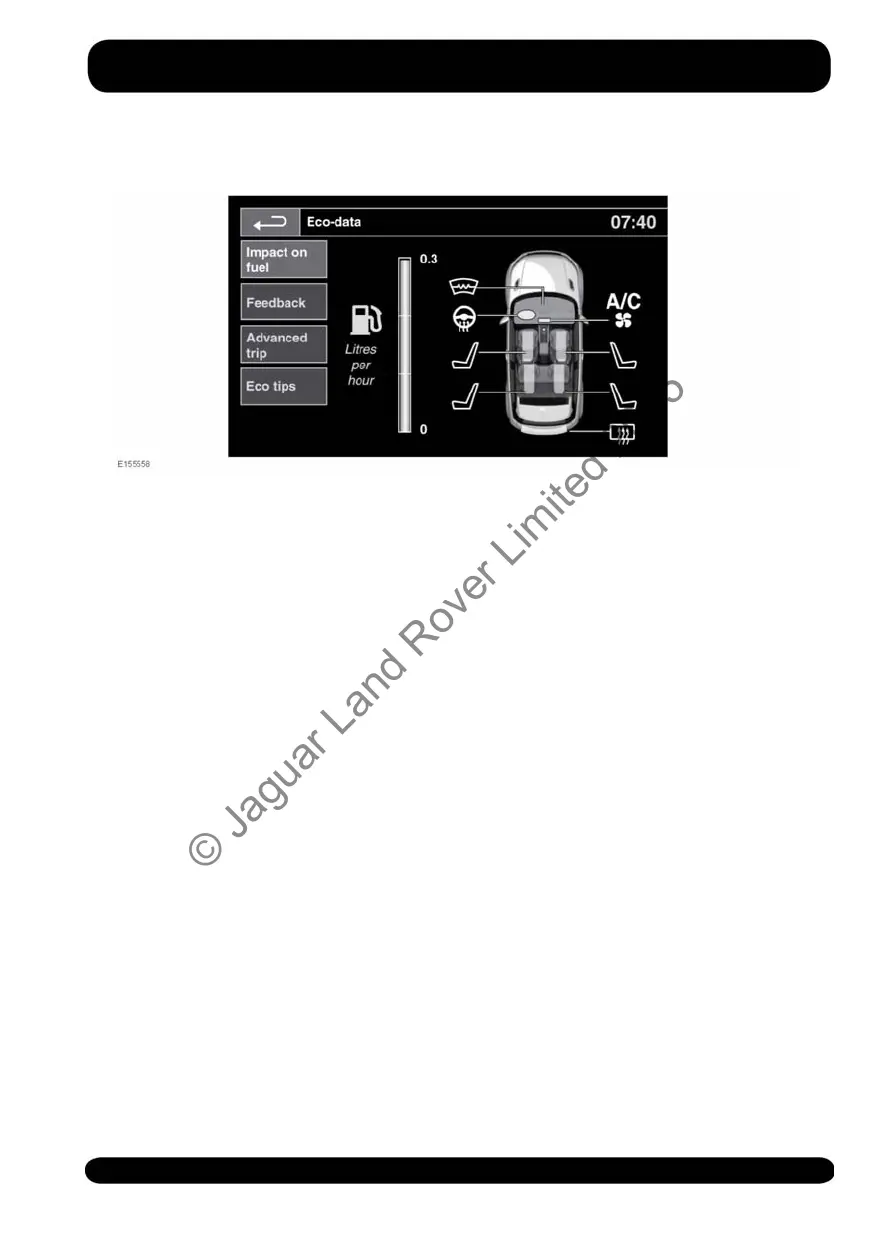
When selected, Eco-data provides the
following options:
• Impact on fuel: This option displays
the impact electrical loads are having
on fuel economy.
• Feedback: This option displays the
impact driving style is having on fuel
economy.
• Advanced trip: This option displays
details on the last 3 trips.
• Eco tips: This option displays hints and
tips on how to improve fuel economy.
Note: The Eco-data system will only begin
displaying averaged data after the vehicle
has travelled 1 km.
Note: The Eco-data system may not
measure or record data when in some
Terrain Response modes, and/or if Hill
Descent Control (HDC) is selected.
Note: The Eco-data system only monitors
driver inputs. Any automatic inputs from
the vehicle, for example, throttle and
brake force applied by the Adaptive
Cruise Control (ACC) system will not be
measured. Data not being measured and
recorded will be greyed out in the
Instrument panel.
105
Eco-data
© Jaguar Land Rover Limited 2015



 To Next Page