THE NAVIGATION SYSTEM
Navigation instruction is by map and turn
information displayed on the Touch screen
and can be complemented by voice
guidance, if required. The system uses
signals from Global Positioning System
(GPS) satellites, combined with information
from vehicle sensors and from data stored
on the SD card, to establish the true
position of the vehicle.
Using this combination of data sources,
the vehicle's navigation computer enables
you to plan and follow a route map to your
desired destination.
The Touch screen is used to control
navigation via menus, text screens, and
map displays.
Operate the system only when it
is safe to do so.
Note: The Navigation system fitted to
your vehicle does not support speed
camera alerts.
The requirements of national Road Traffic
Regulations always apply.
Observation of traffic signs and local traffic
regulations always take priority.
The Navigation system serves solely as an
aid to navigation. In particular, the
Navigation system cannot be used as an
aid to orientation when visibility is poor.
GPS signals may occasionally be
interrupted due to physical barriers, such
as tunnels and roads, under raised
highways.
However, direction and speed sensors on
the vehicle will minimise any adverse
effect on the Navigation system. Normal
operation will resume once the obstruction
has been passed.
Under certain conditions, it is possible for
the vehicle's position shown on the screen
to be incorrect. This may happen when:
• Driving on a spiral ramp in a building.
• Driving on, or beneath, elevated roads.
• Two roads are close and parallel.
• The vehicle has been transported to
another destination.
• The vehicle has been rotated on a
turntable.
• The vehicle's battery has been
disconnected.
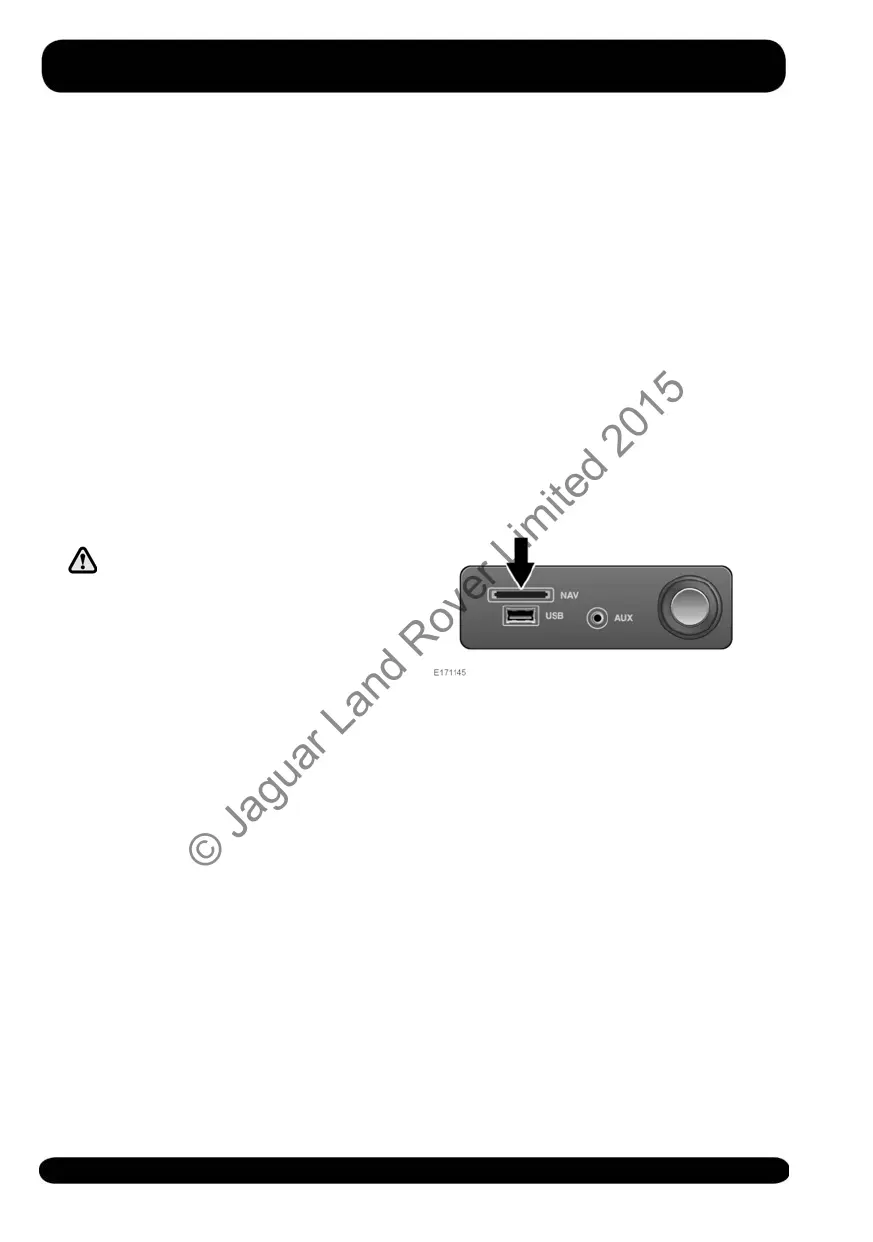
NAVIGATION SD CARD
The Navigation SD card reader is located
in the front centre cubby box. See 89,
STORAGE COMPARTMENTS. Make sure
the SD card is located correctly in the card
reader before operating the Navigation
system.
For updates to the Navigation system's
maps, visit www.landrover.com/
map-updates/incontrol-touch, or contact
your Land Rover Retailer.
Note: If for any reason the SD card is
ejected while the Navigation system is in
operation, locate the SD card correctly in
the card reader and touch Retry soft key
on the Touch screen, when prompted.
176
Navigation system
© Jaguar Land Rover Limited 2015



 To Next Page