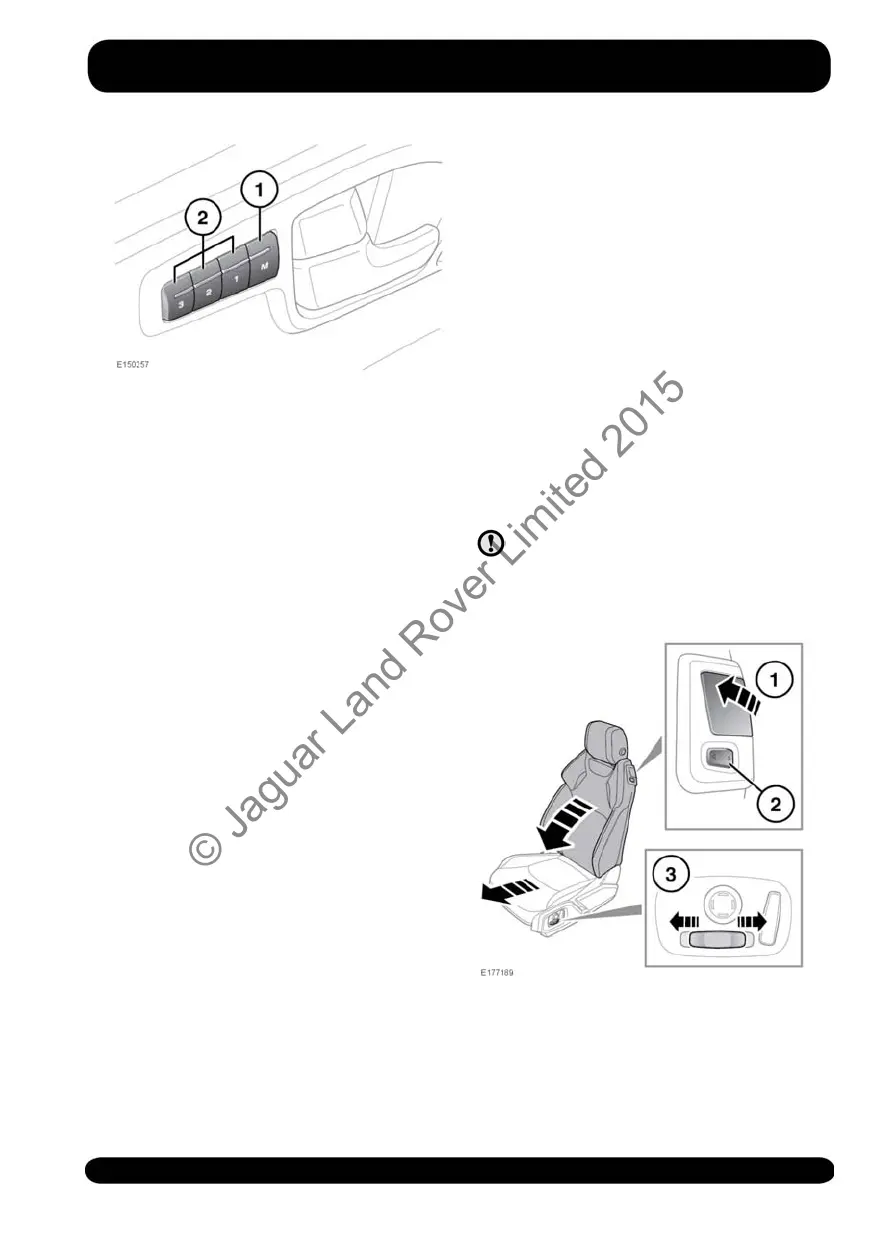
1. On the driver’s door, press the
memory store button to activate the
memory function. The switch indicator
will illuminate.
2. Press one of the preset buttons within
5 seconds to memorise the current
settings. Memory (1, 2 or 3) Settings
Saved will be displayed on the
Message centre, accompanied by an
audible chime to confirm the settings
have been saved to memory.
Note: A seat position will be saved to
memory only during the 5 second
active period.
Note: Any existing settings will be
over-written when a new position is
saved to memory.
To recall a saved position, press the
relevant preset button (2). Memory (1,
2 or 3) Recalled will be displayed in
the Message centre.
Coupe passenger seat
Saving a seat position to memory
follows the same procedure as for the
driver’s seat. Press the memory button
to store the current seat settings.
EASY ENTRY/EXIT
When Easy entry/exit is enabled, the
driver’s seat will automatically lower when
the ignition is switched off and the door
is opened. Upon returning to the vehicle,
when the driver’s door is closed and the
ignition is switched on, the seat will return
to its previously set position.
This feature can be enabled/disabled via
the Instrument panel menu. See 49,
INSTRUMENT PANEL MENU.
REAR SEAT ACCESS
The front seats tilt and power slide
forwards for entry to and exit from the rear
seats.
Take care not to damage the
seatbacks while gaining access to
the rear seats.
Standard seats
To pivot the seatback forwards, lift the
locking lever (1).
To move the seat forwards or backwards,
use either switch (2) or (3).
23
Front seats
© Jaguar Land Rover Limited 2015



 To Next Page