Touch to enable or disable
Hitch assist guidance lines. Use
this feature to aid the process
of guiding the vehicle to a
towing hitch. A single line is
displayed as the reversing
guidance line.
The Rear camera display on the Touch
screen will discontinue when either of the
following apply:
• A forward gear is selected for longer
than five seconds.
• A forward gear is selected and/or the
vehicle's speed is greater than 18 km/h
(11 mph).
REVERSE TRAFFIC DETECTION
The Reverse Traffic Detection
(RTD) system is a supplement to,
not a replacement for, safe
driving, good observation and use
of the exterior and rear-view
mirrors.
Note: RTD is automatically disabled when
a trailer is connected and when Park assist
is active.
In addition to the functionality provided
by the Rear camera, the RTD system
provides a warning to the driver of any
moving vehicle, at either side, that may
pose an accident risk during a reversing
manoeuvre.
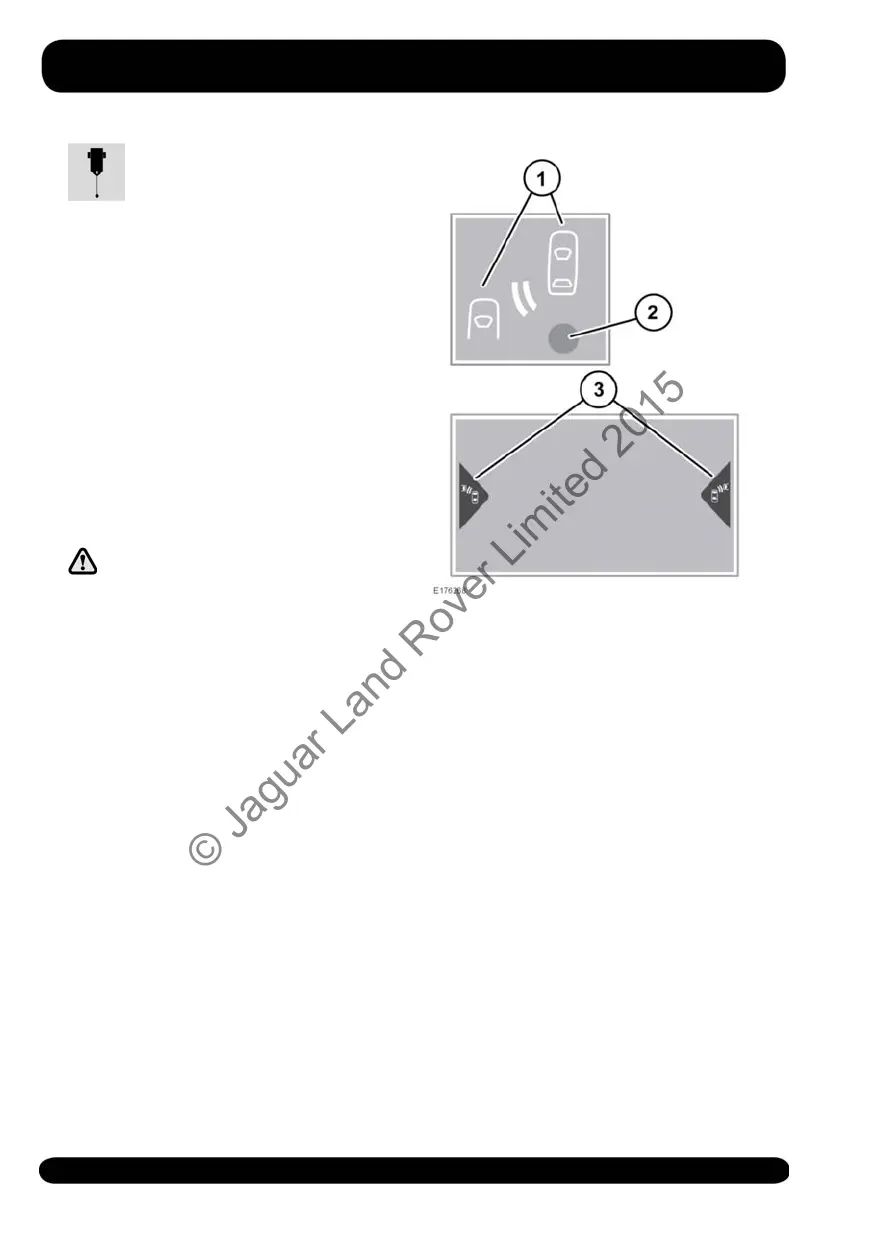
1. The amber warning icon flashes in the
relevant exterior mirror and an audible
warning tone is emitted to indicate the
presence of a moving vehicle.
2. When RTD is disabled, an amber dot
displays in both exterior mirrors.
3. The Rear camera screen, or the Parking
aid screen, displays a warning icon on
the relevant side(s) of the screen.
To switch between the Rear camera and
the Parking aid screen, touch the camera
image or the Cameras icon, accordingly.
The system can be enabled or disabled
via the Instrument panel menus. See 49,
INSTRUMENT PANEL MENU.
122
Parking aids
© Jaguar Land Rover Limited 2015



 To Next Page