• DAB L-Band
PORTABLE MEDIA
CONNECTIONS
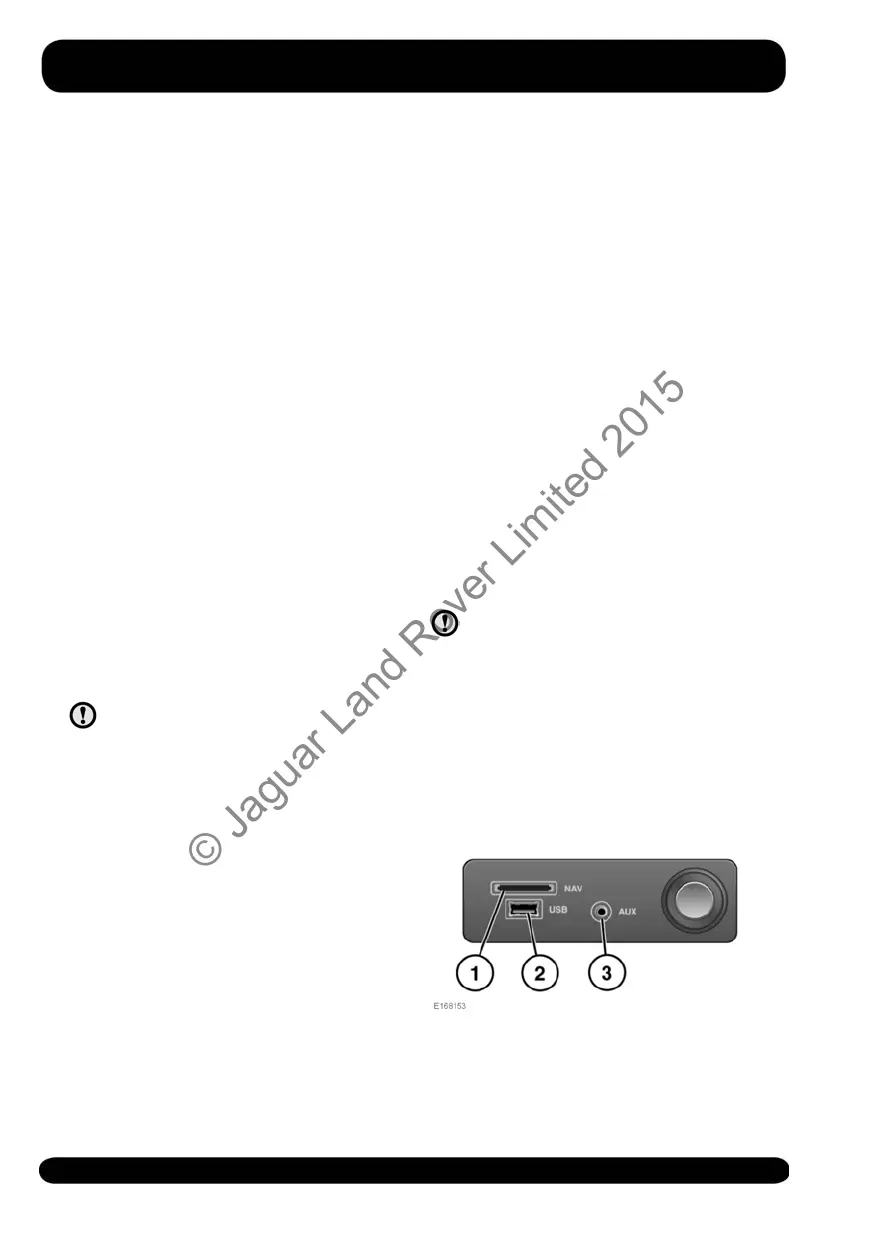
Portable media devices can be connected
to the media hub, located in the cubby
box. Compatible portable devices include:
• USB mass storage devices (e.g., a
memory stick). Devices must use FAT
or FAT32 file format.
• iPod (iPod Classic, iPod Touch, iPhone,
and iPod Nano are supported - full
functionality for older devices cannot
be guaranteed). iPod Shuffle
functionality cannot be guaranteed.
• Auxiliary (AUX) device (personal audio,
MP3 players, all iPods).
Note: Auxiliary devices have no Touch
screen control.
If you are connecting an iPod, mass
storage, or Bluetooth® wireless
technology device, use the Touch screen
to operate and search for the device.
Please disconnect your iPod when
leaving the vehicle. Failure to do so
may result in the iPod battery
discharging.
Note: The Media system will play MP3,
WMA, and AAC files.
To maximise playback quality, it is
recommended that lossless compression
is used for any media files on USB or iPod.
Failing this, it is recommended that
compressed files utilise a minimum bitrate
of 192 kb/s (a higher bitrate is strongly
recommended).
Note: iPod is a trademark of Apple
Computer Inc., registered in the US and
other countries.
Note: Some MP3 players have their own
file system that is not supported by this
system. To use your MP3 player, you must
set it to USB Removable Device or Mass
Storage Device mode. Only music that
has been added to the device in this mode
can be played.
For a list of compatible Bluetooth®
wireless technology devices, please refer
to the Land Rover website at:
www.landrover.com.
The Bluetooth® wireless technology
devices listed have been tested for
compatibility with Land Rover vehicles.
Performance will vary, based on the
device’s software version and the battery's
condition. Devices are warranted by their
manufacturer, not Land Rover.
CONNECTING A MEDIA DEVICE
Read the manufacturer's instructions
for any device, before it is
connected to the Media system.
Make sure the device is suitable and
complies with any instructions
regarding connection and
operation. Failure to do so may
result in damage to the vehicle’s
Media system or the auxiliary
device.
156
Media
© Jaguar Land Rover Limited 2015



 To Next Page