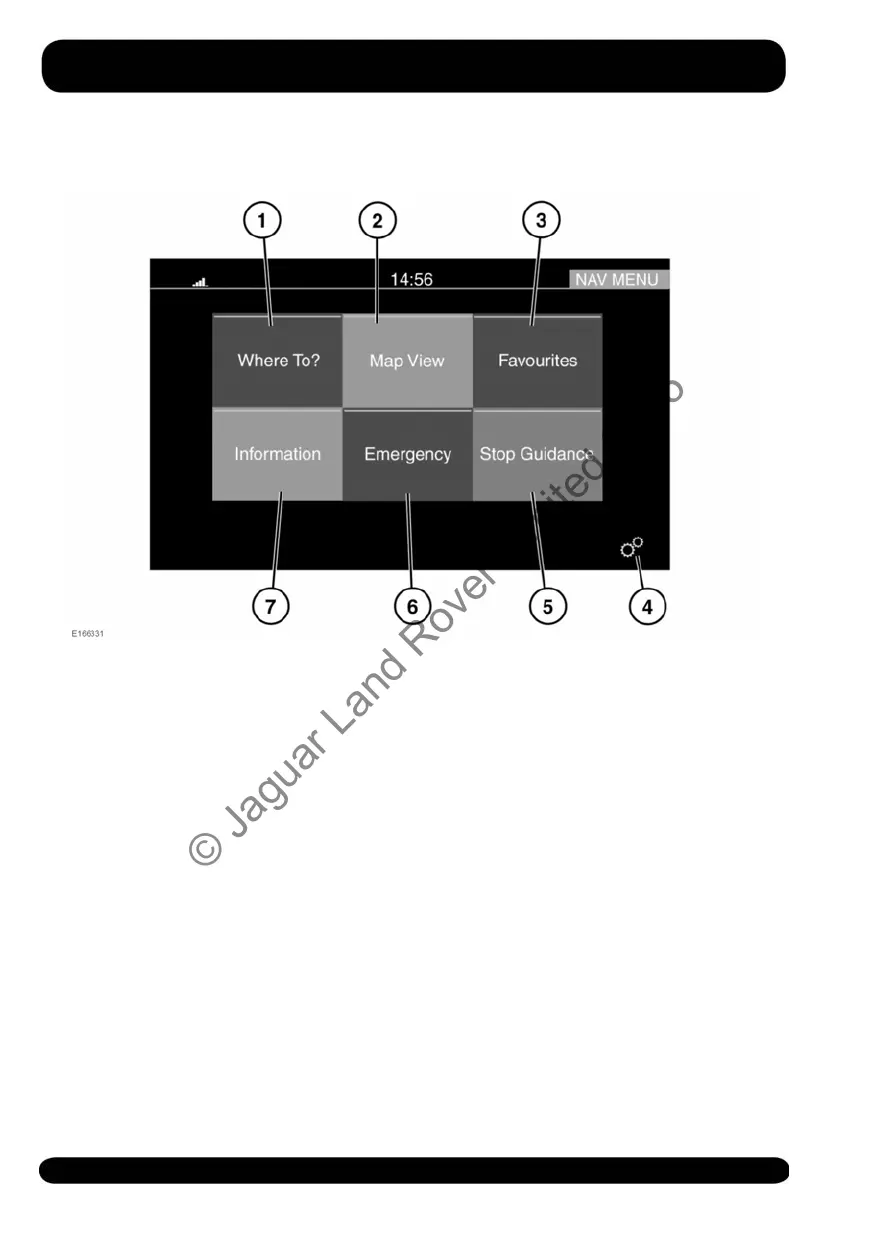
MAIN MENU
1. Where To?: Touch for a list of options
for setting a destination. See 180,
WHERE TO?.
2. Map View: Touch to view the map
screen.
3. Favourites: Touch to view the list of
stored destinations.
4. Settings: Touch to select the
SETTINGS pop-up menu, followed by
Navigation, to view the NAVIGATION
SETTINGS screen. See 179, SETTINGS.
5. Stop Guidance: Touch to cancel the
current route guidance.
6. Emergency: Touch to see a list of
emergency services. See 181,
EMERGENCY.
7. Information: Touch to display the
following: Traffic, Where am I, and
Trip computer.
178
Navigation system
© Jaguar Land Rover Limited 2015



 To Next Page