The Smart key may not be detected
if it is placed within a metal
container, or if it is shielded by a
device with a back-lit LCD screen,
such as a smartphone, laptop
(including when inside a laptop
bag), games console, etc. Keep the
Smart key clear of such devices
when attempting Keyless entry,
Keyless locking or Keyless starting.
Note: The vehicle will not lock
automatically.
Note: Loose coins, in the same pocket as
the Smart key, may also affect its
detection.
Note: Keyless locking activates only if the
Smart key is detected outside the vehicle.
If no Smart key is present, no locking will
occur.
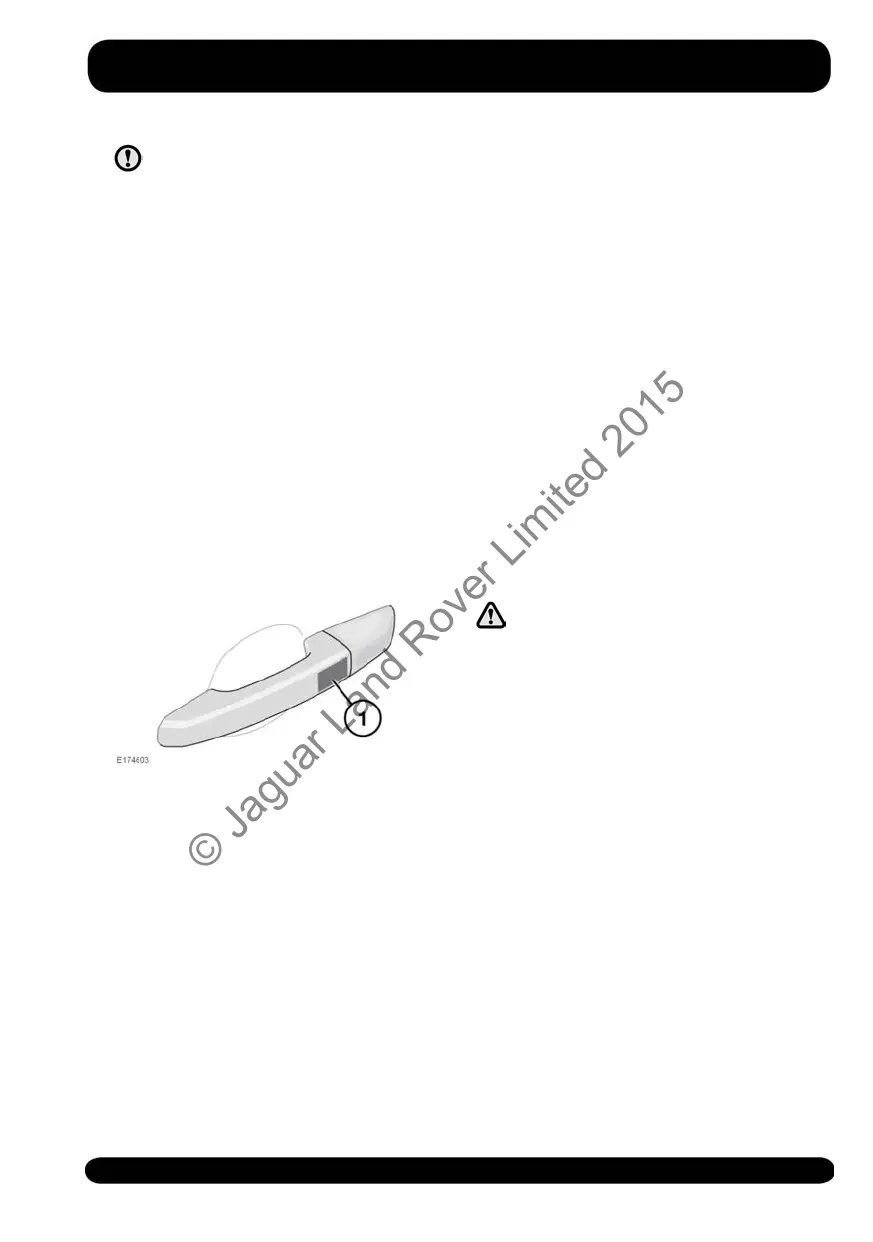
1. Lock sensor area: To single lock the
vehicle, touch only the lock sensor
once, without grabbing the door
handle. The hazard warning lamps
flash once to confirm locking.
To Double lock the vehicle, touch the
lock sensor twice within three seconds,
without grabbing the door handle. The
hazard warning lamps flash twice to
confirm (with a long second flash). An
audible confirmation (if enabled) may
also be given.
Note: Do not place your fingers around
the back of the handle while touching the
sensor; doing so prevents the vehicle from
locking.
Note: When locking the vehicle via
Keyless locking, if one or more of the
doors, the bonnet or the luggage area is
not fully closed, or the ignition is ON, the
vehicle will NOT lock. There will be NO
audible mislock error warning. The hazard
warning lamps will NOT flash and the
Power fold mirrors (if fitted and enabled)
will NOT fold in. Check that all of the
doors, the bonnet and the luggage area
are closed properly. Make sure the ignition
is switched OFF and lock the vehicle
again. If the mislock persists, consult your
Retailer/Authorised Repairer.
GLOBAL CLOSING
Make sure no children, pets, or
obstructions are in any open
aperture before operating Global
closing.
With all of the doors closed, press and
hold the Smart key lock button for three
seconds. The vehicle Single locks and the
Perimeter alarm is armed immediately.
After three seconds, any open windows
close.
Keyless Global closing (if enabled) can be
achieved if a valid Smart key is on the
driver's person or in a non-metallic bag or
briefcase. Operate by touching the door
lock sensor for three seconds. The vehicle
Single locks and the Perimeter alarm is
armed immediately.
Note: The windows will close only while
the door lock sensor is being touched. To
fully secure the vehicle, continue to touch
the door lock sensor until all of the
windows are fully closed.
17
Exiting the vehicle
© Jaguar Land Rover Limited 2015



 To Next Page