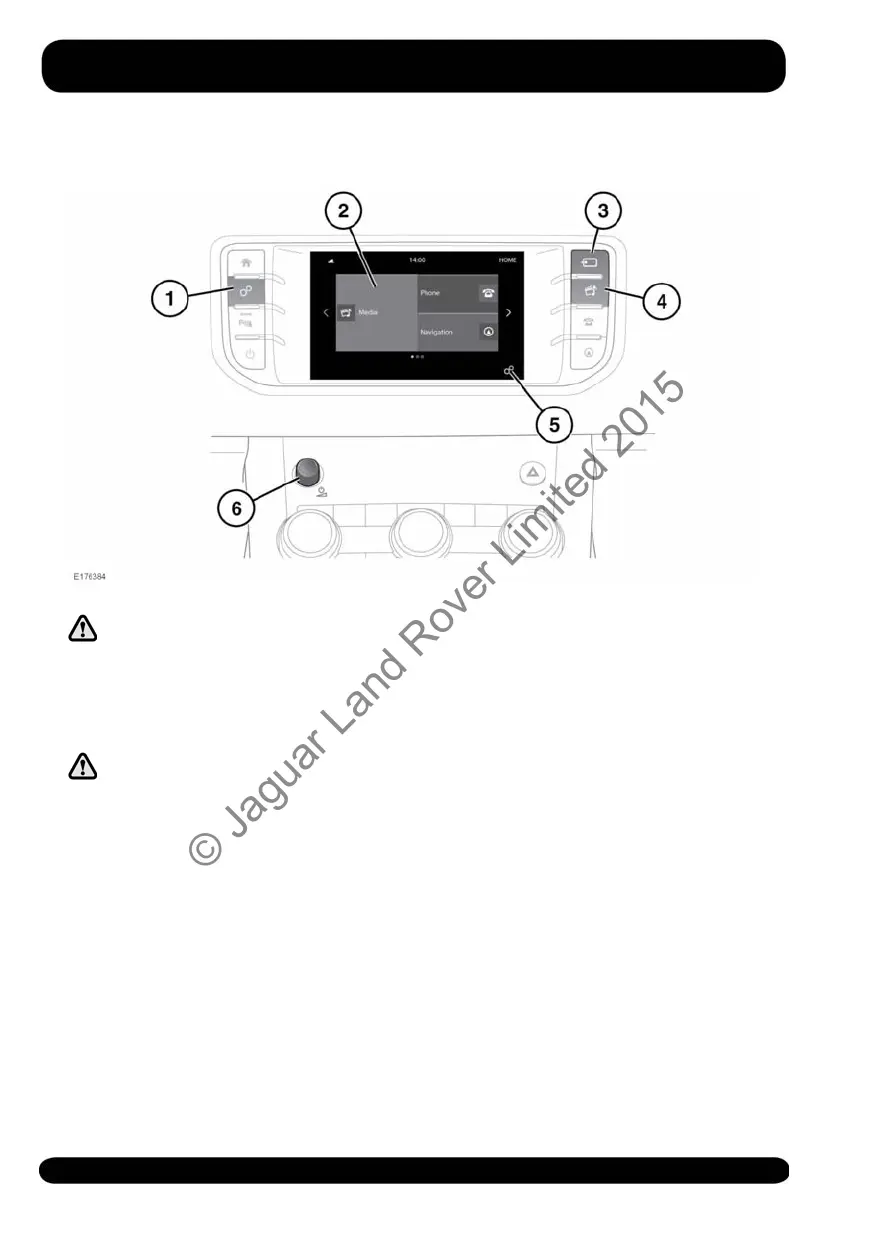
MEDIA CONTROLS
Do not adjust the Touch screen
controls, or allow the system to
distract the driver, while the
vehicle is moving. Driver
distraction can lead to accidents,
causing serious injury or death.
Sustained exposure to high sound
levels (greater than 85 decibels)
can damage your hearing.
1. Press to display the Touch screen
GENERAL SETTINGS menu, followed
by Media, to view the MEDIA
SETTINGS screen. When Park assist is
fitted, this icon is changed and the
button should be pressed to activate
Park assist.
2. Touch to select the Media system.
3. Media source: Press to select the
media source list. Touch the required
media source from the list:
• FM Radio
• AM Radio
• DAB Radio
• Bluetooth*
• USB*
• iPod*
• AUX
Note: *Only a connected portable
media or Bluetooth® device will
appear on the Source list.
Therefore, before selecting a
device, the source media device
has to be connected or paired (via
Bluetooth) to the vehicle.
4. Press to select the Media system.
5. Touch to select the GENERAL
SETTINGS menu, followed by Media,
to view the MEDIA SETTINGS screen.
See 151, MEDIA SETTINGS.
150
Media
© Jaguar Land Rover Limited 2015



 To Next Page