USING CRUISE CONTROL
In certain conditions, such as a
steep gradient, the vehicle speed
may exceed the set cruising
speed. This is because engine
braking is unable to maintain or
reduce the vehicle speed. Driver
intervention may be required.
Note: Cruise control is not available when
using Hill Descent Control (HDC) or when
a Terrain Response special program has
been selected, except for the Grass/
Gravel/Snow program.
Note: Do not use cruise control when
driving off-road.
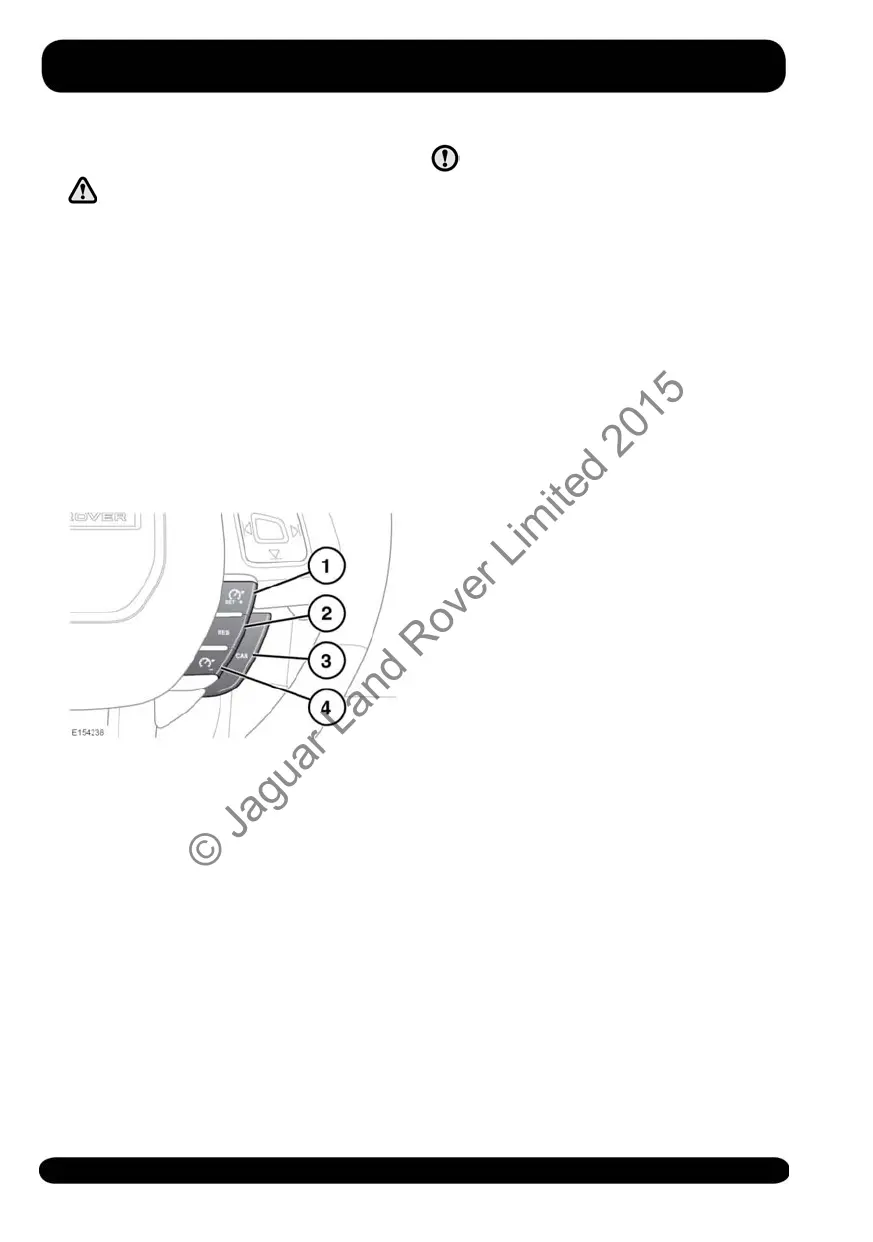
1. SET+: Press to set the speed or to
increase the set speed. The cruise
control warning lamp will illuminate to
confirm cruise control is operational.
See 57, CRUISE CONTROL (GREEN).
The cruising speed can also be
increased using the accelerator. When
the desired speed is reached, press
the button to set and maintain the new
speed and then release the
accelerator.
Note: Cruise control can only be
engaged at speeds above 30 km/h (18
mph).
2. RES: Press to resume the set speed.
RES should be used only if the
driver is aware of the set speed and
intends to return to it.
3. CAN: Press to cancel but retain the set
speed in the memory.
Cruise control will also be cancelled if
the brake pedal is pressed, the gear
selector is moved to neutral, or if HDC
or Dynamic Stability Control (DSC) are
activated.
4. Press to decrease the set speed.
The system is operated by controls
mounted on the steering wheel. The driver
can also intervene at any time by use of
the brake or accelerator pedals.
Note: If the accelerator pedal is pressed
to override Cruise control for a period of
more than 5 minutes, Cruise control will
be cancelled.
128
Cruise control
© Jaguar Land Rover Limited 2015



 To Next Page