Some overhanging objects or
barriers which could cause damage
to the vehicle, may not be detected
by the camera.
The camera must be kept clean and
free from debris or obstructions, for
example, stickers, debris, leaves,
mud, snow, ice, frost, or insects.
Failure to keep the camera clean
may result in miscalculation or false
indications.
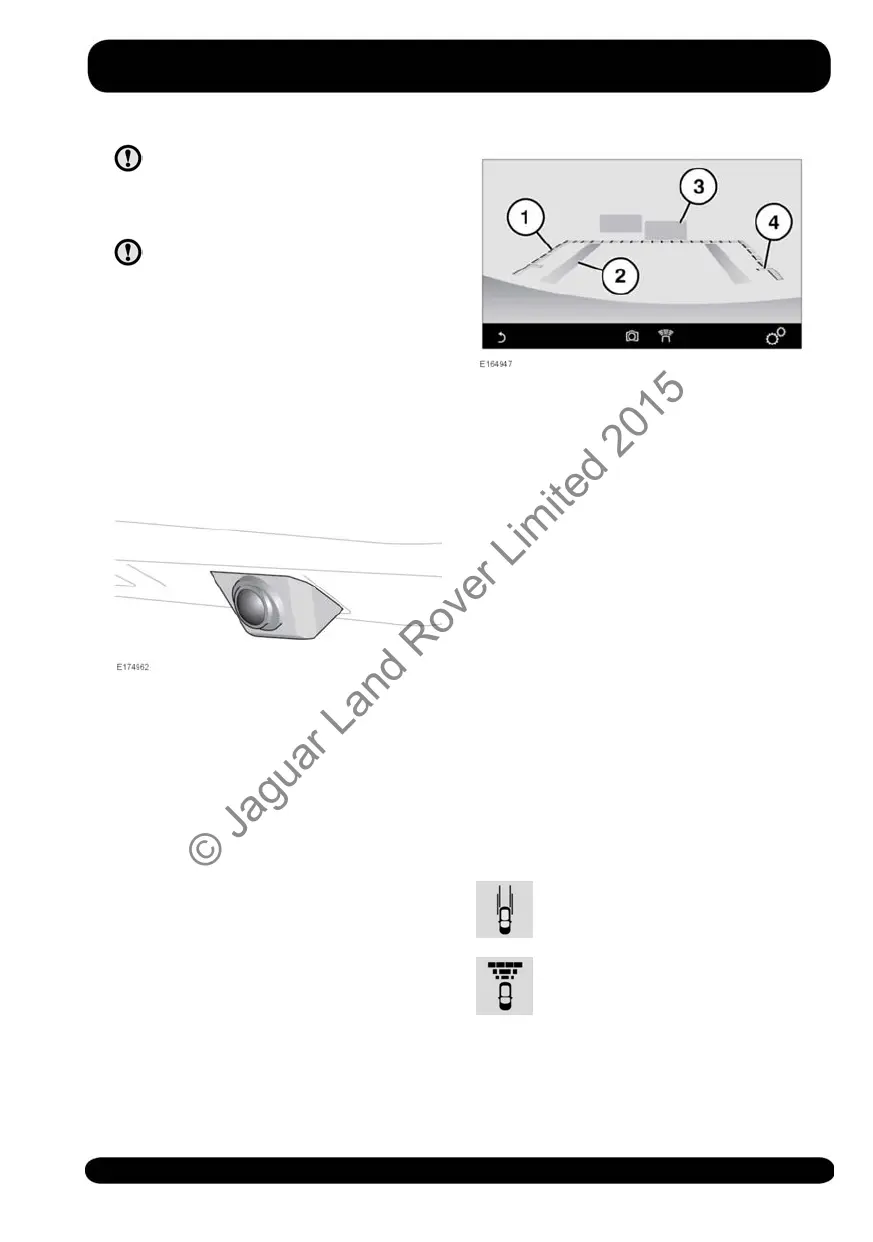
The Rear camera, located above the rear
number plate position, provides a
rear-view image to assist in reversing the
vehicle.
When Reverse (R) gear is selected, the
Touch screen automatically displays a
wide-angle, colour image from the rear of
the vehicle. Overlaid on the image are
reversing guide lines and an indication of
which sensors are active.
Note: Vehicles with a Surround camera
system can also split the screen's rear-view
image, to also display a 360° view. See
80, TOUCH SCREEN CONTROLS.
Note: The Rear camera display has priority
over the Parking aids display. To cancel
the Rear camera display at any time, press
the Home menu button or touch the Back
soft key.
1. Dotted line: The safe working width of
the vehicle (including the exterior
mirrors).
2. Solid line: The projected path, based
on the current steering wheel position.
3. Parking sensor activation: A coloured
area appears, to indicate which rear
sensor(s) has been activated.
4. Loadspace access guide line: Do not
reverse beyond this point if access is
required for the Loadspace.
Note: The quality of the camera views may
vary in different lighting conditions.
To adjust the Rear camera settings while
in Reverse (R) gear, touch anywhere on
the Touch screen to display the user
options.
For vehicles fitted with a Rear camera,
touch one of the user options, followed
by the Back icon:
Touch to enable or disable the
Park assist guidance lines.
Touch to enable or disable the
sensor/s active graphics.
121
Parking aids
© Jaguar Land Rover Limited 2015



 To Next Page