194 • Program Mode Programming SAM4S SPS-300 Series Electronic Cash Register AU
4. Press ENTER (CASH) from the last field or press PAGE DOWN to view the last page of %
function key options:
5. Press ENTER (CASH) from the last field to return to the FUNCTION KEY PROGRAM
screen, or press ESC (CLEAR) key at any time to return to the FUNCTION KEY
PROGRAM screen without saving changes.
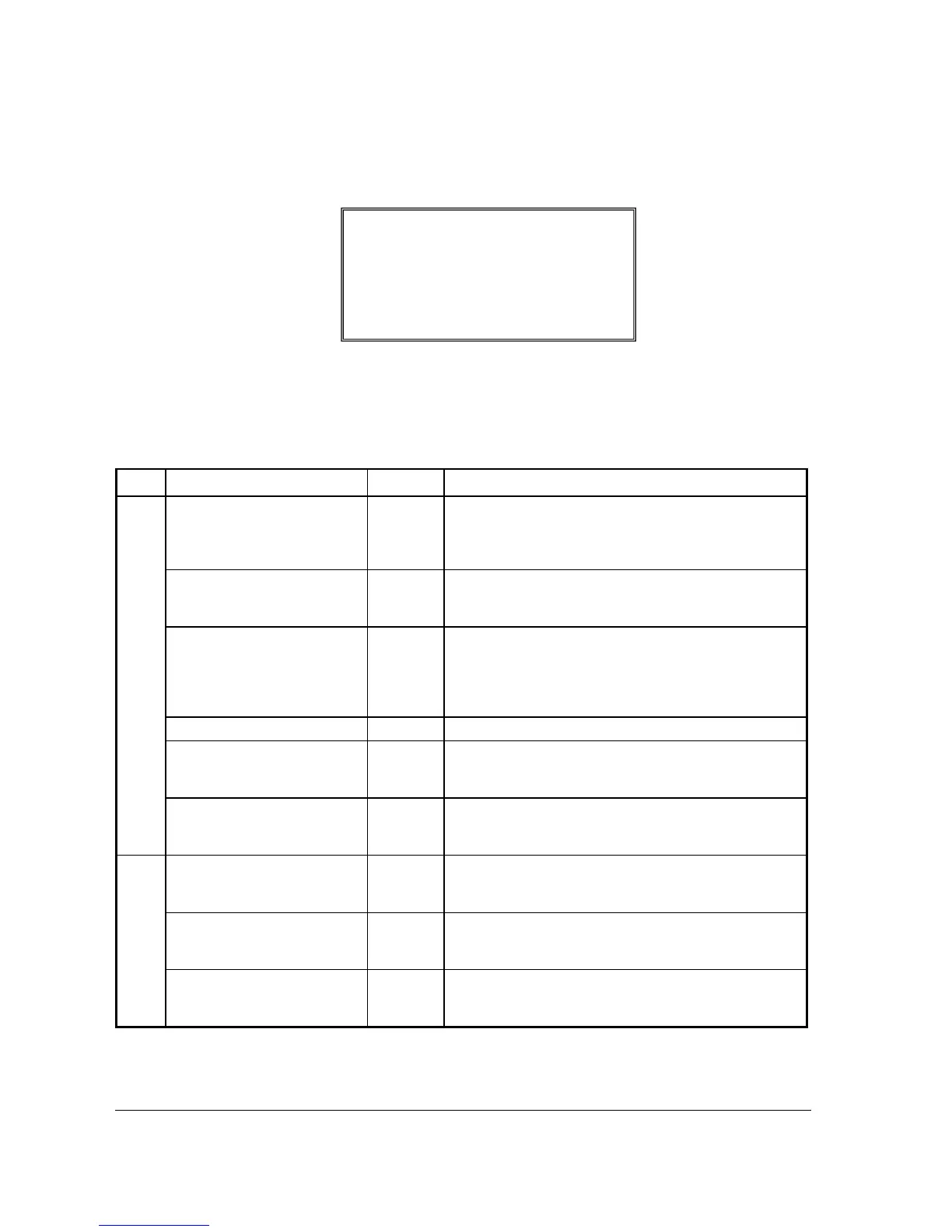
% 1 ~ 5 Key Function Options
Page Field Entry Description
1
DESC
Alpha
numeric up
to 12
character
You can program a descriptor. The default descriptors are
% 1 ~ % 5.
AMOUNT:Y %:N
Y or N Select Y if you wish this key to apply an amount (as in a
coupon). Select N if you wish this key to apply a percentage
(as in a discount or surcharge).
RATE / AMOUNT
5 digit
If the function is an amount, enter an amount from 0 to
999.99. If not zero, the amount will be the preset coupon
amount. If the function is a percentage, enter a percentage
from 0 to 99.999%. If not zero, the percentage will be the
preset percentage
KEY DISABLE
Y or N Select Y to disable this function.
UNDER MGR CONTROL
Y or N Select Y if you do not want the operator use this function in
REGISTER mode. When selected, the function is allowed
only in the X control lock position.
OPEN:Y PRESET:N
Y or N Select Y if you with the amount or percentage to be entered
by the operator; select N if you with the amount or
percentage to be preset.
2
SALE:Y ITEM:N
Y or N Select Y if you wish the amount or percentage to apply to the
sale total. Select N if you wish the amount or percentage to
apply to an item.
OVERRIDEABLE
Y or N Select Y if you wish to enter a percentage or amount to
override the preset percentage or amount set in the RATE
field.
POS.:Y NEG.:N
Y or N Select Y if you wish the amount or percentage to add to the
sale total. Select N if you wish the amount or percentage to
subtract from the sale.
%1 PROGRAMMING
Ç
COMPULSORY VALID N
Å
NON-ADD# COMP. N



 To Next Page