SAM4S SPS-300 Series Electronic Cash Register AU Operating Instructions • 95
Additional Operation - Guest Number and Tip
For Additional Operation, 2 additional function keys - GUEST and TIP - are involved for Guest
Number and Tip amount recording for Table Management.
The GUEST function key is used to record number of customers in an account for reference. The
number of guest can be entered any time while an account remains open.
The Tip function key is used to record amount of tip has been given. A Tip can be recorded at any
time after SUBTOTAL is pressed while an account remains open.
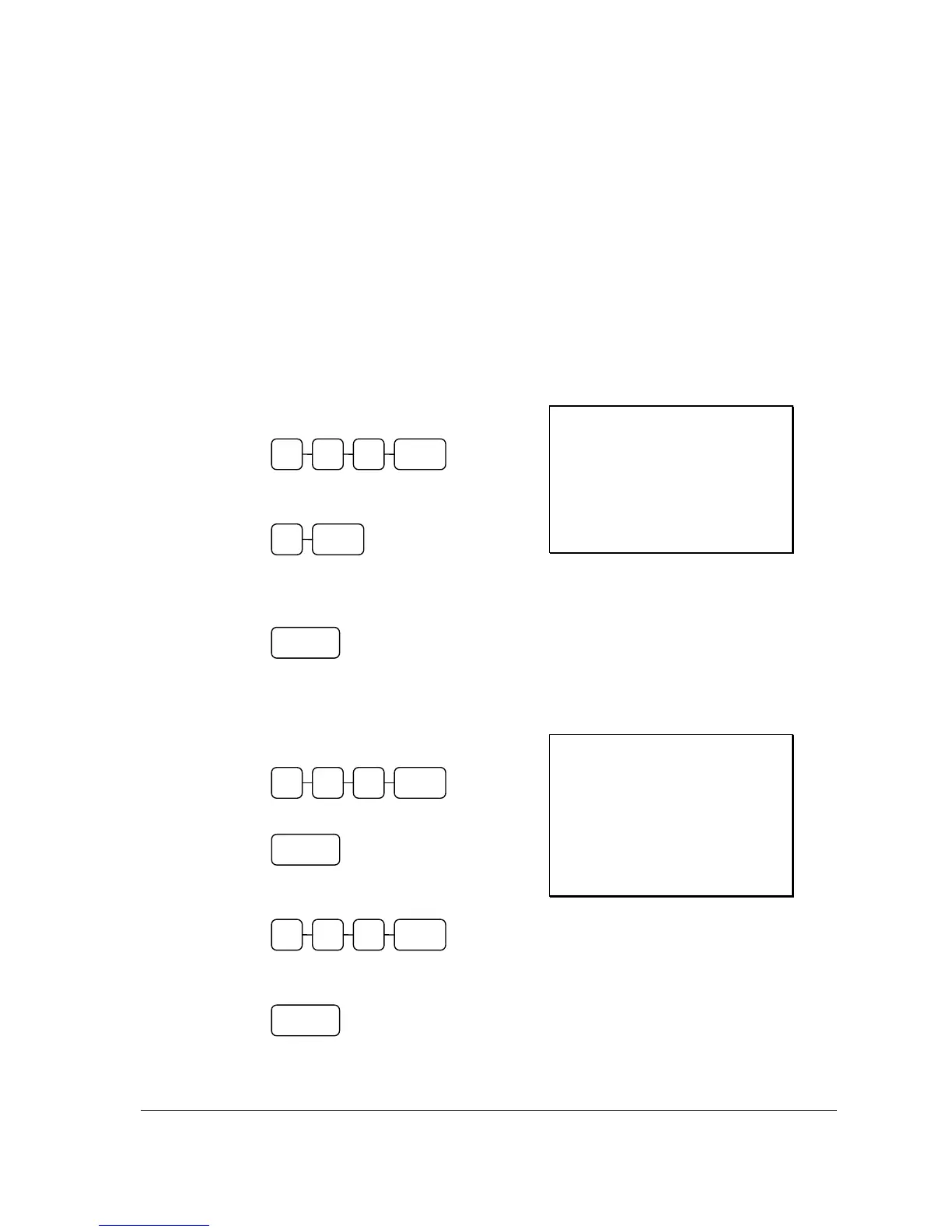
Enter Number of Guest (when Reopen an Account)
1. Enter the number of the Table, press the
Table (TABLE) key:
2. Enter the number of the Guest, then press
GUEST key:
3. To store this Guest number entry in to
the account, press New Balance
(SERVICE):
Receipt Example:
DATE 01/05/2012 TUE TIME 08:30
CHECK #
#1
TABLE
#123
GUEST #3
NEW BALANCE $0.00
BFWD
$19.00
GST $1.73
CLERK 1 No.000067 00001
Enter a Tip (when Reopen an Account)
1. Enter the number of the Table, press the
Table (TABLE) key:
2. Press SUBTOTAL key
3. Enter the amount of the Tip, then press
TIP key:
4. To store this Tip entry, press New
Balance (SERVICE):
Receipt Example:
DATE 01/05/2012 TUE TIME 08:30
CHECK #
#1
TABLE
#123
SUBTOTAL $19.00
TIP #5.00
NEW BALANCE $5.00
BFWD
$24.00
GST $1.73
CLERK 1 No.000067 00001
TIP 0 5 0
SUBTOTAL
NEW
BALANCE
TABLE 3 1 2
GUEST 3
NEW
BALANCE
TABLE 3 1 2



 To Next Page