92 • Operating Instructions SAM4S SPS-300 Series Electronic Cash Register AU
Advanced Operation - Table Transfer
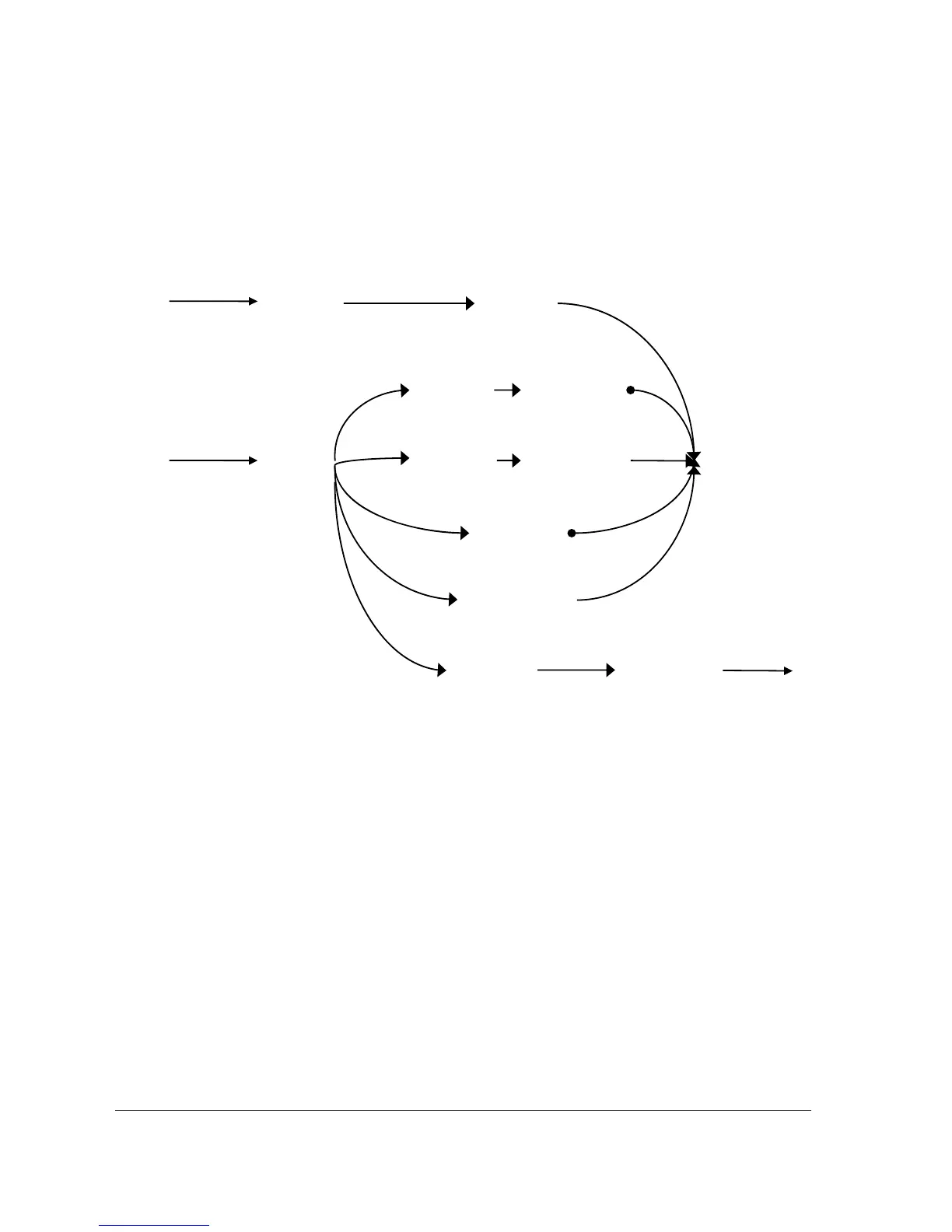
For Advanced Operation, 1 additional function key - TABLE - is need for Table Transfer along
with those 4 function keys - CHECK#, SERVICE, PRINTCHK, and FINALISE for Table
Management.
In a Restaurant Billing situation, the TABLE function key is used to assign an additional table
number to an account. This “Table #” represents the number of each table in the restaurant.
In Advance Operation, as TABLE function key is in use, The CHECK # function is recommended to
rename to “Bill #” in order to distinguish this key from the TABLE function key.
With default settings, more then one Bill (CHECK #) may be assigned to same table. To avoid this
happening, please set “One Check Per Table” to Yes.
Table
(TABLE)
Item
Registration
Print Check
(PRINTCHK)
Part Payment(s)
Part Payment(s)
Print Check
(PRINTCHK)
Item
Registration
New Balance
(SERVICE)
Finalise
(FINALISE)
Full Payment(s)
Reopen an
Account
Close the
Account
Item
Registration
Open a New
Account
New Table
(MACRO)



 To Next Page