222 • Program Mode Programming SAM4S SPS-300 Series Electronic Cash Register AU
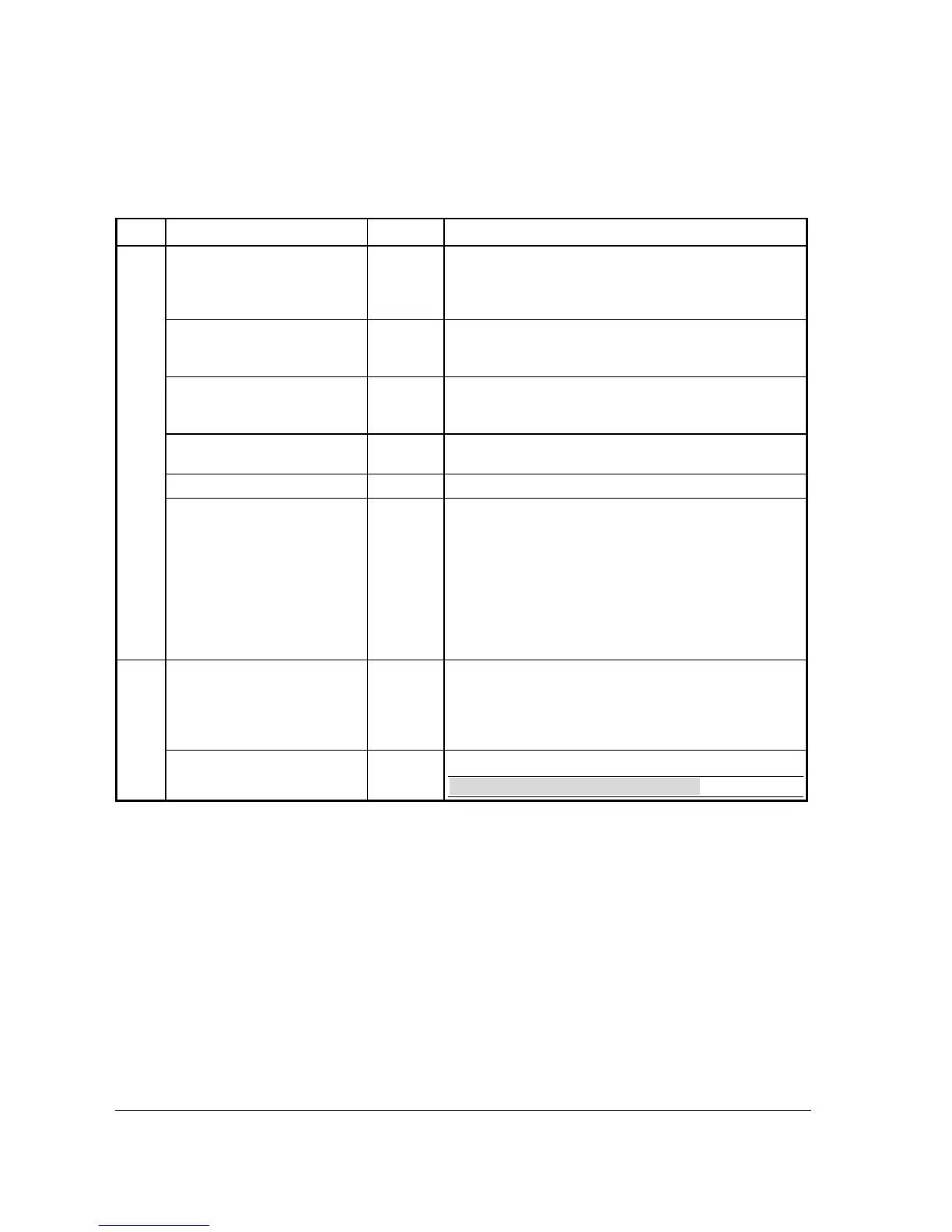
MODIFIER 1 ~ 5 Key Function Options
Page Field Value Description
1
DESC
Alpha
numeric up
to 12
character
You can program a descriptor. The default descriptors are
MOD1 ~ MOD5.
UNDER MGR CONTROL
Y or N Select Y if you do not want the operator use this function in
REGISTER mode. When selected, the function is allowed
only in the X control lock position.
AFFECT PLU #
Y or N Select Y, if you wish the modifier entry to modify the PLU
and cause a different item/price to be registered. Select N to
only add the modifier descriptor.
PRINT ON CHECK
Y or N Select N to not print the modifier descriptor on the guest
check.
PRINT ON RECEIPT
Y or N Select N to not print the modifier descriptor on the receipt.
AFFECT DIGIT 1-14
4
Preceding a PLU with a Size and/or Modifier key
manipulates the PLU code assigned to the PLU key, causing
a different PLU to be registered when the PLU key is
pressed. Enter the digit of the PLU number you wish to be
changed when using this key. (Digit #1 is the rightmost digit;
digit #14 is the leftmost digit.)
Use this feature, you can prefix a barcode (such as a drink)
here is sold by barcode take away - press MODIFIER then
scan the barcode.
2
VALUE OF AFFECTED
DIGIT (0-9)
1/2/3/4/0
Enter the value you wish to be added in the digit position
selected. For example, if you wish to affect PLU digit #4
with a value of 1, then pressing this modifier key prior to the
registration of PLU #17 will result in the registration of PLU
#1017.
PRINT ON KP
Y or N Choose Y to allow to print to KP.
NOTE: Option added at FlashROM v1.011.


 To Next Page