4.80
SEL-787 Relay Instruction Manual Date Code 20081022
Protection and Logic Functions
Logic Settings (SET L Command)
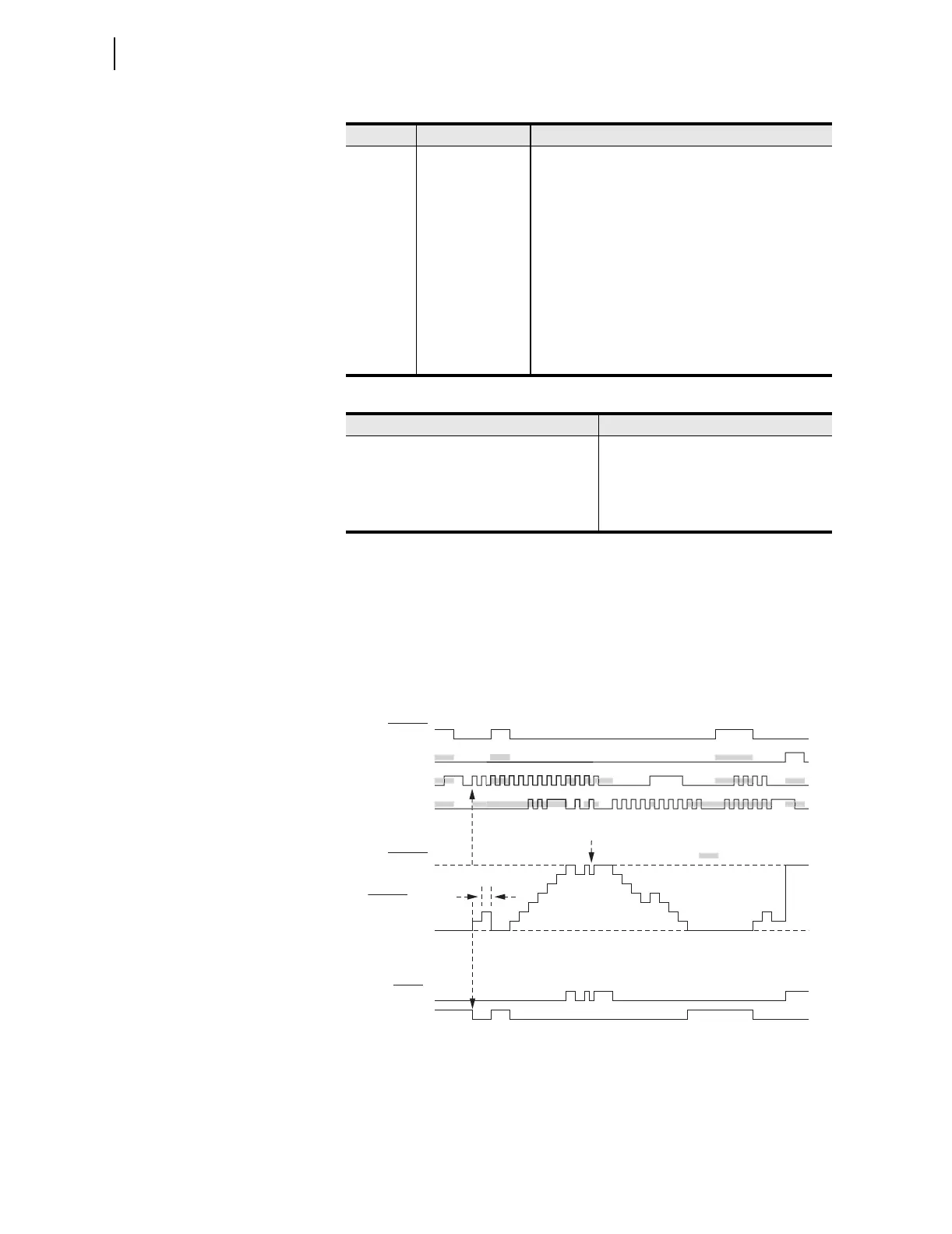
Figure 4.52 shows an example of the effects of the input precedence, with
SC01PV set to 7. The vertical dashed line indicates the relationship between
SC01CU first being seen as a rising edge and the resultant outputs. This
indicates that there is no intentional lag between the control input asserting
and the count value changing. Most of the pulses in the diagram are on every
second processing interval. The “one processing interval” valley is an example
where the CD and CU pulses are only separated by one processing interval.
Figure 4.52 Example of the Effects of the Input Precedence
SCnnCD Rising-Edge Input Count Down decrements the counter (follows
SEL
OGIC setting).
SCnnR Active High Input Reset counter to zero (follows SEL
OGIC setting)
SCnnQU Active High
Output
This Q Up output asserts when the Preset Value
(maximum count) is reached (SCn =SCnPV, n = 01 to
32).
SCnnQD Active High
Output
This Q Down output asserts when the counter is equal
to zero (SCn =0, n = 01 to 32).
SCnn Output Value This counter output is an analog value that may be
used with analog comparison operators in a SEL
OGIC
control equation and viewed using the COU
command.
Table 4.31 Order of Precedence of the Control Inputs
Order Input
1SCnnR
2SCnnLD
3SCnnCU
4SCnnCD
Table 4.30 Counter Input/Output Description (Sheet 2 of 2)
Name Type Description
SC01QU
SC01QD
Relay
Word
Bits
SC01R
SC01LD
SC01CU
SC01CD
SEL
OGIC
Settings
SC01PV = 7
Setting
SC01
Analog
= Sam
l
Two Processing Intervals
6
5
4
3
2
1
0



 To Next Page