F.6
SEL-787 Relay Instruction Manual Date Code 20081022
IEC 61850 Communications
IEC 61850 Operation
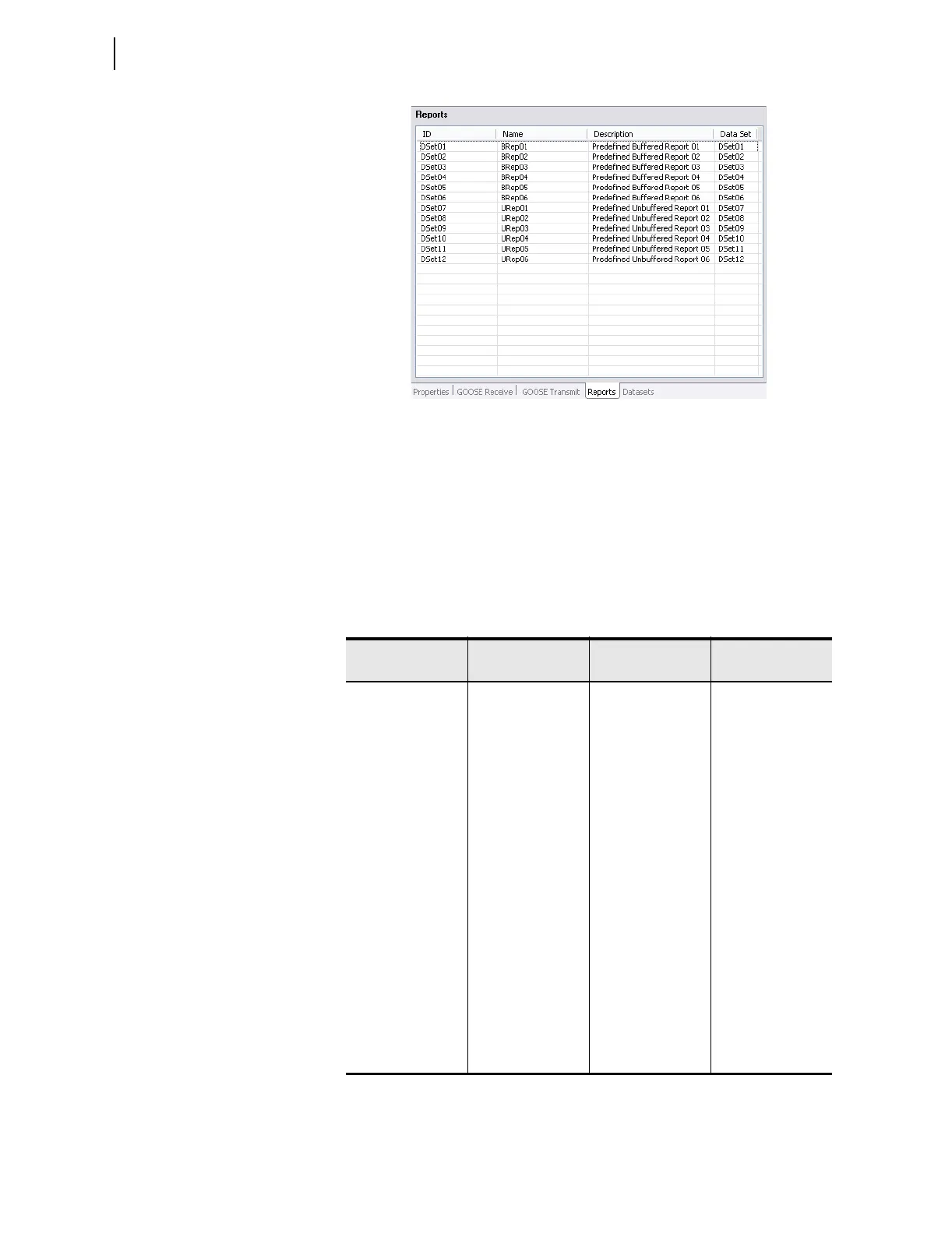
Figure F.1 SEL-787 Predefined Reports
There are 12 report control blocks, six buffered reports and six unbuffered. For
each report control block, there can be just one client association, i.e., only
one client can be associated to a report control block (BRCB or URCB) at any
given time. The number of reports (12) and the type of reports (buffered or
unbuffered) cannot be changed. However, by using
ACSELERATOR Architect
software, you can reallocate data within each report dataset to present
different data attributes for each report beyond the predefined datasets. For
buffered reports, connected clients may edit the report parameters shown in
Table F.4.
Table F.4 Buffered Report Control Block Client Access
RCB Attribute
User changeable
(Report Disabled)
User changeable
(Report Enabled)
Default Values
RptId YES FALSE
RptEna YES YES FALSE
OptFlds YES SegNum
timeStamp
dataSet
reasonCode
dataRef
BufTm YES 500
TrgOp YES dchg
qchg
IntgPd YES FALSE
GI YES
ab
a
Exhibits a pulse behavior. Write a one to issue the command. Once command is
accepted will return to zero. Always read as zero.
b
When disabled, a GI will be processed and the report buffered if a buffer has been
previously established. A buffer is established when the report is enabled for the first
time.
YES
a
FALSE
PurgeBuf YES
a
FALSE
EntryId YES 0



 To Next Page