D.18
SEL-787 Relay Instruction Manual Date Code 20081022
DNP3 Communications
DNP3 in the SEL-787
=>>SET DNP 1 BO_00 TERSE <Enter>
Binary Output Map
DNP Binary Output Label Name (23 characters)
BO_00 := NA
? > RB01 <Enter>
DNP Binary Output Label Name (23 characters)
BO_01 := NA
? > RB02 <Enter>
DNP Binary Output Label Name (23 characters)
BO_02 := NA
? > RB03:RB04 <Enter>
DNP Binary Output Label Name (23 characters)
BO_03 := NA
? > RB05:RB06 <Enter>
DNP Binary Output Label Name (23 characters)
BO_04 := NA
? > end <Enter>
=>>
Figure D.8 Sample Custom DNP3 BO Map Settings
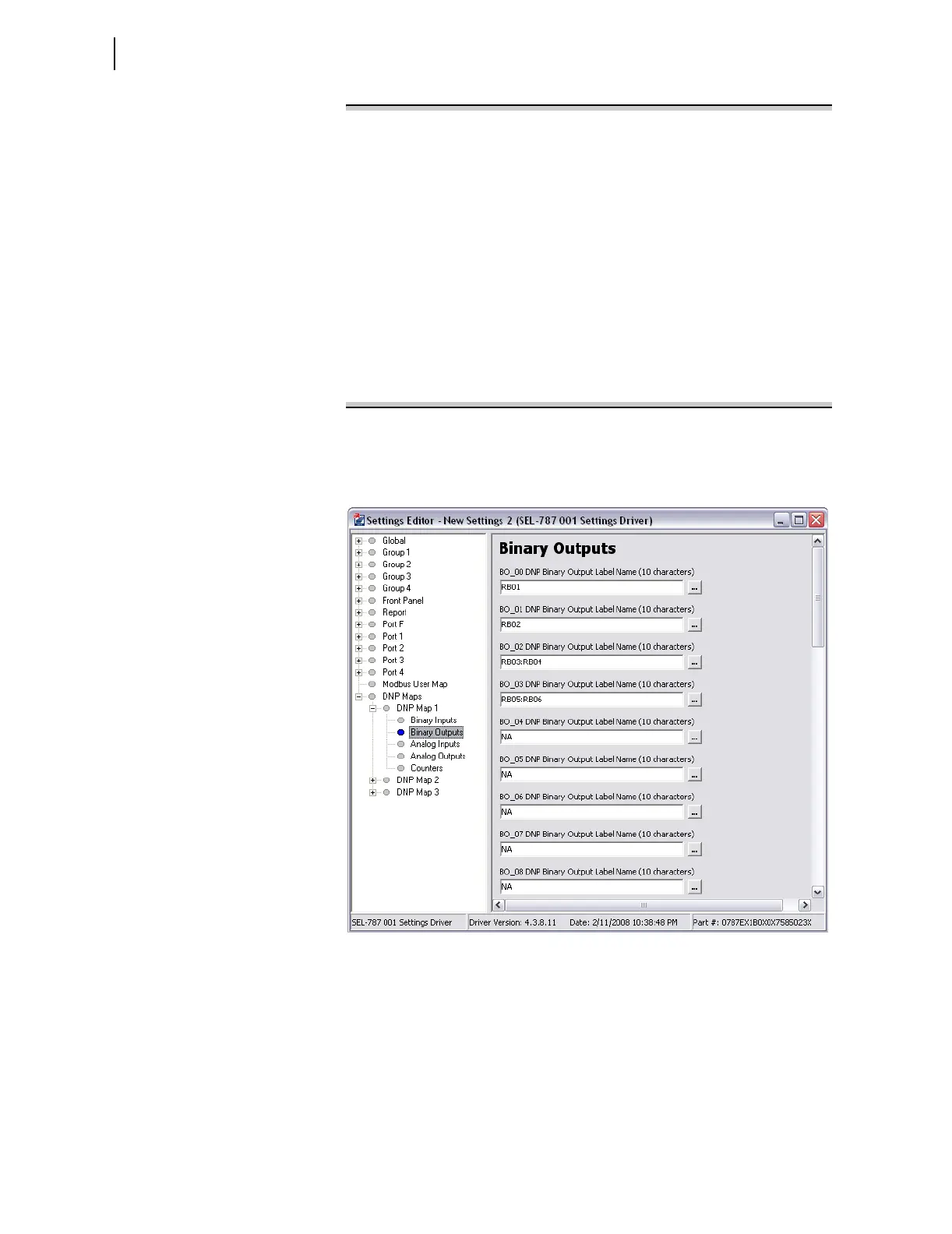
You may also use ACSELERATOR QuickSet to enter the BO map settings as
shown in the screen capture in Figure D.9.
Figure D.9 Binary Output Map Entry in ACSELERATOR QuickSet Software
The binary input (BI) maps are modified in a similar manner, but pairs are not
allowed.



 To Next Page