3.11
Date Code 20081022 Instruction Manual SEL-787 Relay
PC Software
Event Analysis
Event Analysis
ACSELERATOR QuickSet has integrated analysis tools that help you retrieve
information about relay operations quickly and easily. Use the event
information that the SEL-787 stores to evaluate the performance of a system
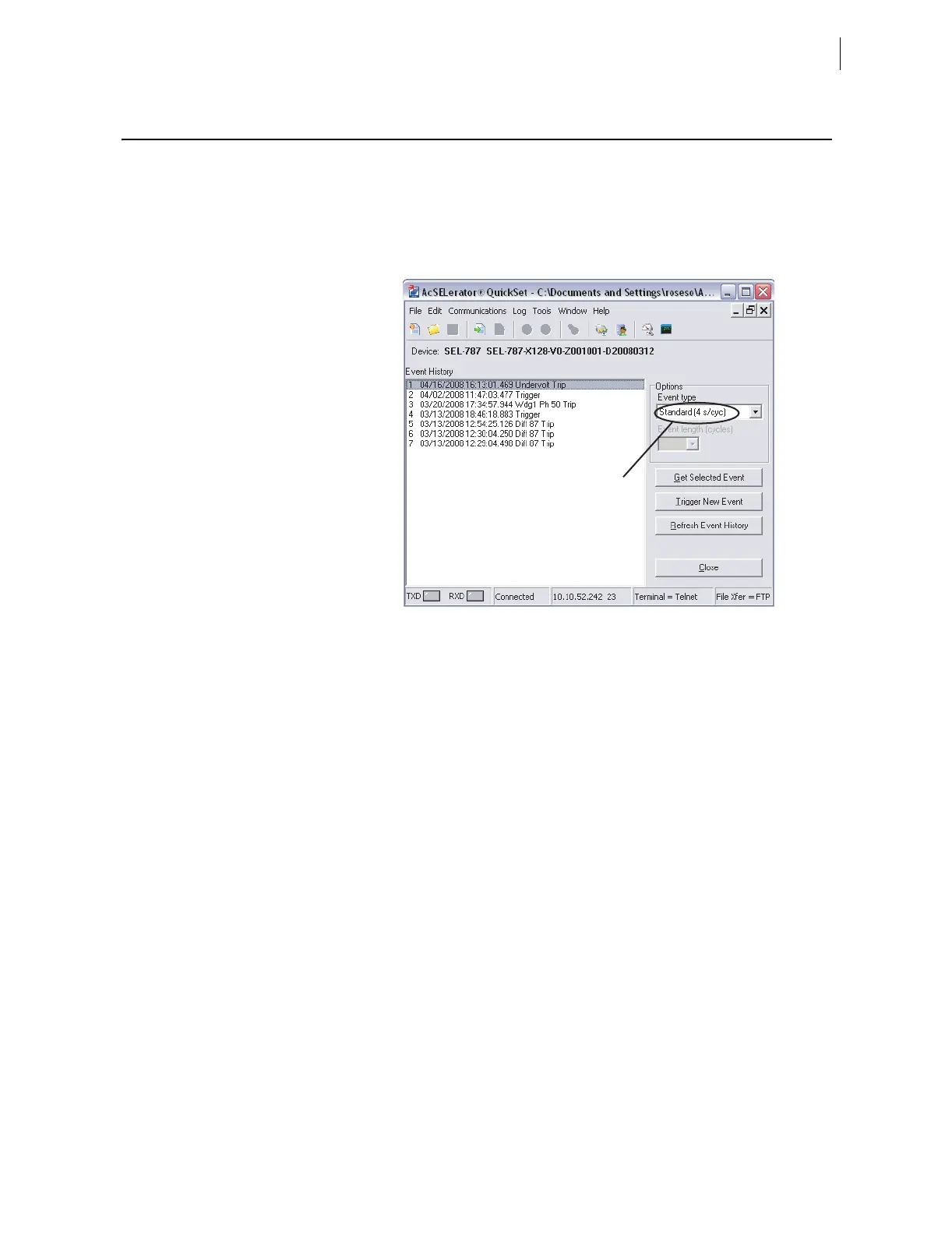
(select Tools > Events > Get Event Files). Figure 3.10 shows composite
screens for retrieving events.
Figure 3.10 Composite Screens for Retrieving Events
Event Waveforms
The relay provides two types of event data captures: event reports that use
4 samples/cycle filtered data and 16 samples/cycle unfiltered (raw) data. See
Section 9: Analyzing Events for information on recording events. Use the
Options function in Figure 3.10 to select the 16 samples/cycle unfiltered
(raw) data event (default is 4 samples/cycle filtered data).
View Event History
You can retrieve event files stored in the relay and transfer these files to a
computer. For information on the types of event files and data capture, see
Section 9: Analyzing Events. To download event files from the device, click
Tools > Events > Get Event Files. The Event History dialog box appears, as
shown in Figure 3.10.
Get Event
Highlight the event you want to view (e.g., Event 3 in Figure 3.10), select the
event type with the Options Event type function (4 samples or 16 samples),
and click the Get Selected Event button. When downloading is complete,
ACSELERATOR QuickSet queries whether to save the file on your computer, as
shown in Figure 3.11.
Event Selection



 To Next Page