5-30 Trip and Target Logic Date Code 990215
SEL-351P Manual Técnico
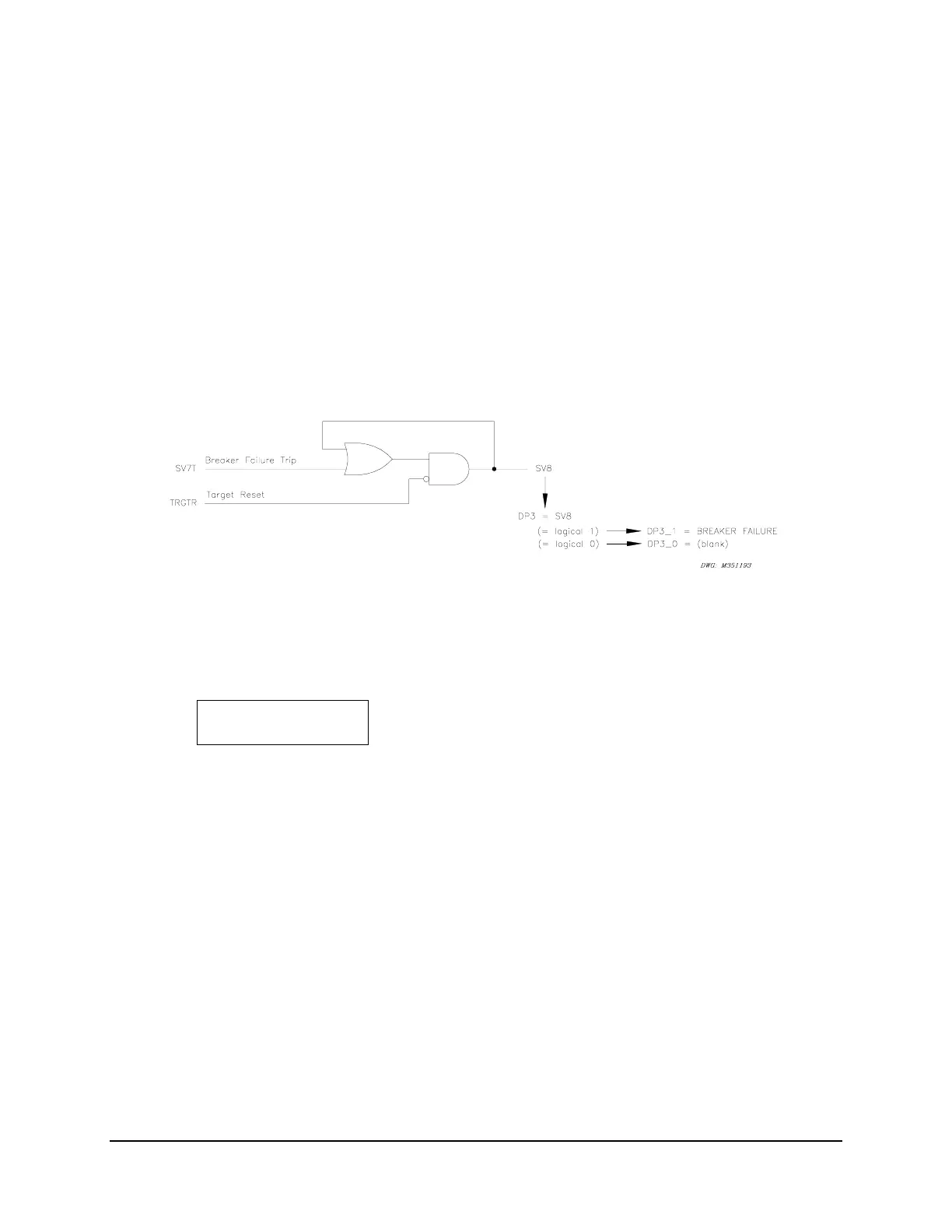
Relay Word bit TRGTR can be used to unlatch logic. For example, refer to the breaker failure
logic in Figure 7.25 in Section 7: Inputs, Outputs, Timers, and Other Control Logic. If a
breaker failure trip occurs (SV7T asserts), the occurrence can be displayed on the front panel
with seal-in logic and a rotating default display (see Rotating Default Display in Sections 7:
Inputs, Outputs, Timers, and Other Control Logic and Section 11: Standard Event Reports
and SER. See Figure 5.17).
SV8 = (SV8 + SV7T) * !TRGTR
DP3 = SV8
DP3_1 = BREAKER FAILURE
DP3_0 = (blank)
Figure SECTION 5: .17: Seal-in of Breaker Failure Occurrence for Message Display
If a breaker failure trip has occurred, the momentary assertion of SV7T (breaker failure trip) will
cause SV8 in
Figure SECTION 5: .17 to seal-in. Asserted SV8 in turn asserts DP3, causing the
message:
BREAKER FAILURE
to display in the rotating default display.
This message can be removed from the display rotation by pushing the TARGET RESET
Pushbutton (Relay Word bit TRGTR pulses to logical 1, unlatching SV8 and in turn deasserting
DP3). Thus, front panel rotating default displays can be easily reset along with the front panel
targets by pushing the TARGET RESET Pushbutton.



 To Next Page