2 Introduction
2.3 Display
Page 14
CT8000P-2
Art. no.: 2.511407 Rev.: a
2.3 Display
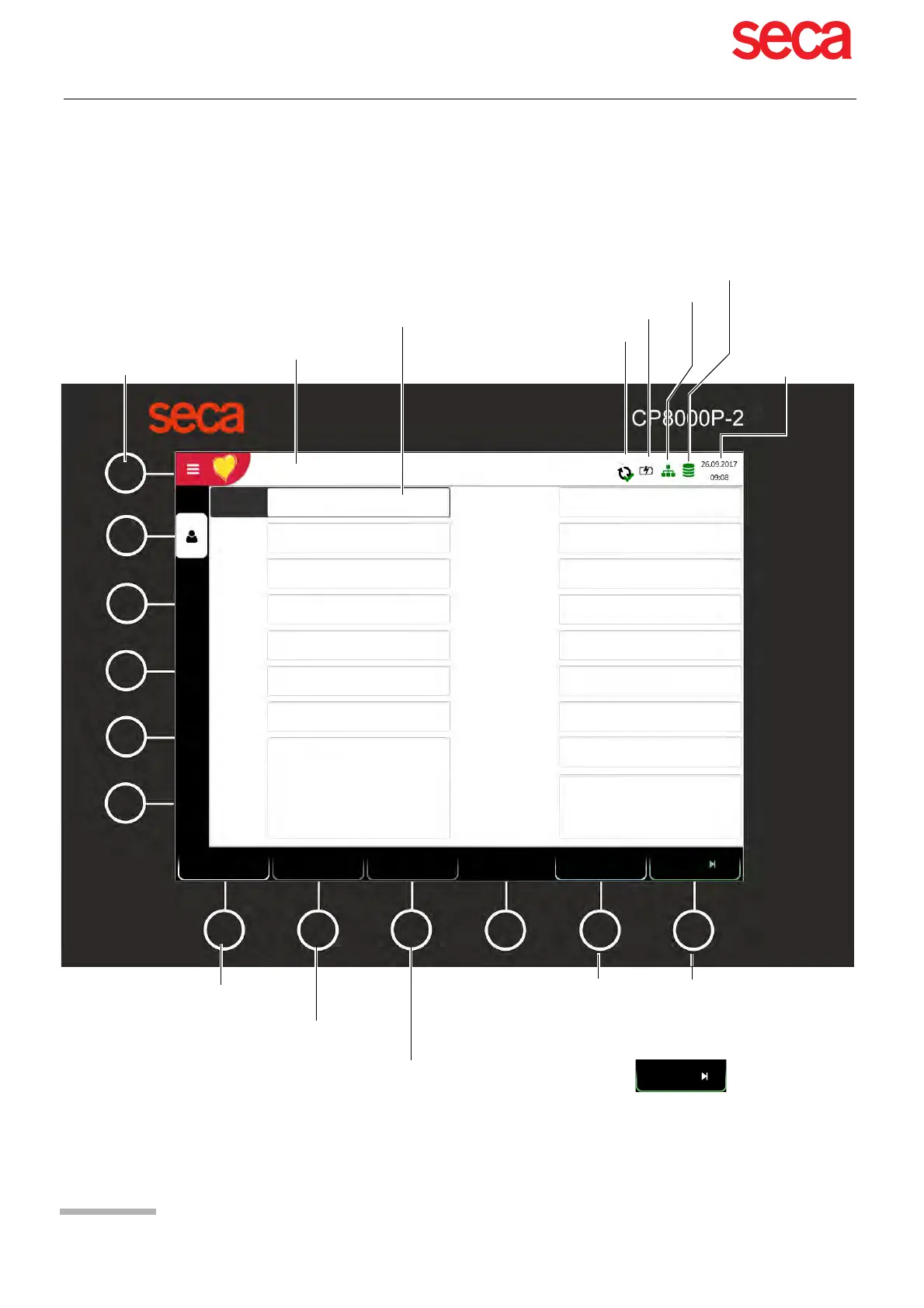
The display will vary according to the task being carried out. In all screens, however,
the top and bottom areas always display the same category of information. Example
for a typical patient data view:
Access to the main menu:
– Worklist
– Recorder
– Memory
– Settings
– Maintenance
Battery/mains status
Entering Patient Data
Delete patient data
Network/Wifi status
Date and time
Display of patient data
Function key, go to the next step. The function keys
change their function depending on the selected
view.
Record exercise or resting ECG
Export status
Patient ID
First name
Last name
DOB.
Gender
Height [cm]
Weight [kg]
Ethnicity
Pacemaker
Hugh Brian I 54 years I Male
Visit ID
White
Unknown
Male
Function key to return to the review screen; this
is only available when the recording has not yet
been accepted.
Referring
Attending
Remarks
Digitalis
Room
Indication
No
1234 I EKG25092017
Hugh
Brian
18.04.1963
Storing capacity
Resting
Review
Clear
Previous
Patient data
The previous patient's data is
loaded
Once the patient ID has been entered, patient
data is retrieved by pressing PDQ.
1234
EKG25092017
PDQ
Exercise
Acquiring
technician



 To Next Page