5 Resting ECG
5.4 Rhythm recording
Page 48
CT8000P-2
Art. no.: 2.511407 Rev.: a
5.4 Rhythm recording
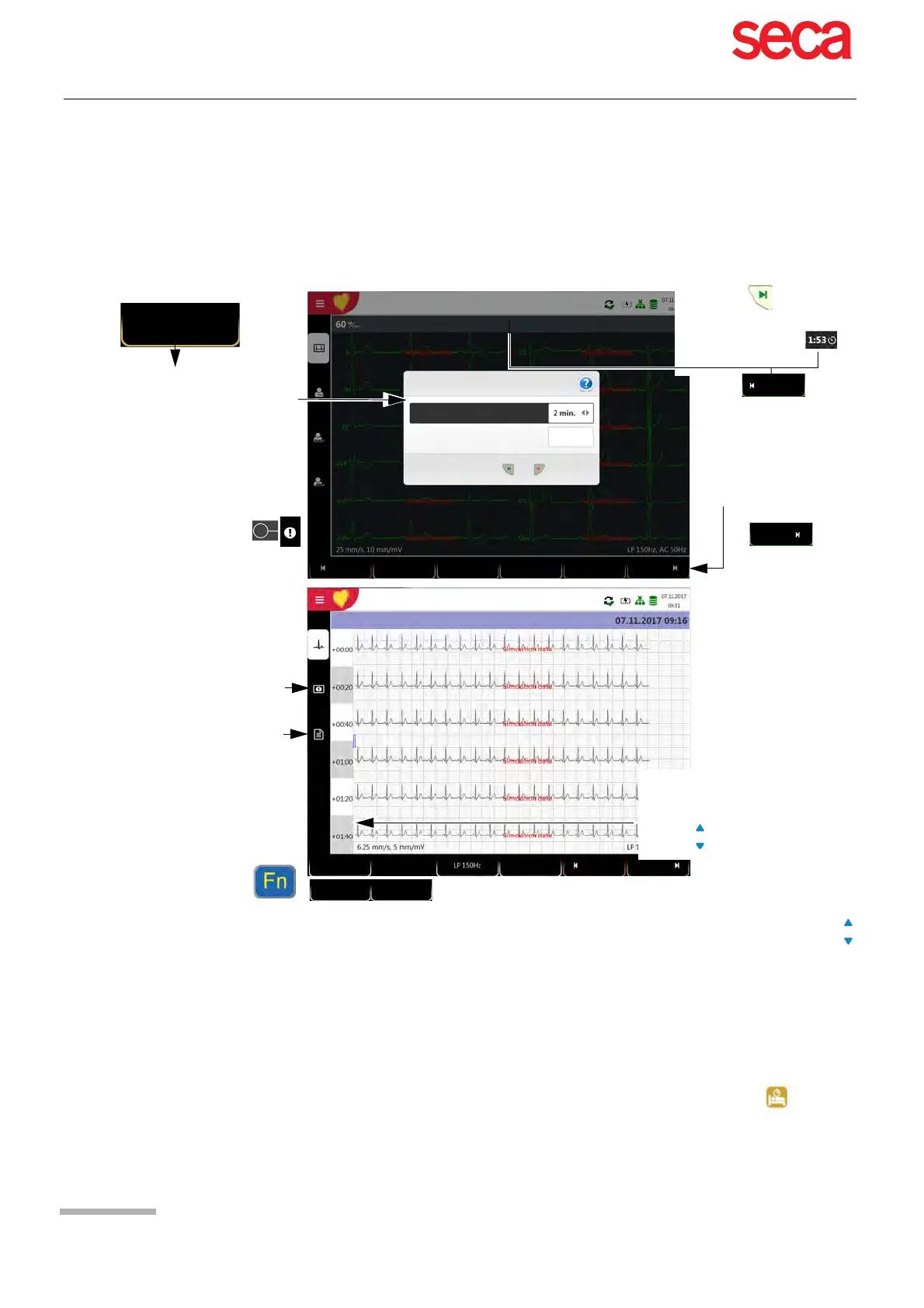
Press Rhythm to perform a rhythm recording. Select the recording duration in the
dialogue that pops up. If a recording is cancelled after more than 10 seconds, it can
still be stored. The recording can be checked and saved and further printouts can be
obtained in different formats. Depending on the setting, the recording is deleted
automatically as soon as it has been transmitted, or it remains stored in the memory.
Check the recording using the keys “FN & Lead” (select leads) and the keys
(select time interval).
Key Select filter (Off, 25, 40, 150 Hz)
Pacemaker detection on/ff
Accept the recording (recording is saved)
Print the recording (see section 10.3.4 Rhythm ECG, page 77)
Press Discard to exit the preview without storing the ECG.
Select a recording for review and printout via the Memory menu .
Open the menu Memory to delete a recording from memory.
Rhythm
Once Start is pressed,
the remaining recording
duration is displayed
Rhythm Settings
The dialogue "Rhythm settings” can
be deactivated in the Settings menu
or directly in the dialogue. To
reactivate the dialogue, tick the
option in the Rhythm ECG menu,
see chapter 10.2.5.
Show recording duration dialogue
Patient ID I Visit ID
Hugh Brian I 53 years I Male
Patient ID I Visit ID
Hugh Brian I 53 years I Male
Start Cancel
Adjustment of Speed and
Amplitude
For recordings lasting between 3
and 10 minutes, additional time
intervals can be displayed using
the keys
After 10 s of recording,
the icon Cancel changes
to Stop. Press Stop to end
and store the recording.
Rhythm length
Yes
Standard
12-lead
Auto
Patient
Rhythm
LP 150Hz
Stop
Cancel
During recording, events can
be entered in the event
dialogue.
Patient
Print
Discard
Accept
6.25 mm/s
5 mm/mV
Graphics showing the heart rate
trend
Entering the interpretation
II
PM off



 To Next Page