Page 23
Art. no.: 2.511407 Rev.: a
Operation 3
User guide Changing the Printing Paper 3.5
CT8000P-2
3.5 Changing the Printing Paper
Important
The device is delivered without printing paper inserted. The thermal paper is sensitive
to heat, humidity and chemical vapours. The following points apply to both storage,
and when archiving the results:
• Before use, keep the paper in its original cardboard cover. Do not remove the card-
board cover until the paper is to be used.
• Store the paper in a cool, dark and dry location.
• Do not store near chemicals, e.g. sterilisation liquids.
• Do not store in PVC folders or envelopes made of recycled paper.
• Certain glues can react with the paper. Therefore, do not use glue to attach the
printout onto a mounting sheet.
seca can only guarantee perfect printouts when original seca chart paper or chart
paper of the same quality is used.
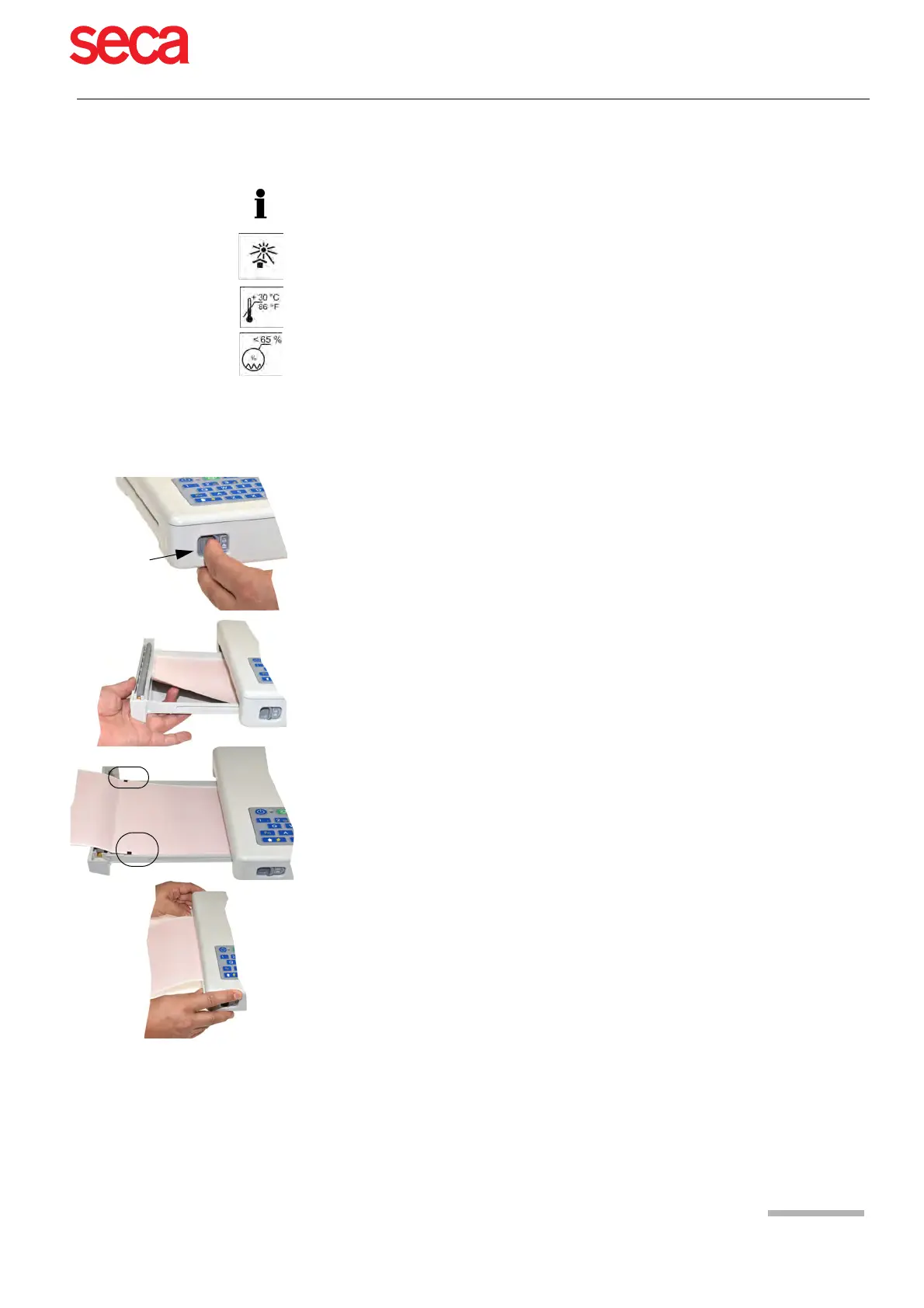
1. Slide the latch to the right
2. Pull out the paper tray.
3. Remove the remaining paper.
4. Place a new paper pack into the paper tray with the printed (grid) side facing
upwards.
5. Pull out the first page as shown on the left.
6. Push the paper tray home until it locks into place.



 To Next Page