Page 19
Art. no.: 2.511407 Rev.: a
Operation 3
User guide Initial operation 3.1
CT8000P-2
3 Operation
3.1 Initial operation
3.1.1 Location
• Do not keep or operate the unit in a wet, moist or dusty environment. Avoid expo-
sure to direct sunlight or heat from other sources.
• Do not allow the unit to come into contact with acidic vapours or liquids.
• The CT8000P-2 should not be placed in the vicinity of X-ray or diathermy units,
large transformers or electric motors.
3.1.2 Connection of external cable assemblies and ancillary
equipment
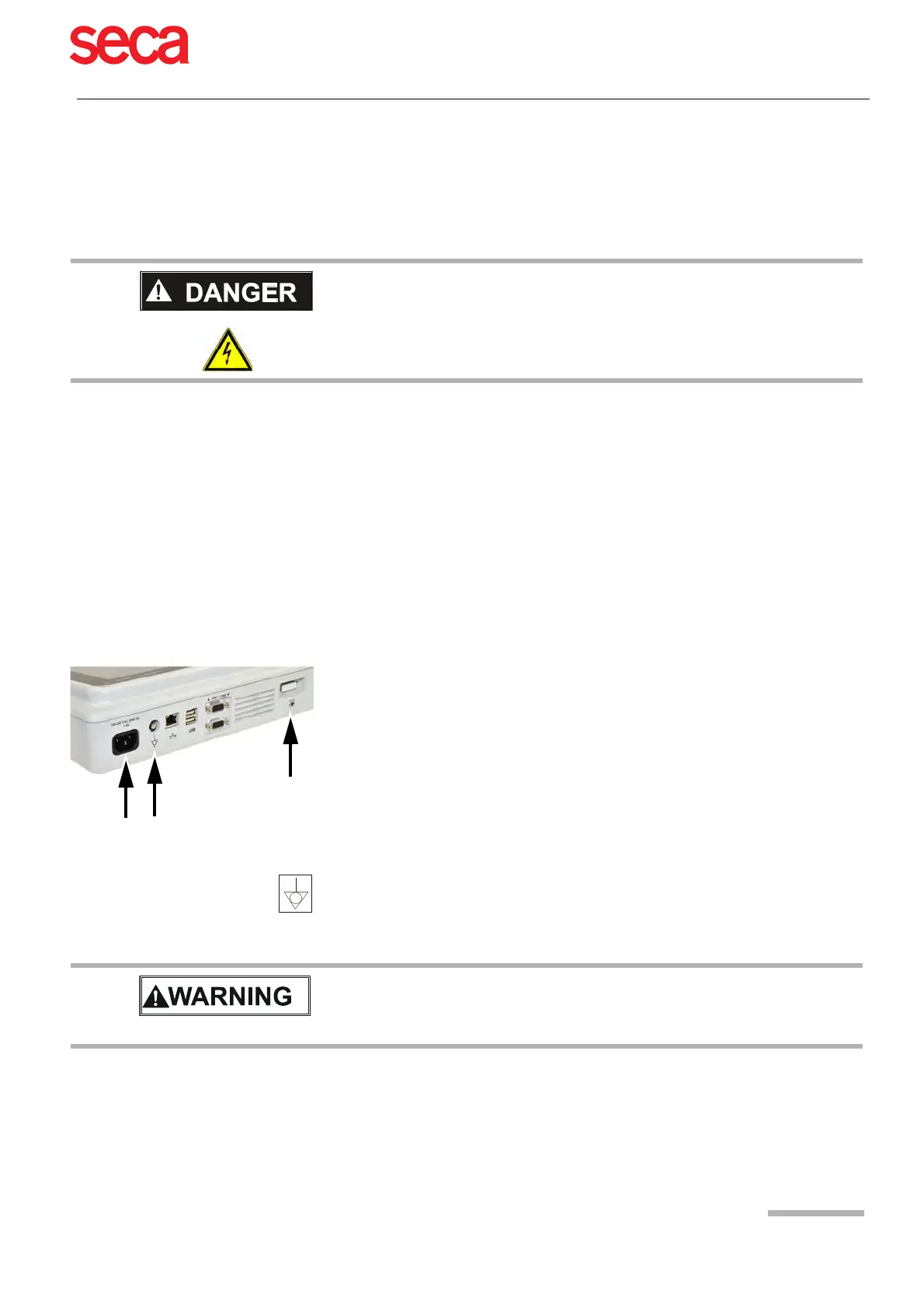
1. Connect the mains cable to the mains.
3.1.3 Potential equalisation
Electrical shock hazard. Do not operate the unit if the earth connection is suspect
or if the power supply unit/mains lead is damaged or suspected of being
damaged.
2. The mains indicator LED is lit.
3. Leave the CT8000P-2 connected to the mains for 4 hours to fully charge the
battery (see Page 21).
4. Connect the potential equalisation cable.
5. Connect the patient cable.
6. Connect any ancillary and optional equipment (see Page 17). These may include
the following:
– Network cable
– USB barcode reader
– Ergo devices
The potential equalisation stud at the back of the unit is used to equalise the ground
potential of the CT8000P-2 to that of all mains-powered equipment in the vicinity. Use
the hospital or building common ground. A yellow/green earth cable is supplied as an
option (article number 2.310005).
Danger of triggering ventricular fibrillation! If the CT8000P-2 is used together with
devices that are designed for direct cardiac application, both devices must be
connected to the hospital/building common ground (potential equalisation) to
prevent equalising currents between different device potentials.



 To Next Page