Page 21
Art. no.: 2.511407 Rev.: a
Operation 3
User guide Power supply 3.3
CT8000P-2
3.3 Power supply
3.3.1 Mains and battery indicators
3.3.2 Isolating from the mains
To isolate the device from the mains supply, remove the mains plug from the external
power supply unit.
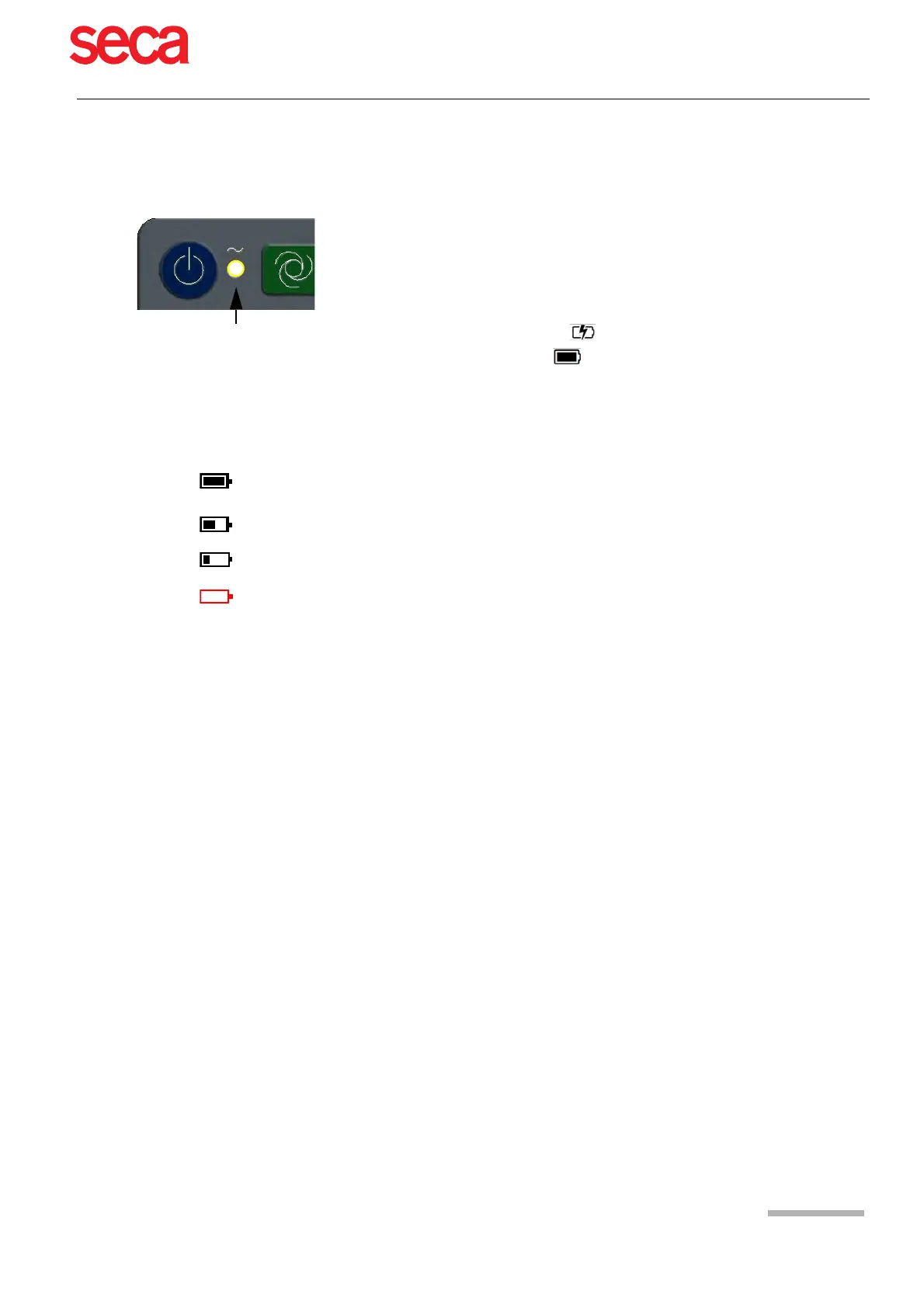
The unit can either be operated by the mains supply or by the built-in rechargeable
battery. The LED indicates that the device is connected to the mains.
The current power source is displayed in the top right corner of the screen when the
unit is switched on:
Mains via external power supply unit
, battery is being charged
• Internal rechargeable battery ( )
• When running on battery power and the battery capacity is limited, the battery sym-
bol is flashing.
• When mains is connected and the battery is charging, the battery symbol is dis-
played ‘filling’.
Battery capacity
The internal battery provides power for up to eight hours. When the unit is running on
battery power (mains not connected), the battery symbol indicates the battery status.
When the battery is full, the symbol is solid.
When running on battery power and the battery capacity is low, the battery symbol
turns red. If the capacity 10 %, the user will be informed to connect the device to the
mains.
Battery charging
The battery is charged when the unit is connected to the mains supply. The unit can
remain connected to the mains supply without damage to either the battery or the unit.



 To Next Page