5 Resting ECG
5.2 Automatic resting ECG recording
Page 44
CT8000P-2
Art. no.: 2.511407 Rev.: a
5.2 Automatic resting ECG recording
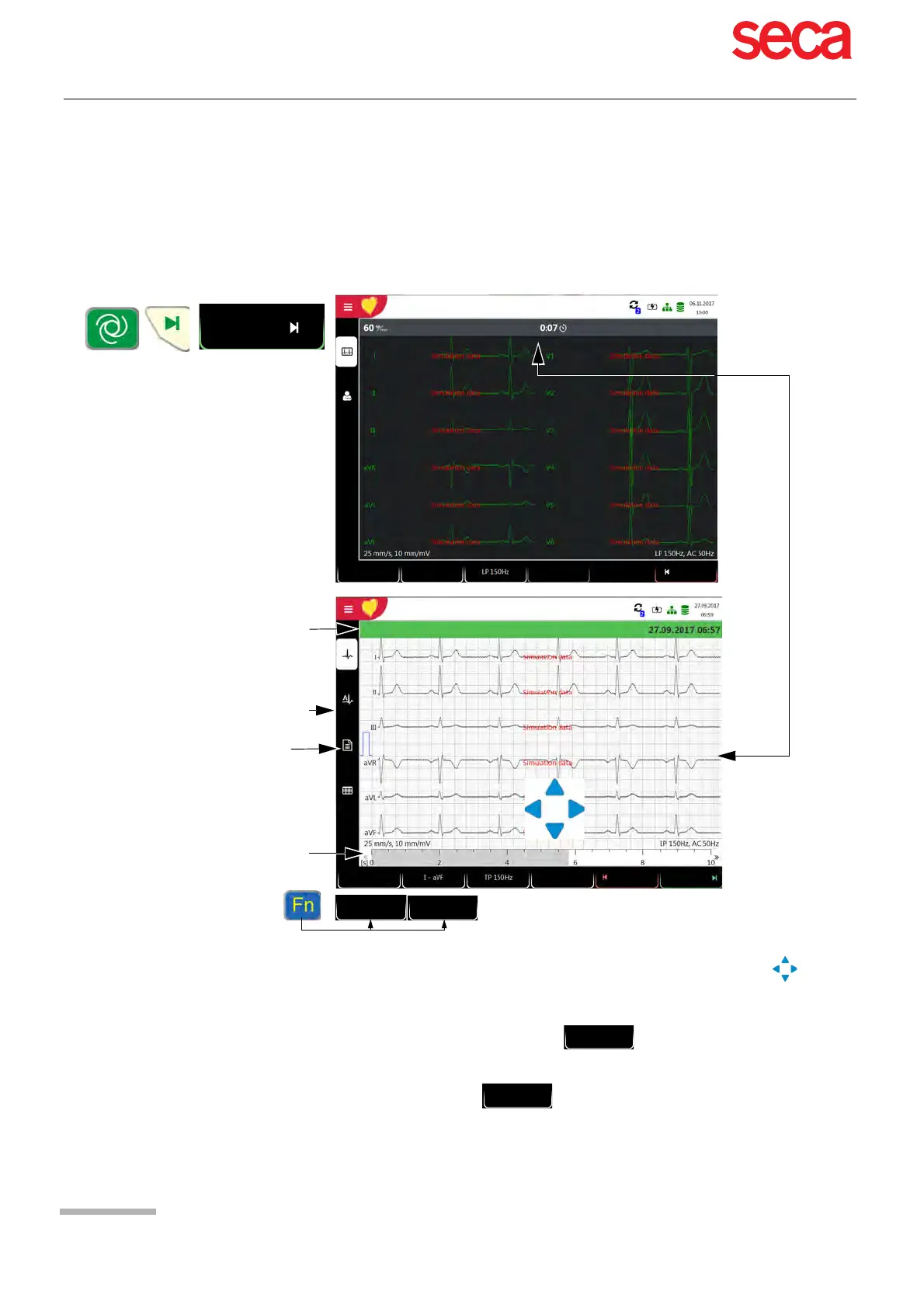
To take an automatic ECG recording, press the Auto key. After approx. 10 seconds,
the recording is analysed and the result displayed. The recording can be checked and
saved and further printouts can be obtained in different formats. Depending on the
setting, the recording is deleted automatically as soon as it has been transmitted, or
it remains stored in the memory.
Check the recording by moving the time axis (grey bar) and the keys (to scroll
through channels).
Select filter (Off, 25, 40, 150 Hz)
Accept the recording (recording is saved)
Print the recording (see section 10.3.3 Resting ECG, page 76)
Press Discard to exit the preview without storing the ECG.
In the Memory menu, select a recording for review and printout.
Open the menu Memory to delete a recording from memory.
Depending on the settings (see
section 10.3), only some or none of
these pages are displayed..
Otherwise normal
Remaining
recording duration
The grey bar shows the position on
the time axis.
Emergency ECG
Enter Patient ID / Visit ID
Auto
Cancel
Standard
12-lead
Patient
Discard Accept
Patient
25 mm/s
10 mm/mV
Print
Header text can be switched off in
section 10.2.3 Interpretation,
page 73.
Interpretation text can be switched
off in section 10.2.3 Interpretation,
page 73.
PM off



 To Next Page