Page 93
Art. no.: 2.511407 Rev.: a
Transmission - Overview 11
User guide Transmission Options 11.1
CT8000P-2
11.1.4 Schiller Link
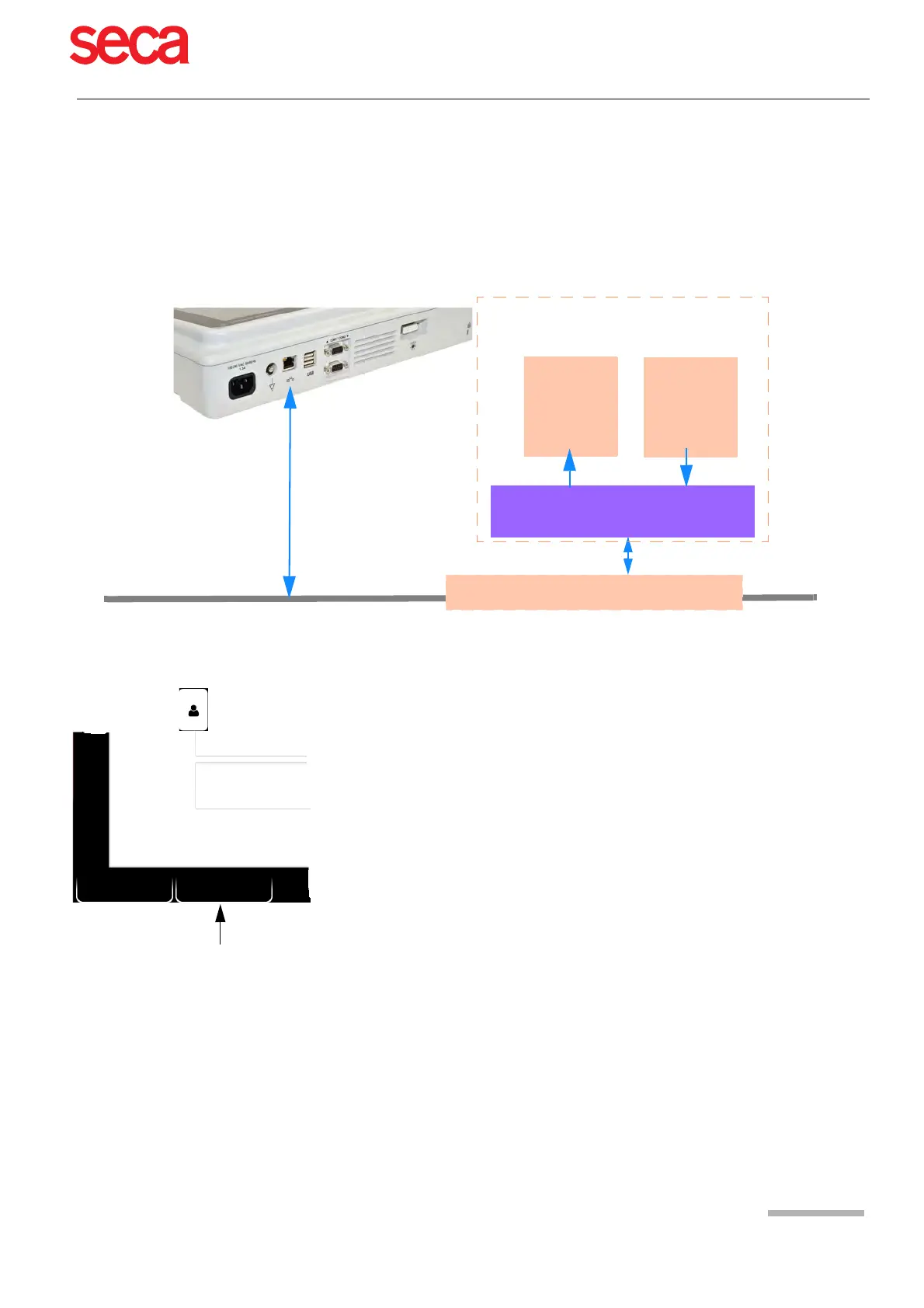
Schiller Link is a PC application/service which communicates between the EMR sys-
tem and the CARDIOVIT AT-102 G2 .
To activate this communication, set Schiller Link in the menu Connectivity >
EMR integration (see page 81).
Integration in the network is automatic, provided the CARDIOVIT AT-102 G2 is
part of the same network as the EPA system
Procedure with EMR system
Procedure without EMR system
1. Manually enter the patient data on the CARDIOVIT AT-102 G2 (via keyboard or
barcode reader).
2. Perform the recording on the CARDIOVIT AT-102 G2.
3. Store the recording and export it automatically or manually to the export folder.
4. Review the recording (PDF) on the PC and print or transmit it via e-mail.
Network LAN or Wi-Fi (TCP/IP)
Export
•GDT
• Sema2
•PDF
Electronic Medical Record system (EMR)
or PC
Schiller Link
PC app./service
Import
•GDT
1. Enter/select a patient in the EMR system
2. Generate a new order for this patient
3. Upload the GDT file into the import folder of the Schiller Link service
4. Start and check the order incl. patient data on the CARDIOVIT AT-102 G2.
Should no patient data be displayed, press the function key "Use order data". The
order data will be loaded and displayed.
5. Perform the recording on the CARDIOVIT AT-102 G2.
6. Store the recording and export it automatically or manually to the export folder.
7. The EMR system imports the recording for review in the EMR system.
Clear
Use order
data
Room
Indication



 To Next Page