Page 67
Art. no.: 2.511407 Rev.: a
Worklist (Option) 9
User guide Receiving a worklist 9.2
CT8000P-2
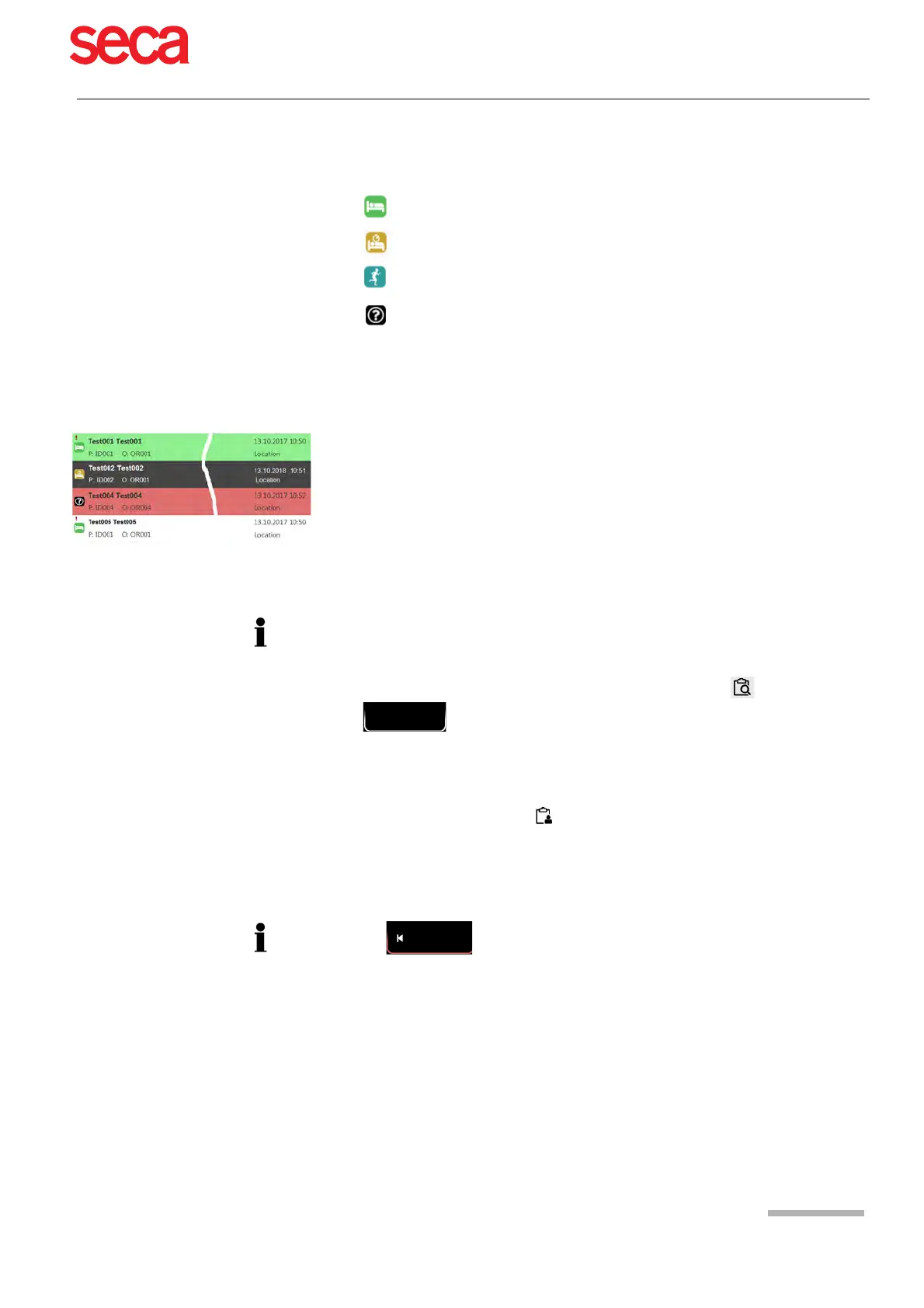
All patients given in the worklist are displayed with their last/first name, patient ID,
order ID and room number. The following recording types are available:
• Resting ECG
• Resting rhythm
• Exercise ECG
• Undefined recording type. The recording type is assigned when the recording
is performed.
Recording status:
• White background = recording to be performed.
• Dark grey background = selected recording.
• Green background = already performed recording. The next time the worklist is
synchronised, these recordings are going to be deleted, both on the device and on
the server.
• Red background = recording was cancelled and deleted.
9.2.1 Taking a Worklist Recording
1. Prepare the patient and select a work item.
2. Select Work item details to check the work order or to complement patient
data.
3. Press the Resting ECG key.
4. The corresponding recording acquisition screen (resting ECG or resting rhythm)
is opened. If no recording type has been defined, both options are available.
5. Take the recording:
– Resting ECG (see Page 44)
– Resting rhythm (see Page 48)
• This procedure corresponds with the worklist mode “Record from worklist”, see
setting section 10.7 General, page 85, workflow.
• Patient data provided by the HIS cannot be edited (except for height and weight).
• If you have selected an incorrect work item, press the key , but not the key
. Select the new work item from the list, or use the Search field.
Press to return to the worklist without performing the recording (last
chance to do so).



 To Next Page