Product Description
FLOWSIC600 · Technical Information · 8010125 V 4.0 · © SICK AG 41
Subject to change without notice
2.7 Self-diagnosis with User Warnings
During normal operation, the ratios of sound and path velocities, amplification values, per-
formance, and signal-to-noise ratios are continuously monitored. If these values exceed
set limits (customized User Warning limits), a warning signal will be generated. This allows
immediate measures to be taken to address a problem which could potentially impact
measurement quality. A message in the Warning Logbook documents the time of the event
and the specific User Warning limit which was exceeded.
A User Warning becomes active only if a User Warning limit has been continuously
exceeded for a certain time (specified in the parameter "Warning duration and averaging
for warnings" in the Configuration tab of User Warnings).
During commissioning or operation, the User Warning limits can be adapted and activated
or deactivated in the "User Warnings" window in MEPAFLOW600 CBM to suit individual
application requirements (
pg. 149, 5.7.1).
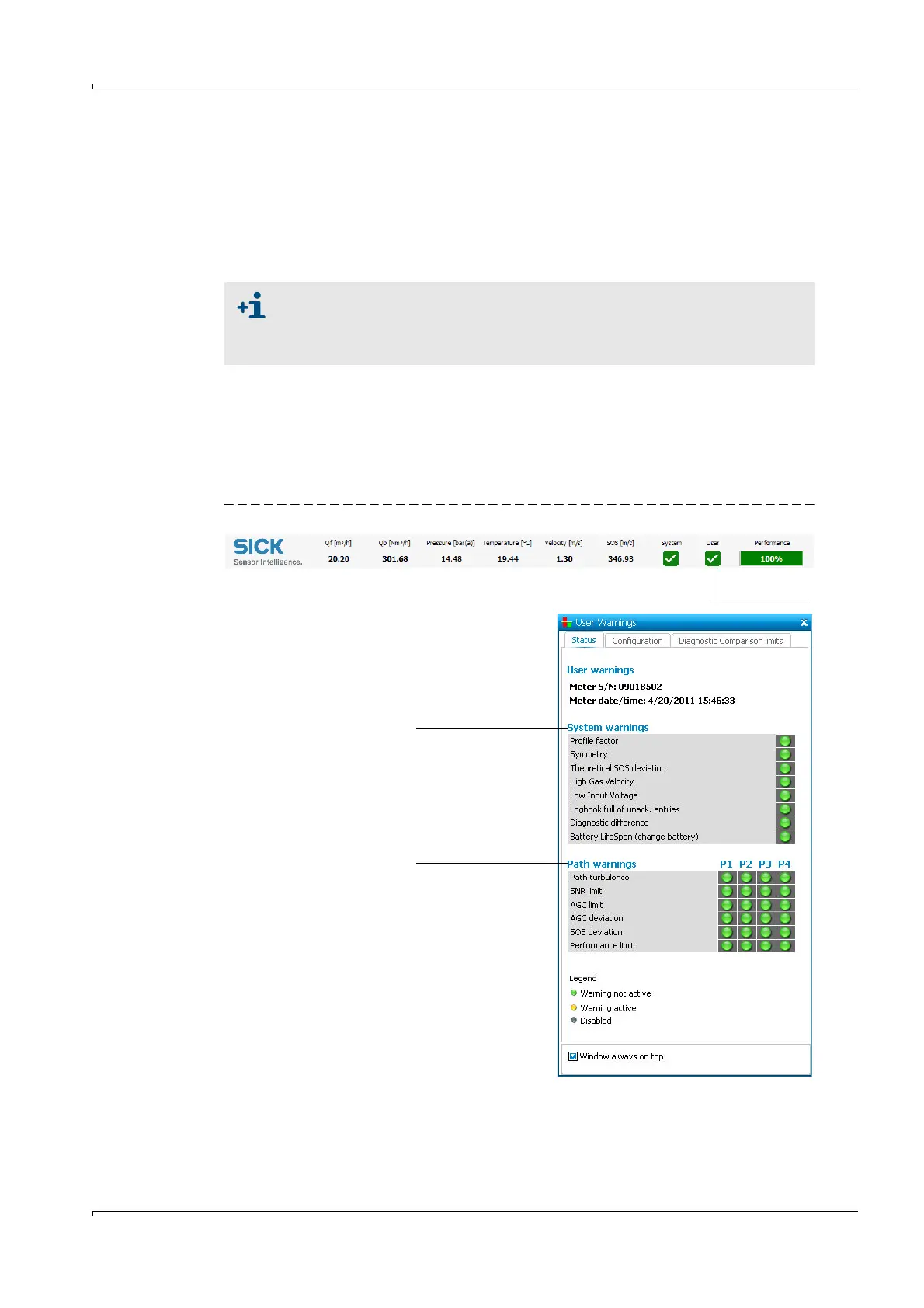
Figure 11 Button "User" in the MEPAFLOW600 CBM main system bar, "User Warnings" window
● The "Warning" signal does not affect the functionality of the meter.
● All User Warning parameters - except for the parameter ‘Min. VOG for warn-
ings" - can be configured in the User Access Level "Operator" and without
switching the meter to the Configuration Mode.
System warnings
Table 8
Path warnings
Table 9
Opens the "User
Warnings" window


 To Next Page
 Loading...