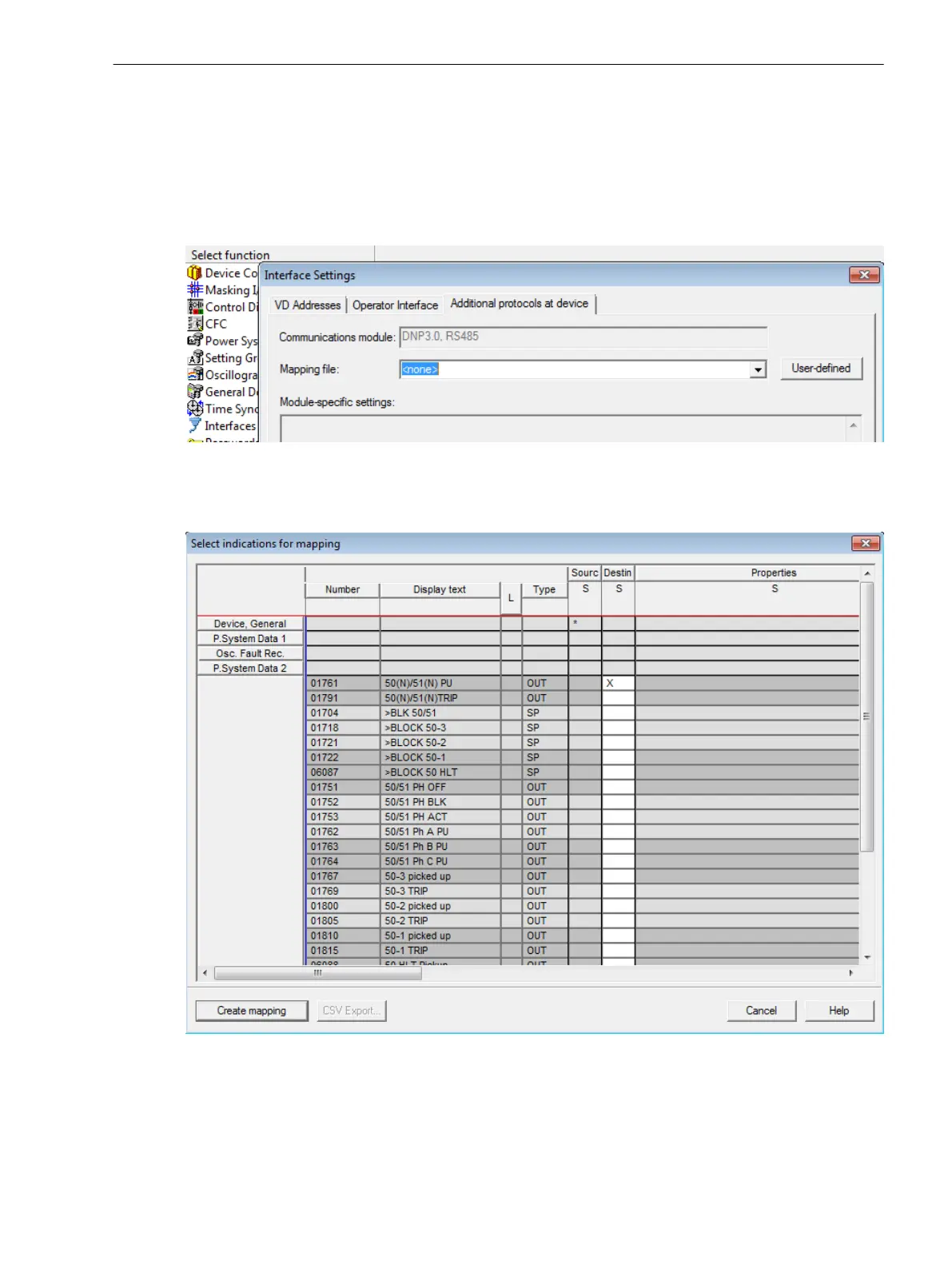
The dialog box Interface parameters offers the following dialog elements in the properties tab Additional
protocols on the device:
•
Display of the selected communication module.
•
Selection box Mapping file listing all DNP3.0 mapping files available for the respective device type, with
their names and reference to the corresponding bus mapping document
•
Edit field Module-specific settings for changing the bus-specific parameters
[sc_dnp3-select-mapping, 2, en_US]
Figure 3-27 DIGSI 4.90: Selection of a Mapping File and Setting of Bus-specific Parameters
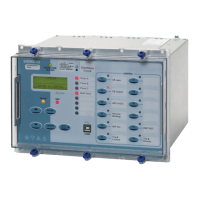
To create a user-defined mapping, press the button User-defined and select the used indications.
[sc_dnp3-edit-mapping, 2, en_US]
Figure 3-28
Edit a User-defined Mapping File
Mounting and Commissioning
3.3 Commissioning
SIPROTEC Compact, 7SC80, Manual 481
E50417-G1140-C486-A8, Edition 07.2017



 To Next Page