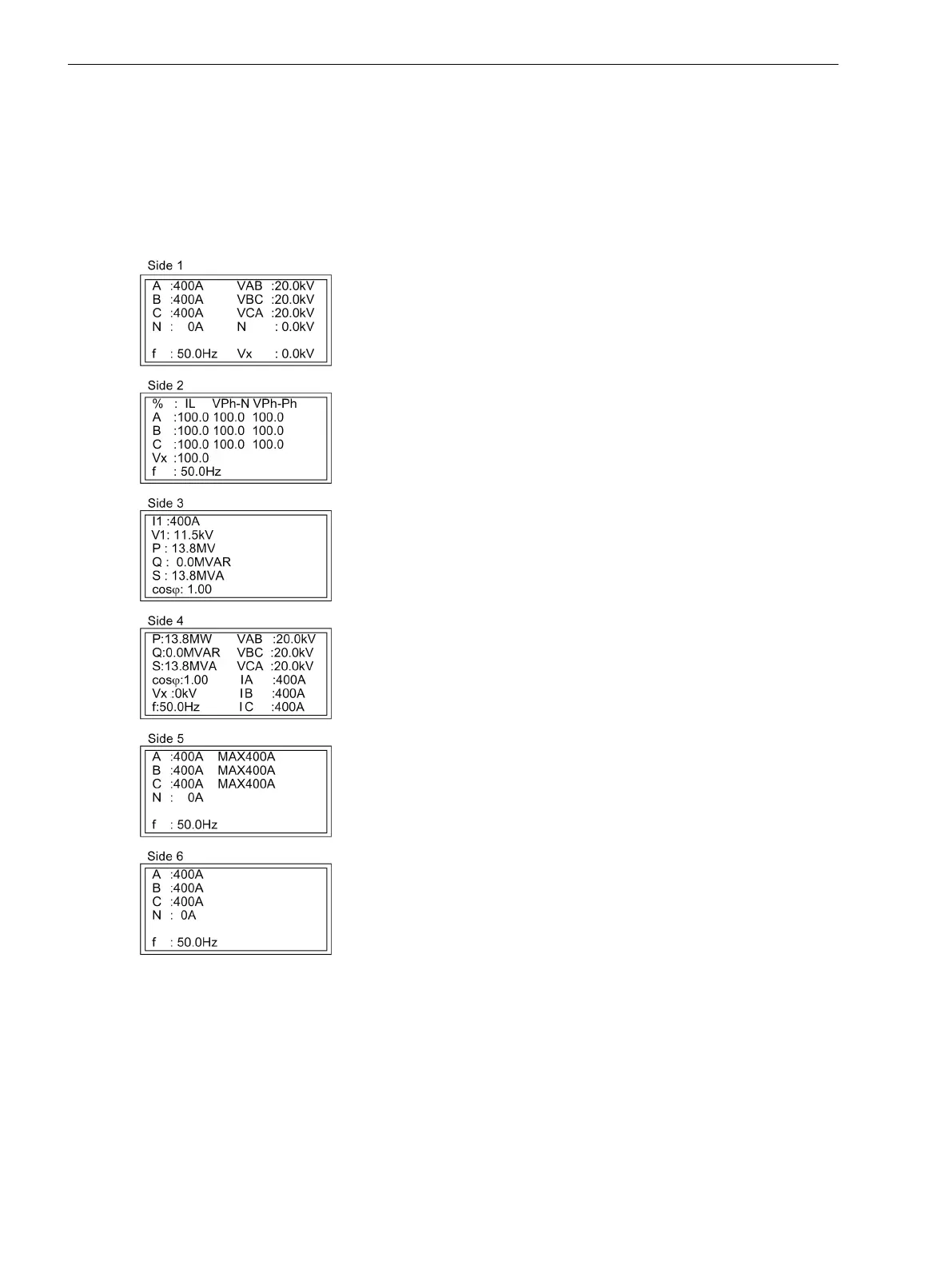
Default Display
A number of pre-defined measured value pages are available depending on the device type. The start page of
the default display appearing after startup of the device can be selected in the device data via parameter 640
Start image DD.
for the 6-line display of the 7SC80, for example, via the optional operator panel or Web Monitor
[grundb-6zei-mit-u-ohne-erw-mw, 1, en_US]
Figure E-1
Default display of 7SC80 for models with V
E.5
Default Settings and Protocol-dependent Functions
E.5 Default Display
614 SIPROTEC Compact, 7SC80, Manual
E50417-G1140-C486-A8, Edition 07.2017



 To Next Page