103
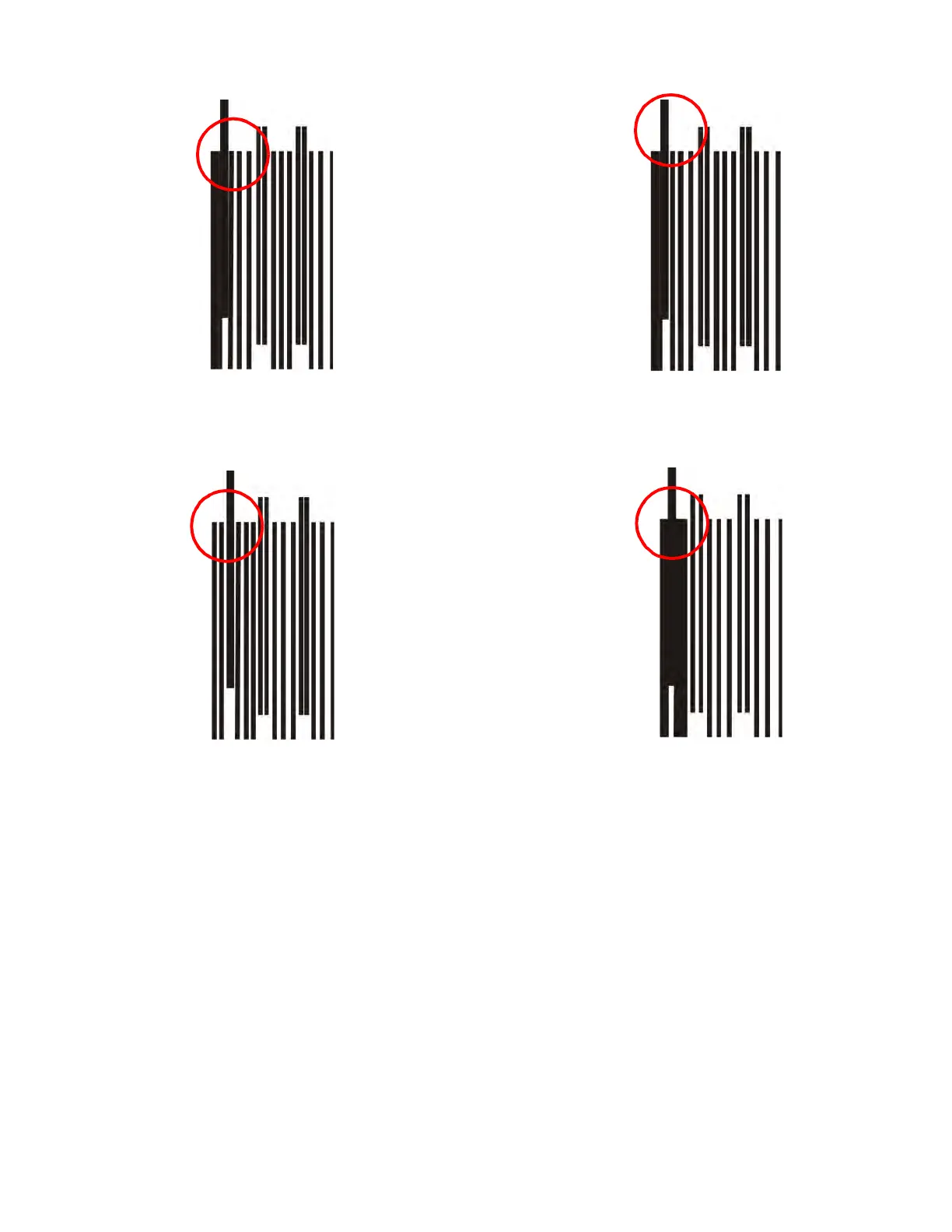
Figure 5-2: Z Zero Calibration Inspection
2. If examination of the Z zero verniers indicate Z zero is set either too high (tip too far away from
platen) or too low (tip too close to platen), adjust the Z zero setting using the up arrow or down
arrow. Use small increments such as ± .004 (0.1016 mm). After making the adjustment, build a
Z_Zero_Vernier to verify change.
Acceptable - The first open gap is
visible between the reference
toolpaths and the first calibration
toolpath.
Target - The first open gap
is visible between the first and
second calibration toolpath.
Out of Target - The first open gap
visible between the first and second
Out of Target - The first open gap
is visible between the second and
third calibration toolpaths. This
indicates that Z Zero has been
calibrated too low.
calibration toolpaths before the reference
toolpaths. This indicates that Z Zero has
been calibrated too high.














 To Next Page