34
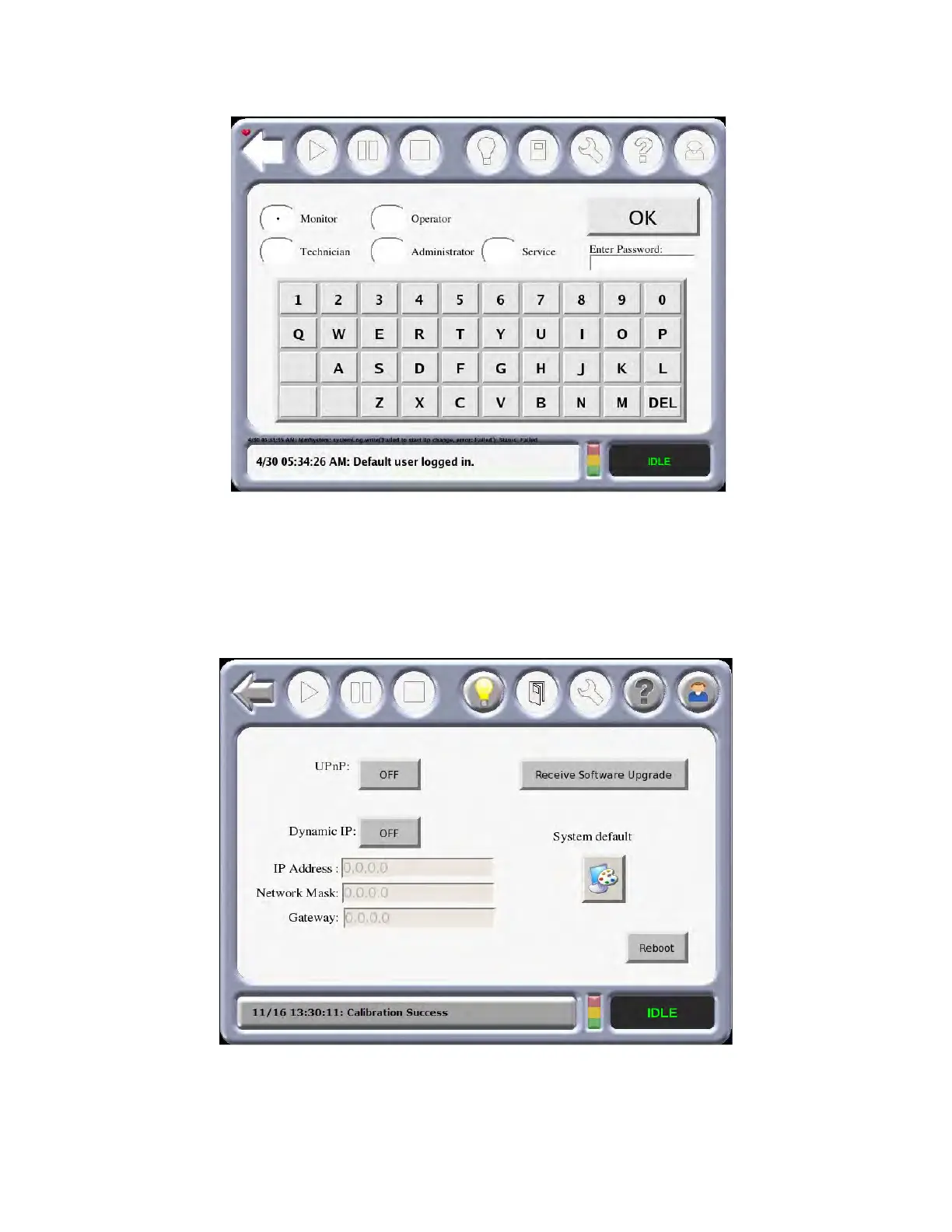
2. Select one of the categories displayed on the Login screen.
Figure 3-5: Lo
gin Screen
3. After one of the categories is selected, enter the password using the touchscreen keypad and
t
hen press OK.
4. From the Building Screen, press the M
aterial/Tools icon and then the Administrator icon and
the following screen will appear on the touchscreen.
Figure 3-6: Ad
ministrator Screen














 To Next Page