84
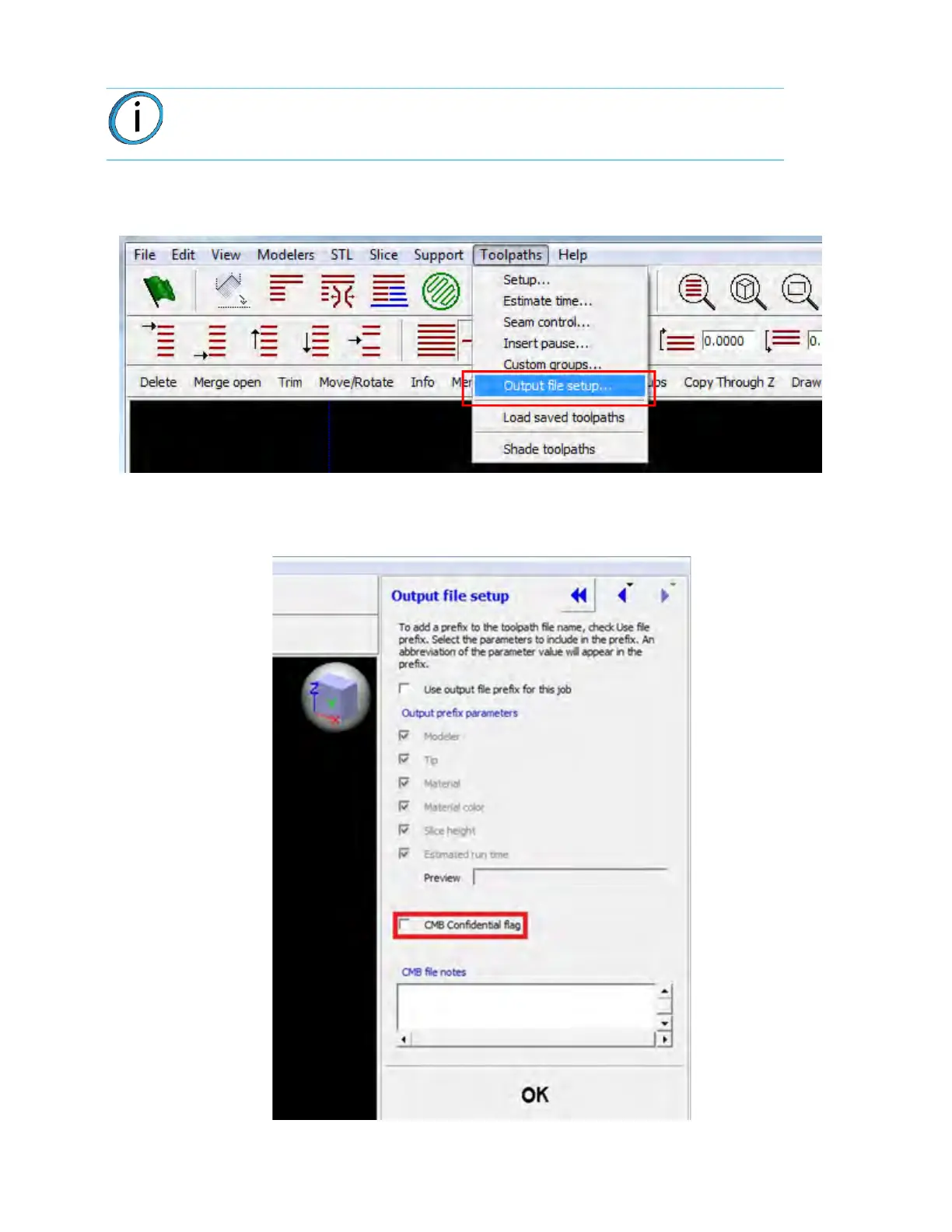
To turn off remote monitoring via Insight:
1. Navigate to T
oolpaths > Output file setup... from the Insight main menu.
Figure 4-33: Ou
tput File Setup option
2. Within the Output file setup window, select the C
MB Confidential flag checkbox.
Figure 4-34: CM
B Confidential flag option
Note: If remote job monitoring is turned off within Insight images will not be taken
or displayed until the next non-confidential job is started.














 To Next Page