85
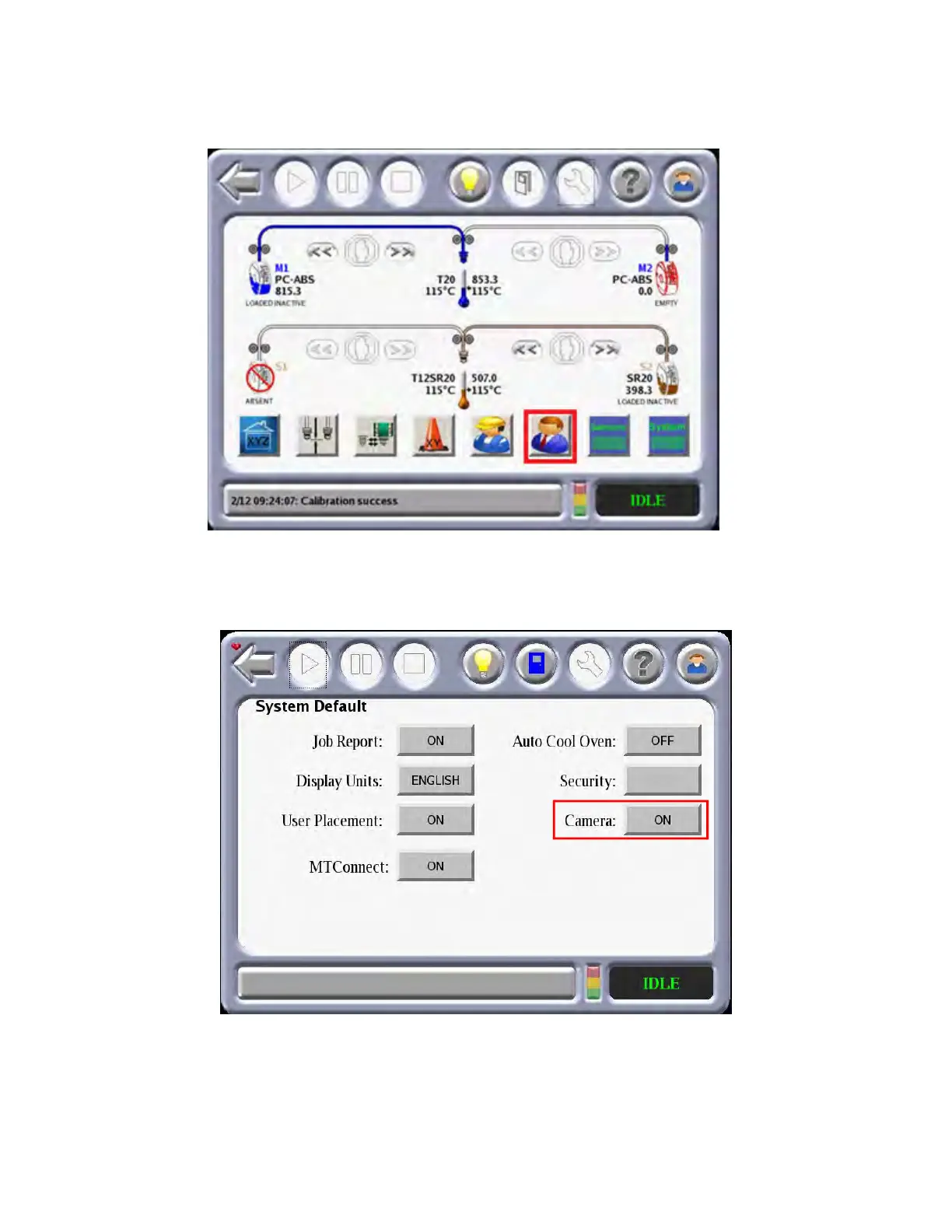
To turn off remote monitoring via the Operator Touchscreen:
1. From the Materials/Tools page, select the S
ystems Default page.
Figure 4-35: Se
lect System Defaults Page
2. Within the Systems Default page toggle the Camera Enable setting to OFF in order to disable
c
amera operation. Toggle the Camera Enable setting to ON to re-enable camera operation.
Figure 4-36: Ca
mera Enable Option














 To Next Page