CHAPTER 9 Cleaning and Maintenance
Sysmex XE-5000 Instructions for Use 9-3
Revised July 2007
5. The shutdown sequence in the Main Unit will start.
6. When the shutdown sequence is completed, the message
“Turn OFF Main Unit” will appear.
7. If you wish to complete the analysis, turn OFF the Main
Unit power.
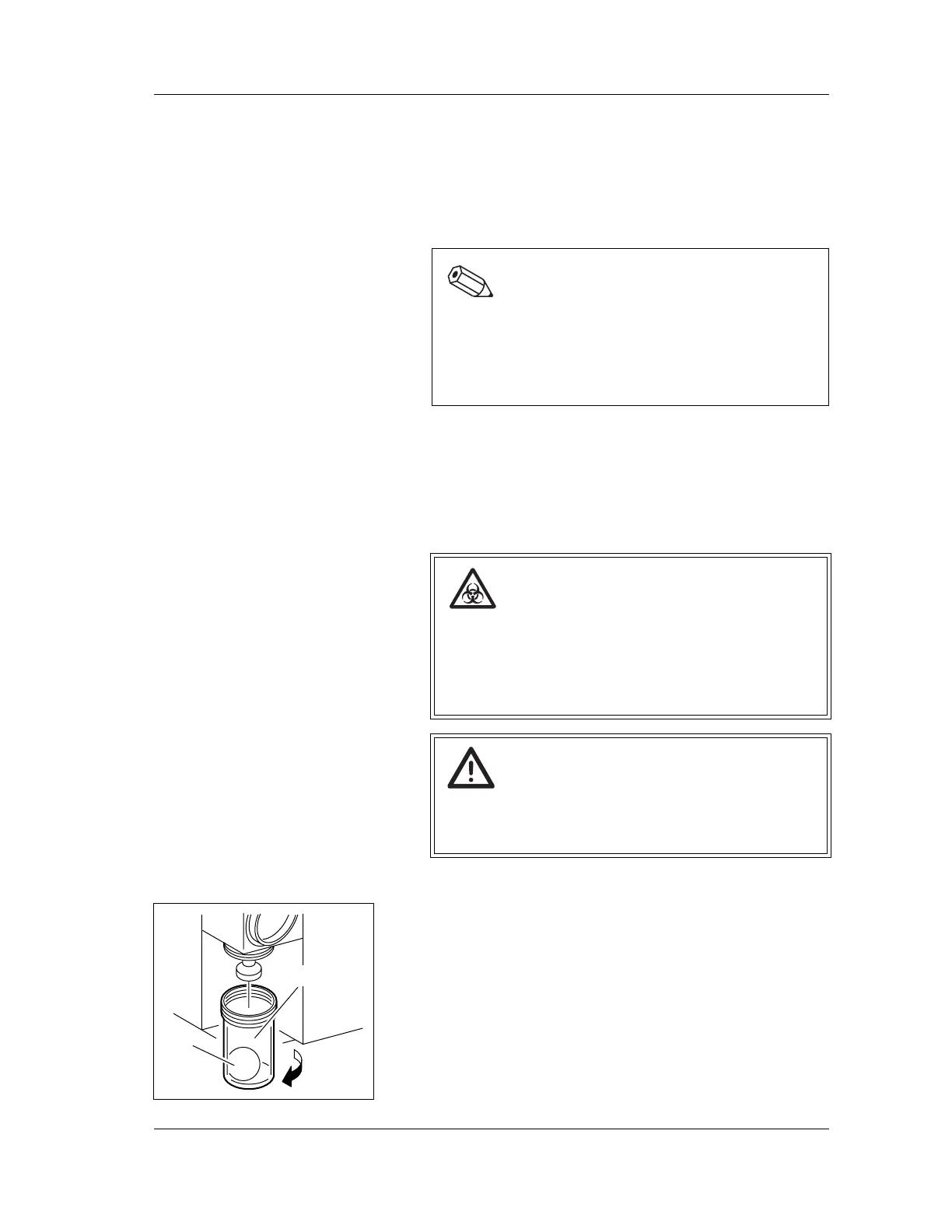
9.2 Removing fluid from the Pneumatic Unit trap chamber
At the end of each day’s analysis, check the fluid level in the
Pneumatic Unit trap chamber; then discard any fluid that has
collected.
1. Turn OFF the power of Pneumatic Unit and make sure
that the Pneumatic Unit pressure gauge shows “0”.
2. Turn the trap chamber counterclockwise and remove.
3. Discard the fluid, then reattach the chamber. Make sure
there is a float ball inside.
Note:
If you wish to continue an analysis with the Main Unit
left ON, select “Restart” on the function menu of the
Shutdown Completion screen.
After executing an automatic rinse and background
check, the system returns to the READY status.
Risk of infection
When discarding the trap chamber fluid, always wear
gloves. And after completion of the analysis, be sure
to wash your hands with disinfectant.
If your hands are contaminated by blood, you might be
infected by pathogen, etc.
Caution!
If fluid collects everyday, the Main Unit may have a
technical problem.
Please contact your Sysmex technical representative.
Trap chamber
Loosen
Float
ball



 To Next Page