CHAPTER 6 Operation
Sysmex XE-5000 Instructions for Use 6-39
Revised April 2007
6.26 Shutdown
By executing shutdown, the detector and dilution lines are
cleaned. Execute shutdown at the end of each day’s analysis.
When the instrument is used continuously, shut it down at
least once every 24 hours or 500 sample analysis.
Main Unit shutdown
1. Press the SHUTDOWN key on the Main Unit panel
keypad.
2. The shutdown screen appears on the Main Unit LCD
screen.
To cancel shutdown, press the RETURN key or select
“Cancel” on the function menu of the Set CELLCLEAN
Message Screen to return to Ready status.
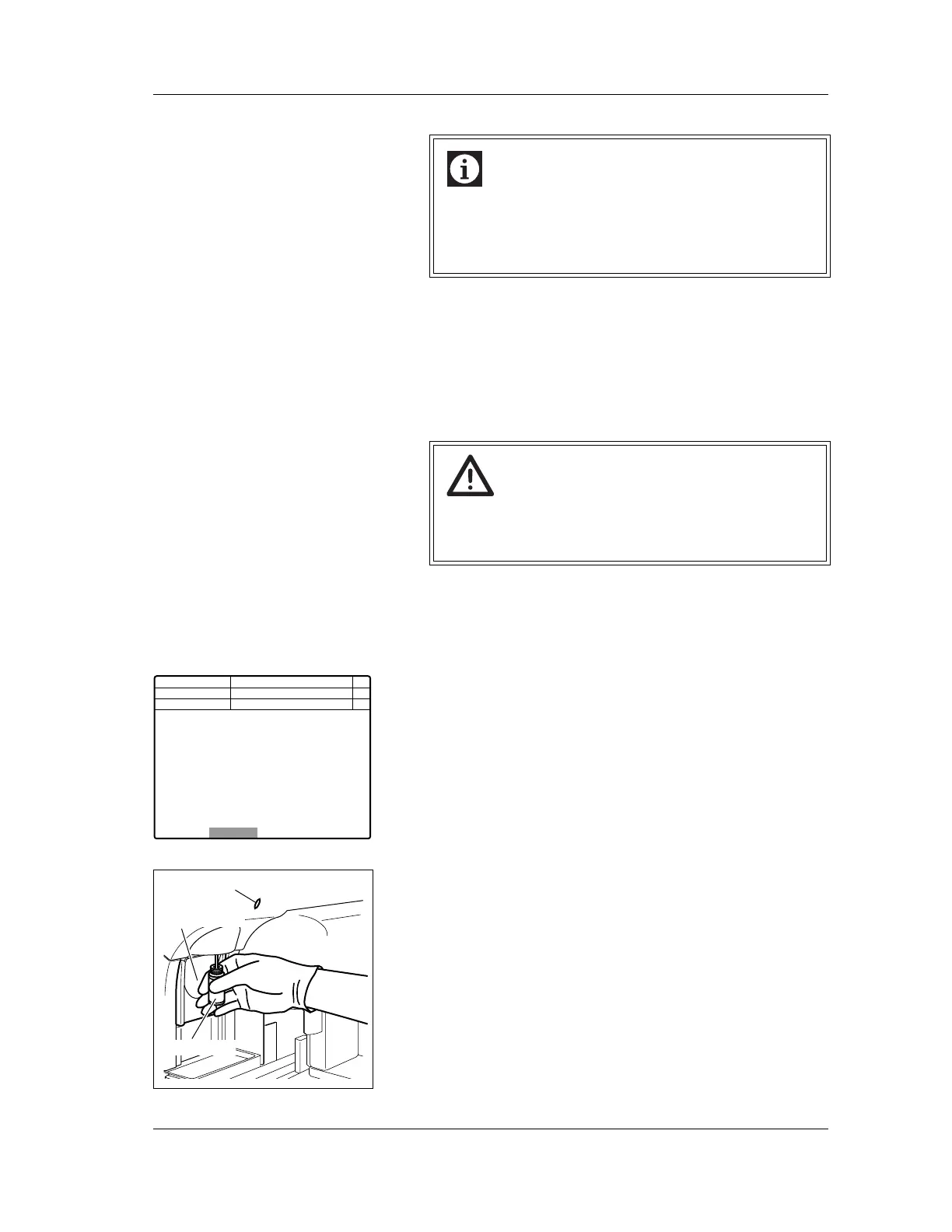
3. Set CELLCLEAN to the manual aspiration pipette as
shown in the figure; then press the START switch in that
status.
While the READY LED is blinking and the buzzer is
sounding, aspiration is in progress. Keep holding
CELLCLEAN in the current status.
Information
As for the timer mode, the Pneumatic Unit and the
LCD screen interlock.
When you press the START switch or a numeric key,
both the timer modes will restart at the same time.
Caution!
• Be sure to execute shutdown to clean the instrument.
Otherwise analysis may not be performed correctly.
• To execute shutdown, use CELLCLEAN only.
Next No.1
DP No.
C D N R
Manual
Cancel
Not Ready
It will take approx. 15 minutes
Set CELLCLEAN to the pipette
and press Start Switch
CAUTION:Do not use detergents
other than CELLCLEAN.
Num
DP
Xm
READY LED
START Switch
CELLCLEAN



 To Next Page