CHAPTER 7 Quality control
7-2 Sysmex XE-5000 Instructions for Use
Revised April 2007
7.3 Preparation
Switch on the Information Processing Unit (IPU) and the Main
Unit and wait for them to turn into the Ready status.
QC method setting
1. Start quality control from the Information Processing Unit
(IPU).
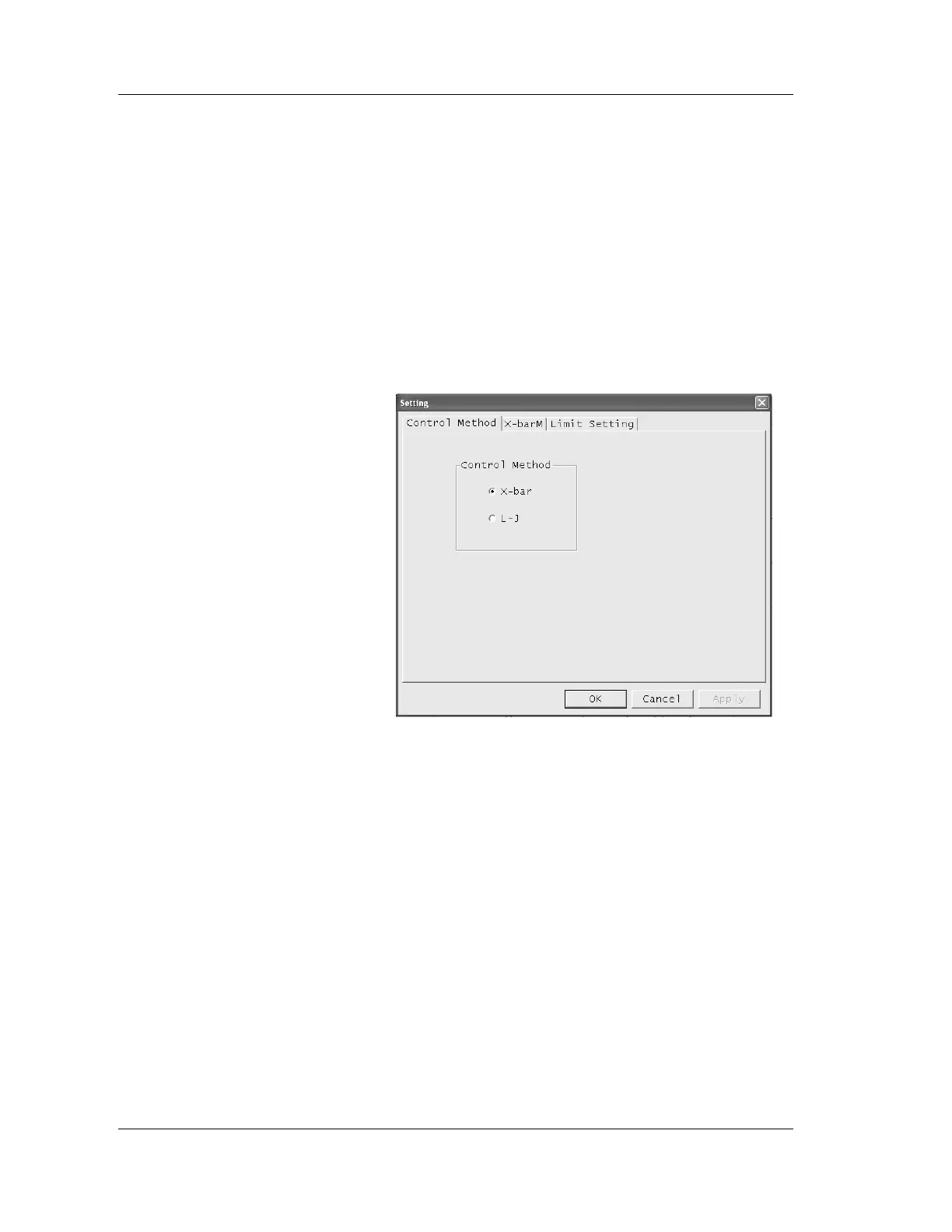
2. Click the “Setting” button.
The QC Setting dialog box will be displayed.
3. Click the “Control Method” tab.
The Control Method screen will be displayed.
4. Click the radio button to select the Control Method.
X-bar: This method performs two consecutive analysis
of control blood, and takes the mean (average)
value as control data.
L-J: This method takes the data from a single
analysis of control blood as the control data.
5. After completing settings, click on “OK”, “Cancel” or
“Apply”.
OK: Sets the new settings and closes the
dialog box.
Cancel: Cancels the new settings and closes the
dialog box.
Apply: Sets the new settings.



 To Next Page