CHAPTER 9 Cleaning and Maintenance
Sysmex XE-5000 Instructions for Use 9-11
Revised April 2007
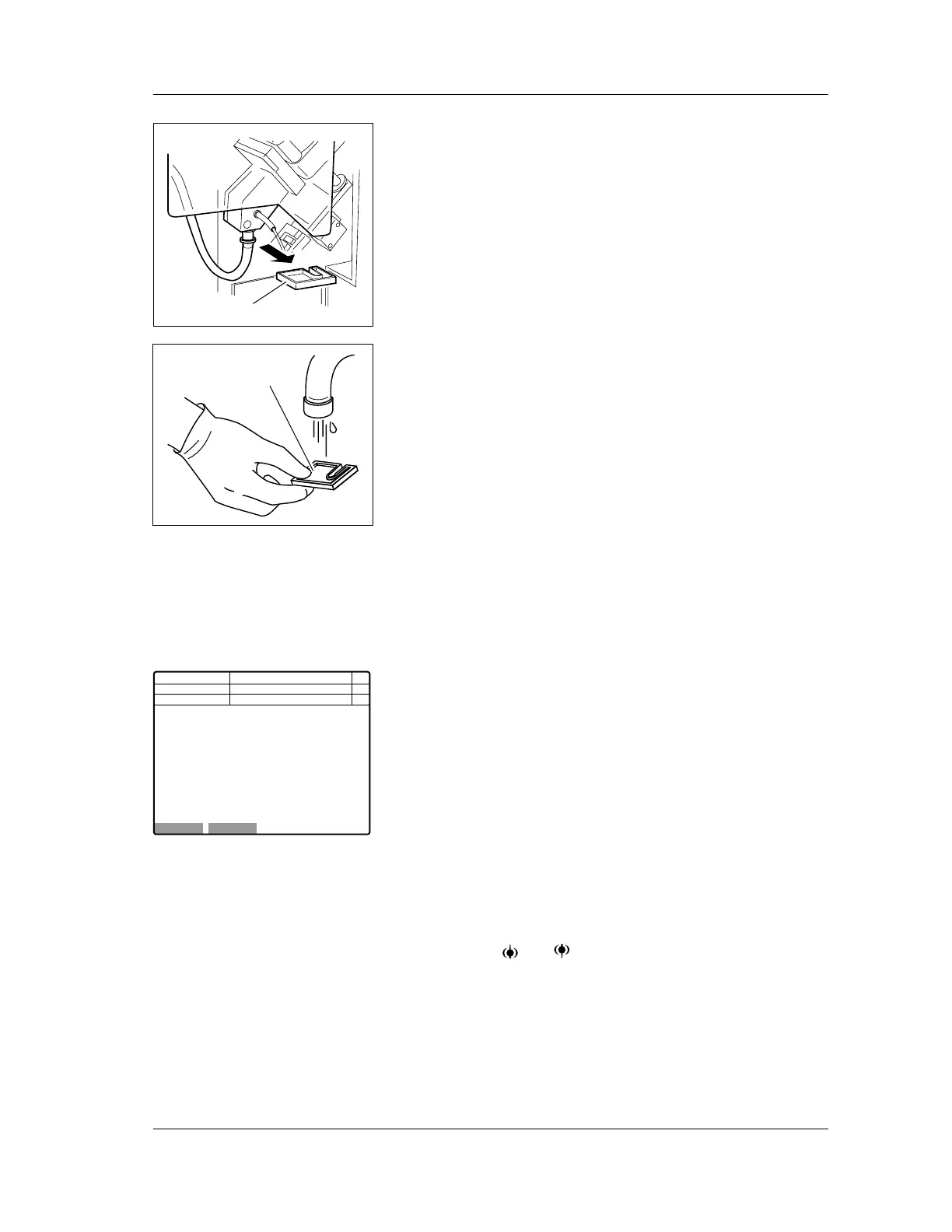
4. Remove the piercer tray.
5. Clean the piercer tray using running water.
6. Make sure that no dirt remains in the piercer tray and wipe
off moisture.
7. Install the piercer tray to its original position.
8. Install the CP cover.
9. Close the Main Unit front cover.
9.7 Removing clogs (clog removal sequence)
When the message indicating clogging of RBC or IMI detector
is displayed, execute the clog removal sequence by the
following procedure.
1. When the error message indicating clogging is displayed,
press the HELP key on the Main Unit panel keypad.
The HELP screen will appear.
2. If you select “OK” on the function menu of the HELP
screen, the clog removal sequence will start.
You can also execute the clog removal sequence by the
following procedure.
1. Select “Maint” on the function menu of the main menu
screen.
The Maintenance Sequence screen will appear.
2. Using the and keys, move the cursor to select
“3. Clog Removal”.
3. If you select “Execute” on the function menu of the
Maintenance Sequence screen, the clog removal
sequence will start.
Tray
Tray
OK Cancel
Next No.123456789012346
DP No. 123456789012345
IMI Count Too Long 65
Manual
Execute Clog Removal menu.
Press the [OK] key.
C D N R
Not Ready
<Help>
Num
DP
Xm



 To Next Page