CHAPTER 9 Cleaning and Maintenance
9-12 Sysmex XE-5000 Instructions for Use
Revised April 2007
9.8 Cleaning the IMI detector aperture
When clogs are not removed after executing the clog removal
sequence, clean the IMI detector aperture by the following
procedure.
1. Select “Maint” on the function menu of the main menu
screen.
The Maintenance Sequence screen will appear.
2. Using the and keys, move the cursor to select
“1.Drain IMI.”
3. If you select “Execute” on the function menu of the
Maintenance Sequence screen, the sample inside the IMI
detector is drained.
4. Turn OFF the power of the Main Unit and Pneumatic Unit,
and wait several minutes until the pressure gauge points
at “0”.
5. Open the Main Unit front cover.
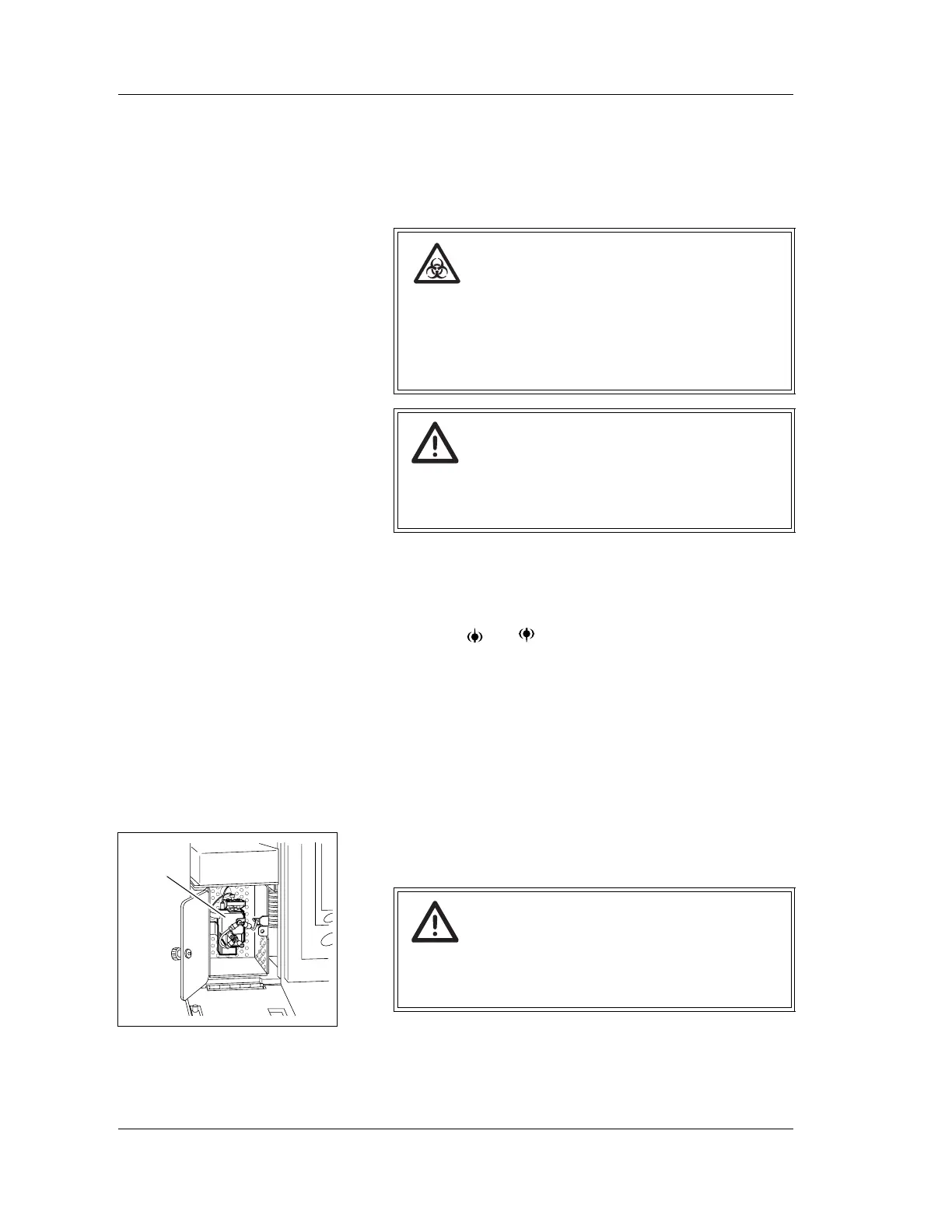
6. Open the IMI detector cover, and check that the sample is
drained.
Risk of infection
When cleaning the aperture, always wear gloves.
After completion of the operation, wash your hands
with disinfectant.
If your hands are contaminated by blood, you might be
infected by pathogen, etc.
Warning!
Before operating with the front cover open, be sure to
set the stop bar. Otherwise, the cover can drop down
and injure your head.
Warning!
Never touch the detector when the power of the Main
Unit is turned ON.
Otherwise, electrical shock may result.
IMI detector



 To Next Page