CHAPTER 3 Design and Function
3-2 Sysmex XE-5000 Instructions for Use
Revised April 2007
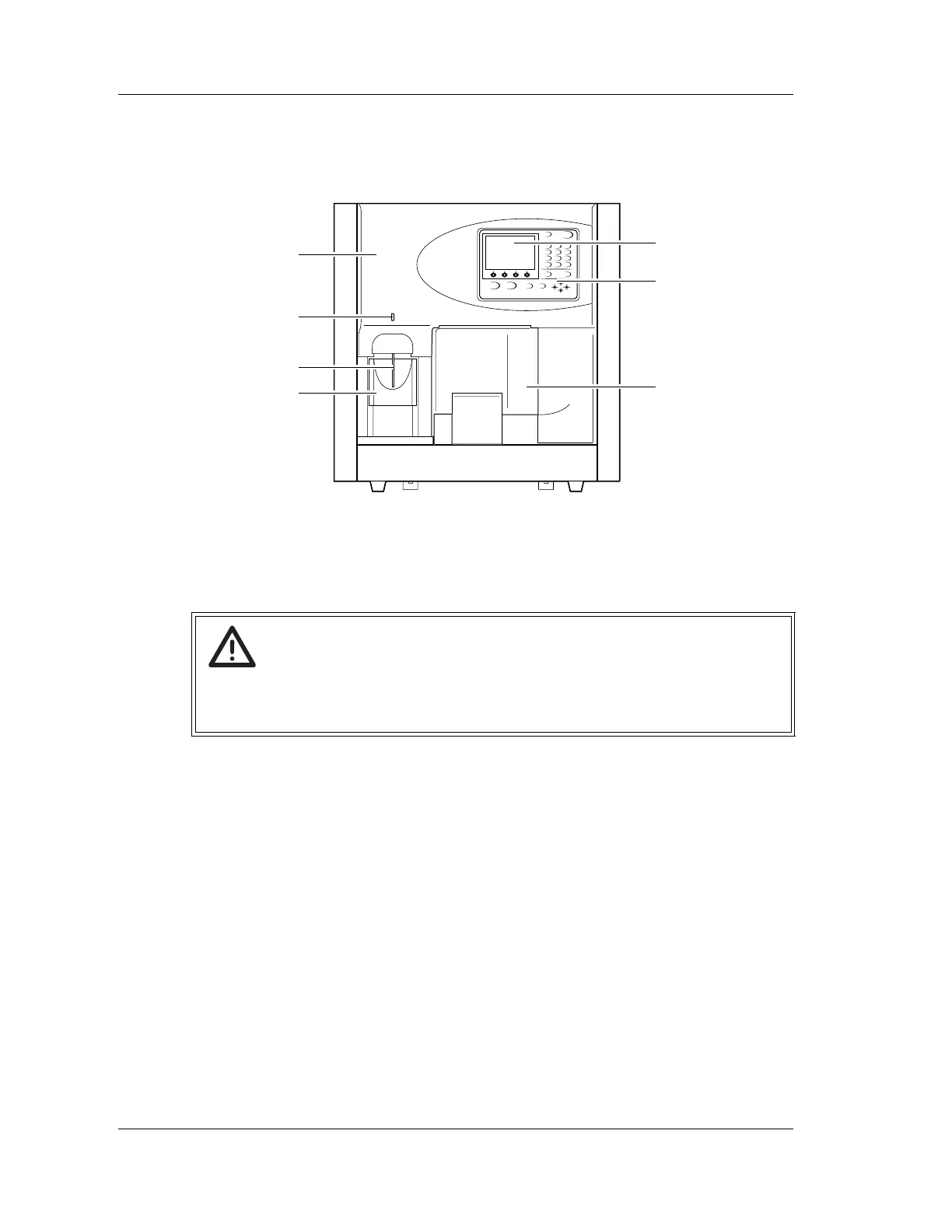
3.2 Main Unit
Front View
1 Front cover
Can be opened upward by hand. Open the cover to inspect or clean inside the Main
Unit.
2READY LED
Lights up when the Main Unit enters Ready status.
3 Manual aspiration pipette
Used to aspirate a sample in manual or capillary mode.
4 START switch
Used to start an analysis in manual, capillary or manual closed mode.
5 LCD screen
Displays the status of the Main Unit, sample ID number and analysis data.
6 Panel Keypad
Used to perform basic operation, such as inputting sample ID number, starting the
sampler analysis and selecting the analysis parameter. For details, see “Panel keypad” .
7 CP cover
This is the protection cover of cap piercing unit.
Warning!
When inspecting inside the Main Unit with the front cover opened, be sure to set the
stop bar in advance.
Otherwise, the cover can drop down and injure your head.
1
5
6
7
2
3
4



 To Next Page