CHAPTER 3 Design and Function
Sysmex XE-5000 Instructions for Use 3-9
Revised April 2007
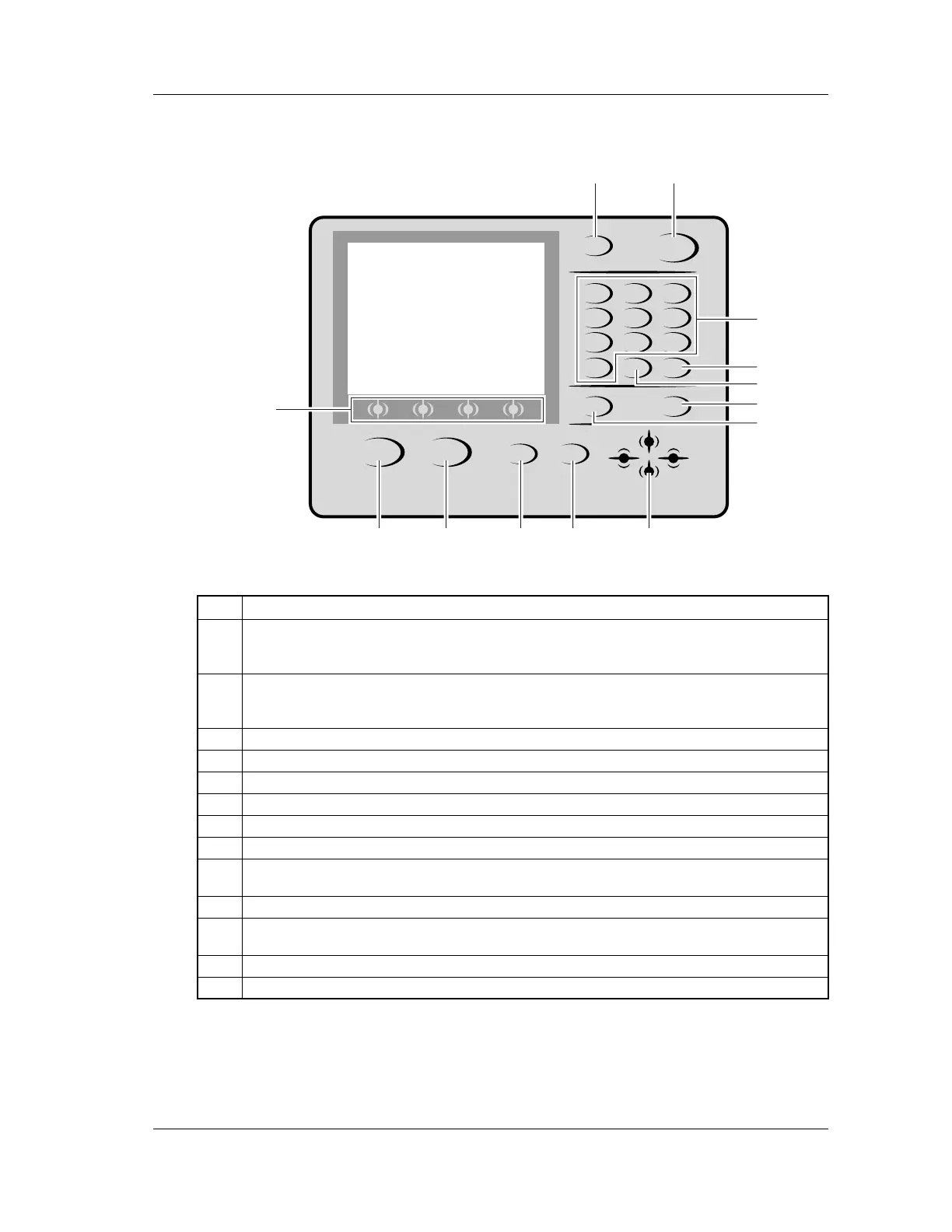
Panel keypad
No. Function
1
Used to enter the sample ID No. in manual mode, capillary mode, HPC mode, body fluid mode
and manual closed mode. The sample ID No. setting screen is displayed. In additional to the
sample ID No., the discrete test profile and the analysis mode can be selected.
2
Used to start analysis in sampler mode.
When the sampler key is pressed, the sample ID No. setting screen is displayed, and you can
set sample ID No., rack No., and tube position from which the analysis has to start.
3
Used to specify sample ID No. and menu No.
4
Used to delete one character during key entry, or to stop the alarm.
5
Used to input hyphen [-] during sample ID No. entry, or decimal point during numeric entry.
6
Used to confirm the entered sample ID No.
7
Used to change input modes.
8
Used to change the LCD screen, or to move the selected parameter.
9
Used to change the function menu display on the screen which has five or more selectable
function menu items.
10
Used to cancel the execution of the menu and return to the status before selecting the menu.
11
In the presence of an error, pressing HELP will display the error message, probable cause and
corrective action to take.
12
Used to execute the shutdown sequence.
13
Used to select the function menu displayed at the bottom of the LCD screen.
SHUTDOWN HELP
SAMPLER
RETURN MORE
NUM./ALPH. ENTER
MANUAL
QZ
0 -/. C
PRS
1
TUV
2
WXY
3
GHI
4
JKL
5
MNO
6
7
ABC
8
DEF
9
12
3
4
5
6
7
9
8101112
13



 To Next Page