CHAPTER 10 Troubleshooting
Sysmex XE-5000 Instructions for Use 10-19
Revised April 2007
6. Sampler Operation Errors
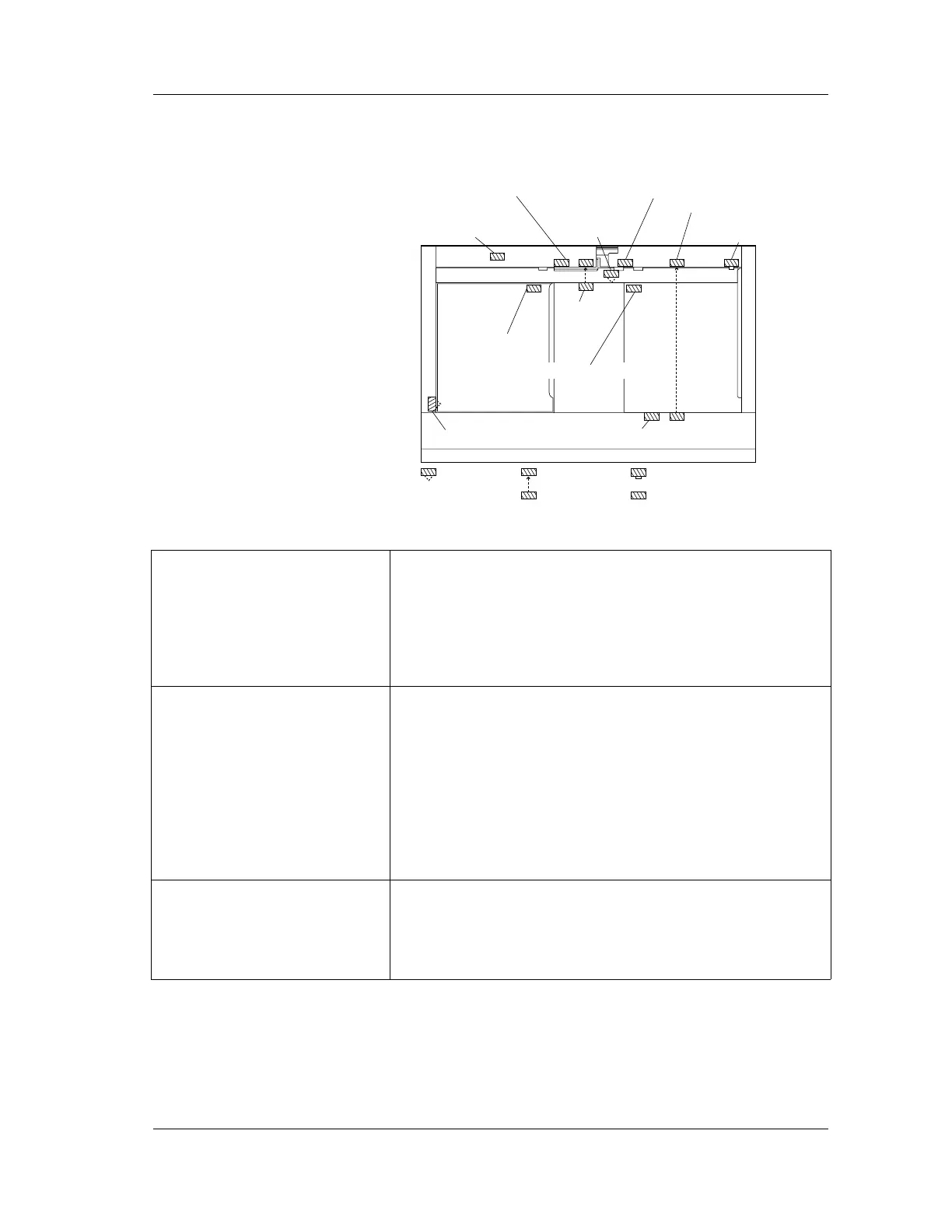
The names and positions of the various sensors fitted to the
sampler are shown below.
Rack feed-out
initial position sensor
Rack position sensor
Rack shift move
position sensor
Rack shift home position sensor
Rack feed-in initial position sensorRack full sensor
Tube position sensor
Rack feed-in
move position sensor
Rack detection sensor
Tube
detection
sensor
Blood
volume
sensor
Reflection
sensor
Microswitch sensor
Photo-interrupter
sensor
Transparent
sensor
Error messages:
Set Piercer Cover
Status:
Not Ready
Probable Cause
1. CP cover has not been installed.
Corrective Action
1. Install the CP cover:
After the installation, press the HELP key on the panel
keypad of the Main Unit. Then select “OK” on the function
menu to check the operation.
Error messages:
Rack Feed In Func Error
Status:
Not Ready
Probable Cause
1. Rack feed-in move position sensor has malfunctioned.
2. The rack moves by irresistible force during sampler
analysis.
Corrective Action
1. Remove dirt or dust.
2. There may be an inconsistency between sample number
and analysis result.
Check the analysis results of all the samples inserted in the
rack on the analysis line.
Error messages:
Rack Feed In Init. ERR
Status:
Not Ready
Probable Cause
1. Rack feed-in initial position sensor has malfunctioned due
to dirt or dust.
Corrective Action
1. Remove dirt or dust.



 To Next Page