Basic Features
The Phone System Tab 97
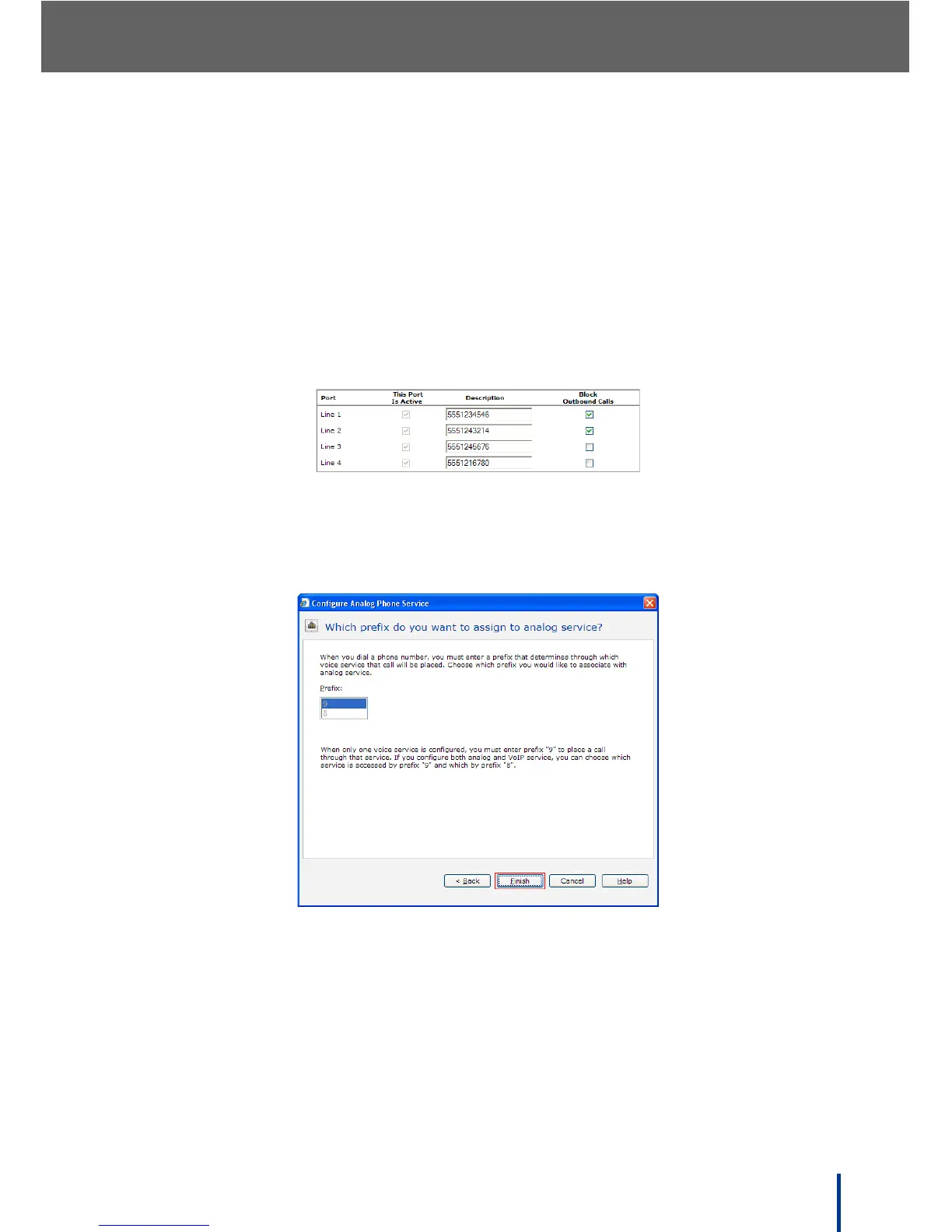
5. Enter the phone number associated with the port in the Description field
for identification purposes.
N
OTE: Only alphanumerics, dashes, brackets, and periods are acceptable for
port descriptions. The description must not contain spaces and cannot be
left blank.
For example, check Line 1 and Line 2 to reserve the lines for incoming calls
only; these lines are always available to customers.
Outgoing calls are only possible using Line 3 and Line 4.
6. Click Next.
The Which prefix do you want to assign to analog service screen dis-
plays.
7. Select which prefix to associate with the analog service. The prefix 9 is
mandatory when only analog voice services are configured. If analog and
VoIP services are connected, select which service is accessed by prefix 9
and which by prefix 8.
8. Click Finish to save the new settings.



 To Next Page