Basic Features
The Call Routing Tab 125
Callers can say Company Directory at the prompt to hear a list of all con-
tacts registered with Response Point.
N
OTE: • All users are listed in the directory by default. To remove individual
users from the directory, change the Directory listing setting by navi-
gating to the Phone System´ Users´ Edit User screen. See Editing
User Descriptions on page 84 for more details.
• Similarly, users can remove themselves from the directory by changing
settings in Assistant Settings´ Identification. See Using the Identifi-
cation Tab on page 142 for more information.
6. Click OK.
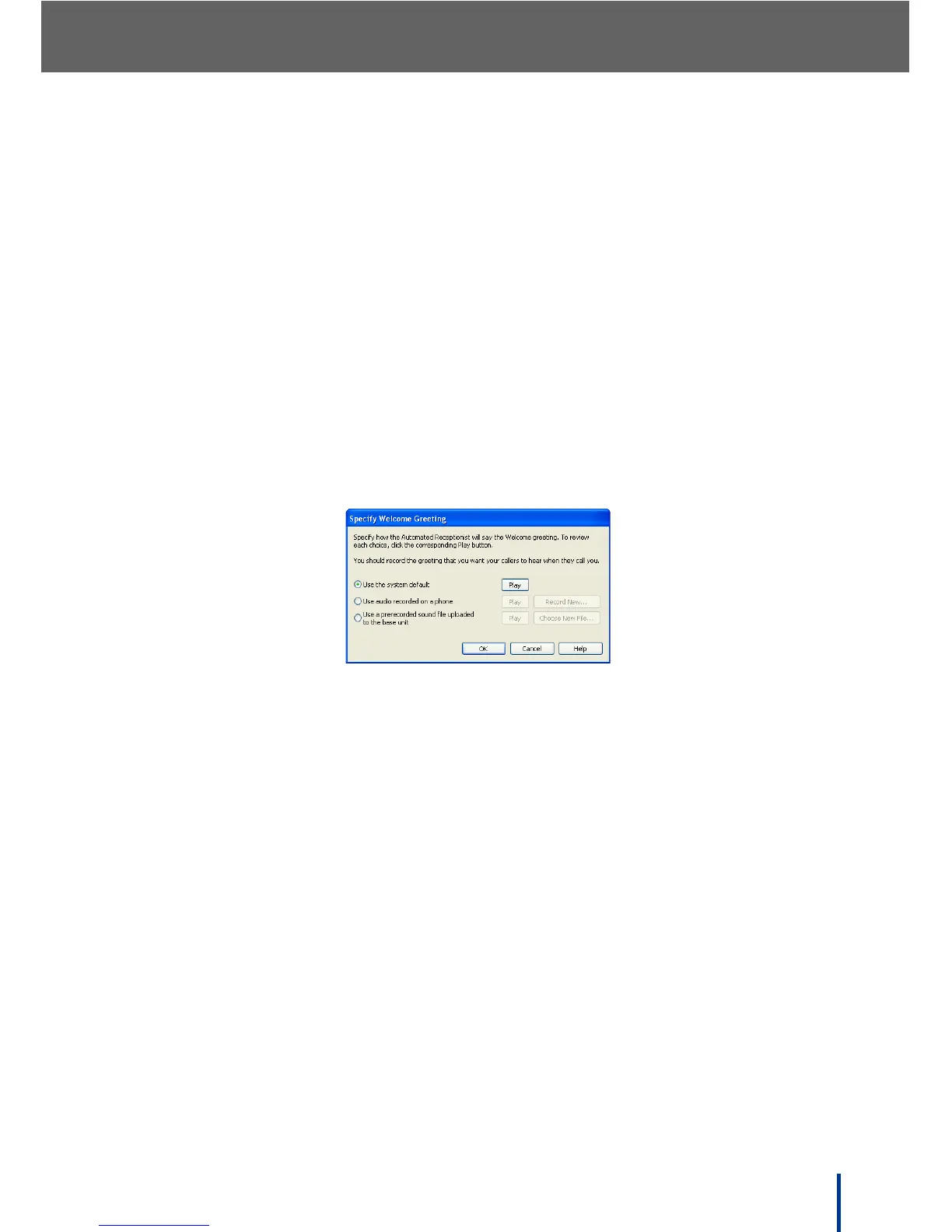
7. Select the Welcome greeting check box and click Configure.
The Specify Welcome Greeting screen displays.
8. Decide whether to use the system-provided greeting, record a custom
greeting, or upload a sound file of the greeting:
• Use the system default—use the system default greeting. Click Play to
hear the greeting.
• Use audio recorded on a phone—use audio pre-recorded on a phone.
Click Record New and follow the on screen prompts to record a new greet-
ing.
N
OTE: If an audio source is not available, the Play button is disabled.
• Use a pre-recorded sound file uploaded to the base unit—use a sound
file uploaded to the DOS-A50.
IMPORTANT!
The file format uploaded must be 8kHz, 16bit, mono WAV. All other file
types are not supported.
Click Choose New File and follow the on screen prompts to locate and
upload the file.



 To Next Page