Basic Features
The Call Routing Tab 135
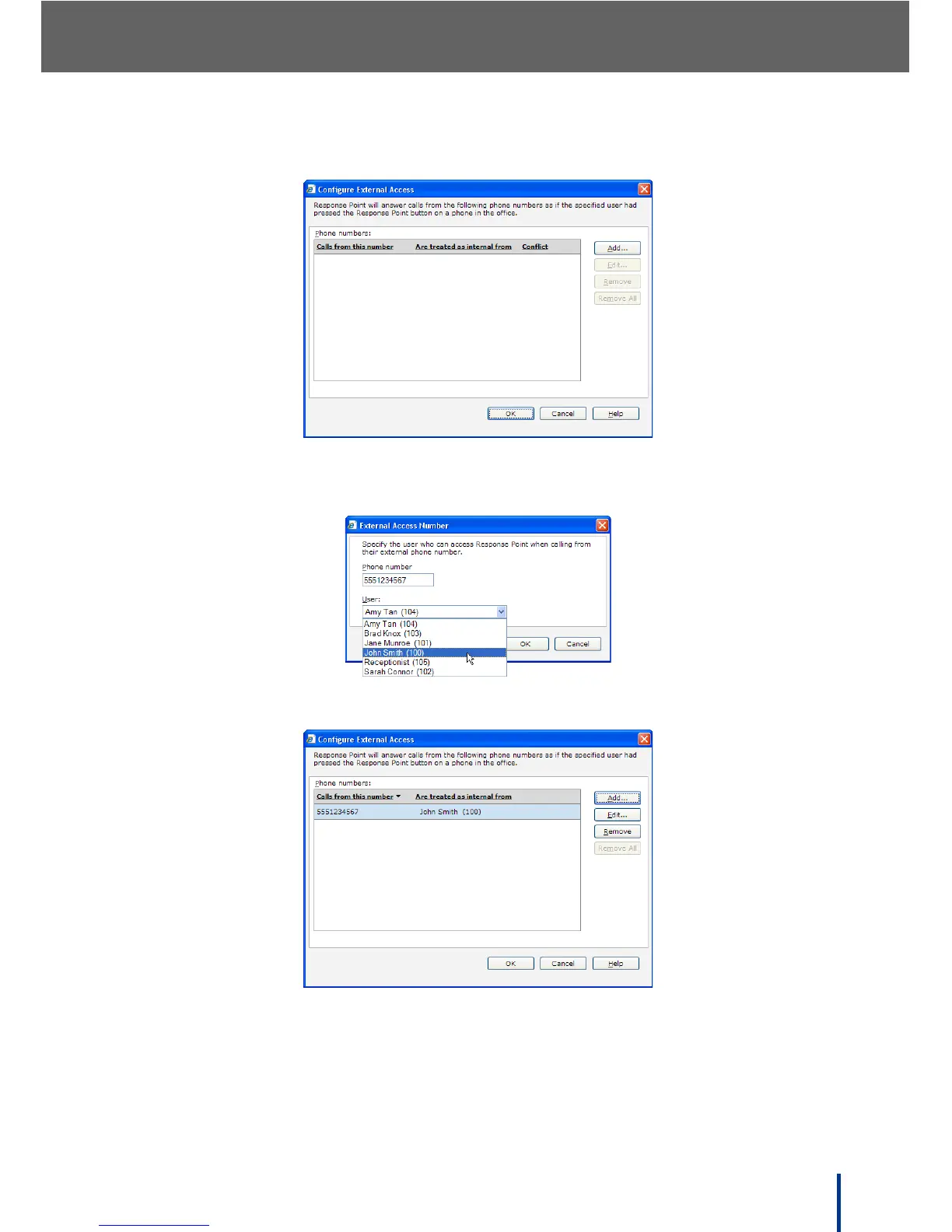
The Configure External Access screen displays.
3. Click Add and enter the external number and internal contact from the
drop-down menu.
4. Click OK to return to the Configure External Access screen.
5. Select an entry and click Edit or Remove, or click Add to include more
entries or Remove All to delete all entries shown.
6. Click OK to return to the Call Routing screen.



 To Next Page