Basic Features
Microsoft Response Point Assistant Features 153
• Call Waiting—enable or disable the call waiting tone. When enabled, if the
line is in use when another call tries to connect, the user hears the Call
Waiting tone. The default is Enable.
• Do Not Disturb—enable or disable Do Not Disturb. When enabled, the
user’s phone doesn’t ring and all calls are diverted according to the Call
Forwarding rules. The default is Disable.
• Headset Mode—enable or disable Headset Mode. When enabled, press
Loud Speaker on the IP Phone to divert audio to a headset. The default is
Disable.
• Inter-Digit Timeout—select the time (in seconds) allowed between key-
strokes during number entry. If the timeout expires, the line disconnects.
The available range is from 1 to 15 seconds, and the default is 8 seconds.
• Hold Recall Alert Timeout—select the time (in seconds) after which the
automatic on hold or conference tone (and indicator LED blink) stops. The
available range is from 10 to 600 seconds, and the default is 180 seconds.
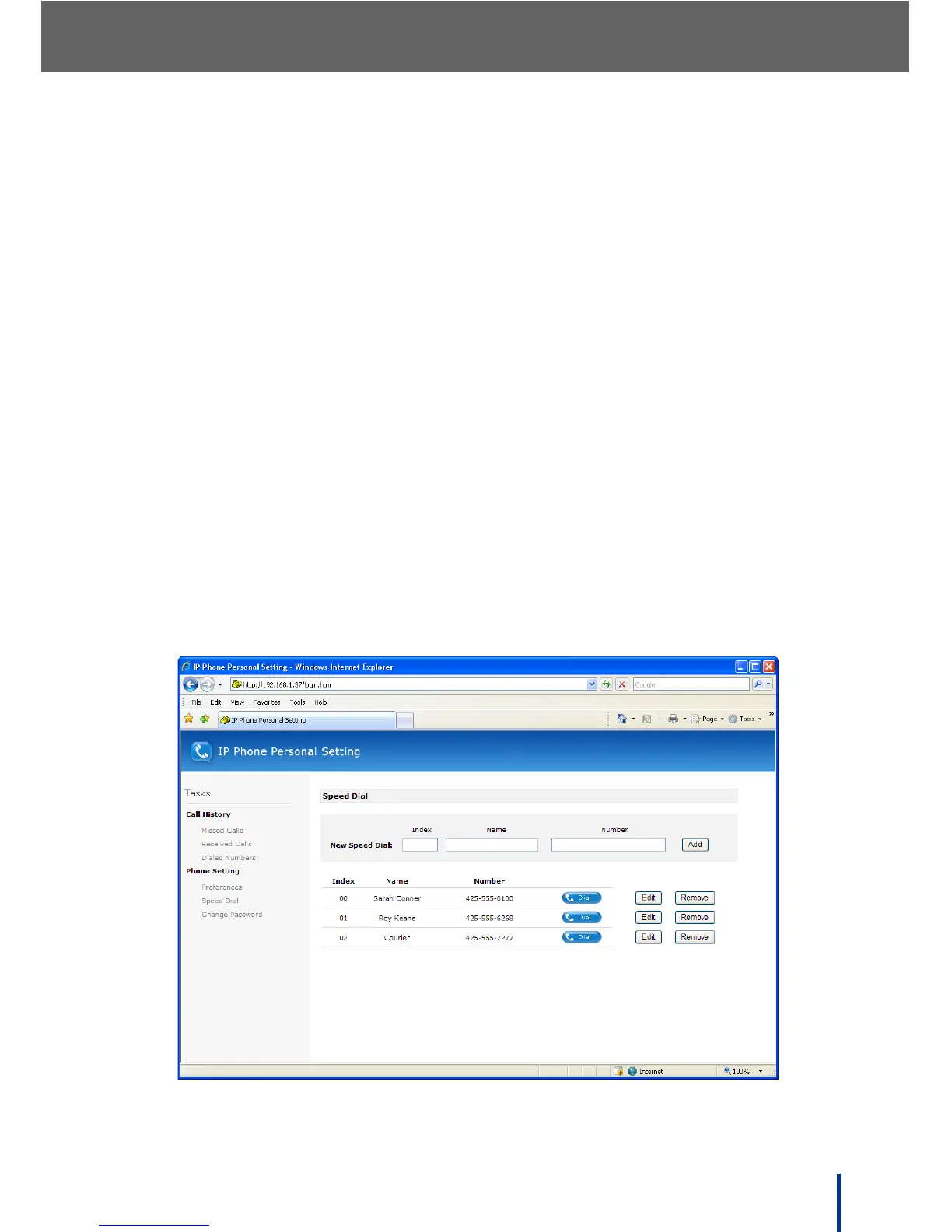
Speed Dial
Click Speed Dial to view and manage up to 50 speed dial entries (0 to 49). The
Speed Dial screen displays.



 To Next Page