Basic Features
Voicemail to E-mail Forwarding 67
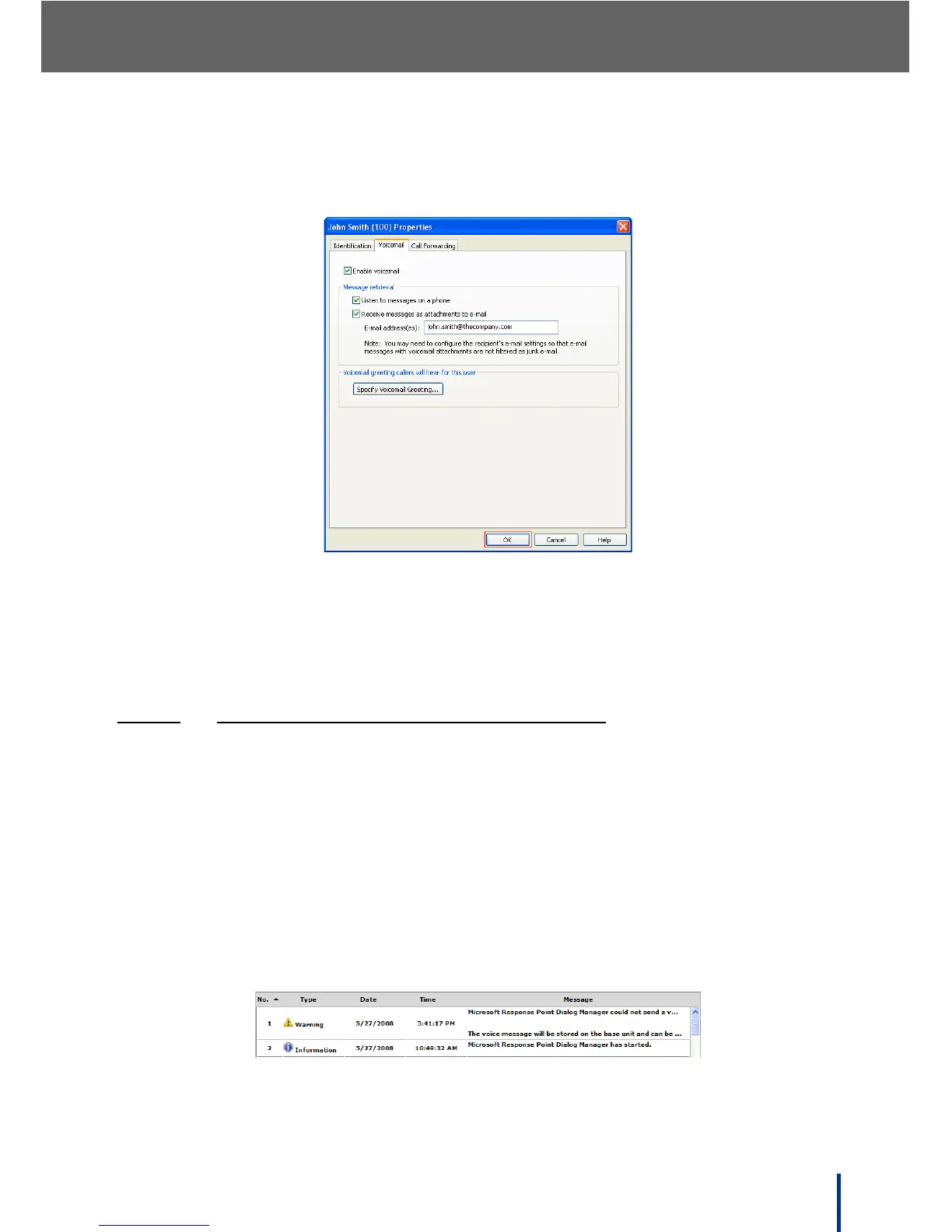
The User Properties screen displays.
2. Select the Voicemail tab as shown.
3. Ensure that Enable voicemail and Receive messages as attachments
to e-mail are selected.
4. Enter the recipient’s e-mail address as shown and click OK to complete the
process.
3.8.2.1
TESTING THE VOICEMAIL TO E-MAIL SERVICE
Once the configuration is complete, perform this simple test to confirm voice-
mail to e-mail connection:
N
OTE: The test user does not need to be assigned to a phone.
1. Leave a test voicemail for the created user (see Leaving Voicemail on
page 61).
2. From the Base Unit tab of the Administrator, click View Event Log.
• If an event similar to the examples below is logged, the test failed and
voicemail to e-mail is incorrectly setup.
See Troubleshooting on page 163.



 To Next Page